
LinkedIn Verification Without a Passport: Your Options
linkedin verification without passport is something many professionals search for when they want to verify their LinkedIn profiles but don’t have a valid passport. Perhaps you only have a national identity card, driver’s license, or another government-issued document. Naturally, you want to know whether those documents can help you complete the verification process.
LinkedIn verification can provide an additional layer of confidence when connecting with recruiters, employers, clients, and other professionals. However, the requirements aren’t always straightforward, especially because supported identification documents can vary by country and verification provider.
Some users can verify their identities using eligible government-issued documents, while others may need a passport or a different verification method.
Fortunately, passport-based identity verification isn’t the only option LinkedIn offers.
Depending on your location, account eligibility, and workplace, you may be able to verify your profile using another supported identity document, an eligible company email address, or an organization-supported verification system.
This guide explains your available options, document requirements, common verification errors, and practical troubleshooting steps.
You’ll also learn how to identify which method works for your situation without relying on misleading verification services.
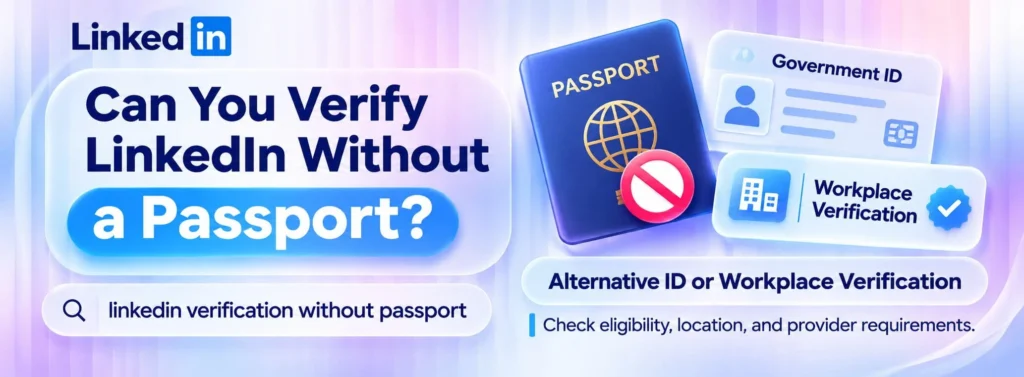
Can You Verify LinkedIn Without a Passport?
The short answer is yes, but your available options depend on your account and location.
linkedin verification without passport may be possible through an eligible alternative identity document or a supported workplace verification method.
However, LinkedIn doesn’t offer identical verification options to every member.
Some identity verification providers support specific government-issued documents, while others require passports with particular electronic security features.
Your eligibility depends on the verification method displayed in your LinkedIn account.
Why Does LinkedIn Ask for a Passport?
LinkedIn uses approved verification providers to confirm certain information about members.
A passport can provide identity information that helps the provider evaluate whether a person matches their submitted document.
Some passports also contain electronic security features that support additional authenticity checks.
However, not every verification process requires the same technology.
The document requirements depend on the provider and the specific verification experience.
Is a Passport Mandatory for Everyone?
No. A passport isn’t universally required for every LinkedIn verification method.
Workplace verification, for example, may allow eligible members to confirm their employment association without submitting a passport.
Certain identity verification methods may also support other government-issued identification.
However, a method requiring a passport cannot necessarily be completed using a national identity card.
What Should You Check First?
Before beginning verification, open your LinkedIn profile and review the available options.
Check whether LinkedIn offers identity verification, workplace verification, or another supported method.
Read the document requirements carefully.
This simple step can save time and prevent repeated unsuccessful submissions.
LinkedIn Verification with ID Card: Is It Possible?
Many users want to complete linkedin verification with id card because national identity cards are more accessible than passports in some countries.
Whether this works depends on the verification provider, document type, and supported country.
A government-issued national identity card may be accepted through certain identity verification services.
However, having a valid ID card doesn’t automatically mean it qualifies for LinkedIn’s available verification process.
Which National ID Cards Are Accepted?
There isn’t one universal list of national identity cards accepted through every LinkedIn verification method.
Different providers may support different document types.
Some systems accept eligible national identity cards, while others require specific passports or electronically readable documents.
The most reliable source is the document-selection screen displayed during your verification attempt.
If your country or document type isn’t listed, don’t assume it will work.
Can You Use a Digital National ID?
Some countries issue digital identity credentials or electronic identification documents.
However, their acceptance depends on the supported verification technology.
A digital copy of a physical identity card isn’t necessarily equivalent to an officially supported digital identity credential.
Similarly, a screenshot of an identification document may not satisfy requirements for live document capture.
Always follow the instructions provided by the authorized verification service.
What About Expired ID Cards?
An expired identification document may not satisfy verification requirements.
Even if the document contains accurate personal information, the provider may require currently valid identification.
Check the expiration date before starting.
If your document has expired, renew it or explore another eligible verification method.
Understanding LinkedIn Verification Government ID Requirements
Before submitting identification, it’s important to understand linkedin verification government id requirements.
Government-issued identification generally refers to official documents issued by an authorized government body.
Examples may include passports, national identity cards, and driver’s licenses.
However, not every government-issued document is accepted by every verification provider.
What Information Is Usually Required?
Identity verification may involve checking your legal name, photograph, date of birth, and document authenticity.
Depending on the method, the provider may also request a live selfie or additional identity confirmation.
Some processes require electronically readable identification.
The exact information collected depends on the verification provider and its applicable requirements.
Why Document Authenticity Matters
Verification providers need to determine whether submitted identification satisfies their authenticity requirements.
Poor image quality, unsupported formats, and document damage can interfere with these checks.
For example, a photograph with glare covering important details may prevent the provider from reading the document.
Likewise, an identification card without required electronic features may not qualify for a particular verification method.
Does Your LinkedIn Name Need to Match?
Name consistency can matter during identity verification.
However, legitimate differences may exist between a person’s legal name and the professional name displayed on LinkedIn.
These situations may require additional guidance or review.
Don’t change accurate personal information simply to force approval.
Instead, follow LinkedIn’s applicable name policies and the instructions associated with your verification method.
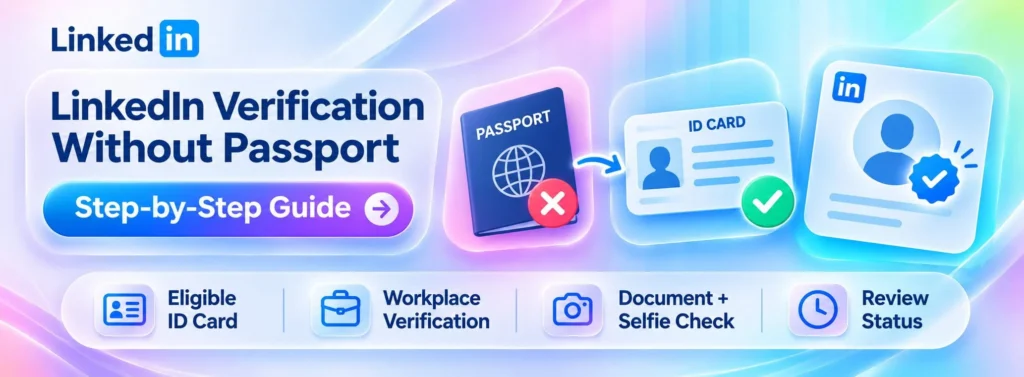
How to Complete LinkedIn Verification Without Passport: Step-by-Step
If you’re trying to complete linkedin verification without passport, start by identifying which verification methods your account supports.
The following walkthrough explains how to check eligibility and proceed using an available alternative.
Step 1: Open Your LinkedIn Account
Visit LinkedIn through its official website or mobile application.
Sign in using your existing account credentials.
Make sure you’re accessing your own profile.
If LinkedIn requests an additional security check, complete it before continuing.
Avoid unofficial websites promising instant verification.
Step 2: Find Your Verification Options
Navigate to your LinkedIn profile.
Look for an available verification section or a button such as “Verify now.”
The exact wording and location may differ depending on your device and LinkedIn’s interface.
If the option isn’t visible, consult LinkedIn’s official Help Center.
A missing verification option doesn’t automatically indicate an account problem.
Step 3: Review Available Methods
LinkedIn may offer identity verification, workplace verification, or another supported option.
Choose the method that matches your circumstances.
If identity verification is available, check which documents the provider accepts.
If workplace verification is available, review the organizational requirements.
Don’t assume that every method requires government identification.
Step 4: Select an Eligible Alternative
If the identity verification interface supports your national ID card or another document, select that option.
For linkedin verification with id card, make sure the exact document type and issuing country are supported.
If your document isn’t eligible, check whether workplace verification is available.
Avoid submitting unrelated documents simply because they contain your photograph.
Step 5: Complete the Required Checks
Follow the instructions displayed during verification.
For identity verification, you may need to capture your document and complete a selfie check.
For workplace verification, you may need to confirm access to an eligible company email address.
Provide accurate information and complete each step carefully.
Step 6: Review Your Verification Status
After submitting the required information, return to LinkedIn and check the available status.
Some verification processes may produce a quick result.
Others may require additional processing.
If your request remains pending, follow the displayed instructions rather than repeatedly restarting the process.
Can You Get Verified Immediately?
Some eligible members may complete verification quickly, but approval isn’t guaranteed within a specific timeframe.
Document compatibility, provider processing, and additional reviews can affect completion.
Prepare your information beforehand to reduce avoidable delays.
Alternative 1: Verify LinkedIn Using Your Work Email
One practical alternative to linkedin verification without passport is workplace verification.
This method allows eligible professionals to confirm an association with their organization through a supported process.
Unlike government-ID verification, workplace email verification focuses on confirming access to an eligible organizational email address.
How Workplace Email Verification Works
When the option is available, LinkedIn may allow you to enter an approved company email address.
A verification message is then sent to that address.
You follow the instructions to confirm access.
Once the process succeeds, LinkedIn may display relevant workplace verification information on your profile.
Who Can Use Workplace Verification?
Eligibility depends on your employer, email domain, and LinkedIn’s supported methods.
Not every company participates.
Some organizations may use other identity systems instead of email verification.
If you don’t see the option, your organization may not currently support it.
Can Freelancers Use This Method?
Freelancers and self-employed professionals may not qualify for employer-based verification.
Having a business email address doesn’t automatically guarantee eligibility.
If workplace verification isn’t available, check whether another identity verification method is supported.
Alternative 2: Use Another Supported Government ID
Some members may qualify for linkedin verification with id card or another eligible identification document.
This depends on the provider and country.
LinkedIn’s verification ecosystem can involve different identity verification services, each with specific document requirements.
National Identity Cards
Certain verification processes may support eligible national identity cards.
However, document acceptance varies.
A card accepted in one verification flow may not work in another.
Check the available document options before beginning.
Driver’s Licenses
A driver’s license is government-issued identification in many countries.
However, it isn’t automatically accepted for LinkedIn verification.
Some providers or verification methods may support eligible licenses, while others require different documents.
Never assume that possessing a valid license guarantees approval.
Electronic Identity Documents
Some identification systems support electronic document authentication.
These methods may require compatible devices or document-reading technology.
Follow the provider’s instructions carefully.
A photograph of an electronic document may not replace a required electronic scan.
Alternative 3: Verify Through an Employer-Supported System
Another option for linkedin verification without passport may involve an employer-supported verification system.
Some organizations participate in identity or workplace verification programs that allow eligible employees to confirm professional associations.
How Organization-Based Verification Works
An employer may use a supported identity-management platform.
Eligible employees can complete verification through that organization’s approved system.
The process depends on the employer’s technical setup and LinkedIn’s supported integrations.
What If Your Employer Doesn’t Participate?
If your employer hasn’t enabled a supported method, the option may not appear in your account.
You can ask your IT or identity-management team whether workplace verification is available.
However, an employer isn’t necessarily required to provide it.
You may need to consider another eligible verification method.
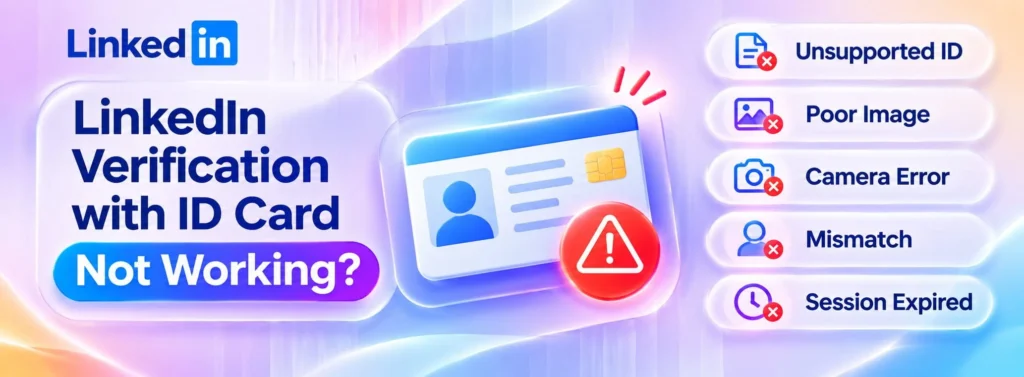
LinkedIn Verification with ID Card Not Working? Common Fixes
Sometimes, linkedin verification with id card fails even when the document appears valid.
This doesn’t automatically mean your LinkedIn account is restricted.
Several technical and eligibility issues can prevent successful verification.
Problem 1: Unsupported Document Type
The provider may not accept your particular identification card.
Check the supported document list.
If your document isn’t eligible, use another officially supported method.
Repeatedly uploading an unsupported document is unlikely to resolve the issue.
Problem 2: Poor Document Image Quality
Blurry photographs, shadows, and reflections can interfere with document checks.
Use a well-lit environment.
Keep the camera steady and ensure the entire document is visible.
Avoid filters or edited photographs.
Problem 3: Camera Permission Errors
Some verification services require camera access.
If the camera doesn’t open, review your browser or application permissions.
Close other applications using the camera.
Update your software when necessary.
Problem 4: Identity Information Mismatch
A verification provider may encounter difficulties when submitted identity information doesn’t satisfy its requirements.
Review your profile information and the instructions carefully.
Make genuine corrections where appropriate.
Avoid providing inaccurate details.
Problem 5: Verification Session Expired
Some verification sessions use time-sensitive links.
If your session expires, restart through LinkedIn’s official interface when permitted.
Avoid repeatedly opening old links.
If the problem continues, contact the appropriate support channel.
LinkedIn Verification Government ID: Privacy and Safety
Privacy is an important consideration when using linkedin verification government id methods.
Government-issued documents can contain sensitive personal information.
Before submitting identification, understand how the verification provider collects, processes, and retains your information.
What Happens to Your ID Information?
Depending on the method, a verification provider may collect document images, identifying details, and information needed to complete identity checks.
Some processes may also involve facial comparison.
The provider may communicate a verification result or other specified information to LinkedIn.
The exact data exchanged depends on the integration and applicable privacy terms.
Does LinkedIn Store Your Entire ID?
Don’t assume that LinkedIn automatically receives every image collected by a verification provider.
Likewise, don’t assume that no personal information is shared.
Review the relevant privacy notices to understand the data-handling arrangements.
Can Your Data Be Deleted?
Deletion rights depend on the provider, applicable laws, and retention requirements.
Some information may be eligible for deletion upon request.
Other records may need to be retained for legitimate legal or security reasons.
Use official privacy request channels when seeking information about your data.
How to Avoid Verification Scams
Never submit identification through an unfamiliar website promising guaranteed verification.
Start through LinkedIn’s official application or website.
Avoid sharing passwords, authentication codes, or identity documents with individuals claiming they can verify your account manually.
LinkedIn Verification Without Passport for Different Countries
Availability is one of the biggest factors affecting linkedin verification without passport.
A method supported in one country may not be available elsewhere.
Document eligibility can also differ between verification providers.
United States
Eligible members in the United States may have access to supported identity or workplace verification methods.
However, the accepted documents depend on the particular verification process.
Check the options displayed in your account rather than assuming every US-issued ID qualifies.
United Kingdom
Members in the United Kingdom may encounter different verification providers or document requirements.
Some methods may require eligible passports or other supported identification.
Workplace verification may provide an alternative for qualifying employees.
India
Professionals in India should check which verification methods are currently supported for their accounts.
A government-issued identification document isn’t automatically eligible simply because it is widely used nationally.
Follow the requirements shown during verification.
Bangladesh
Bangladeshi professionals frequently ask whether a national identity card can replace a passport.
The answer depends on the available provider and supported document requirements.
Don’t assume that a Bangladesh National ID card is accepted unless the verification interface explicitly confirms eligibility.
If passport-based identity verification isn’t available to you, check whether your employer supports workplace verification.
Other Countries
Verification availability can change as LinkedIn expands supported methods.
Always consult current official guidance for your location.
Avoid relying on outdated tutorials that may describe different eligibility requirements.
What If No Verification Method Is Available?
Not everyone can complete linkedin verification without passport through an alternative method.
If your account doesn’t offer an eligible option, you may need to wait until additional methods become available.
However, an unavailable verification feature doesn’t necessarily mean you’re on an official waiting list.
Can You Still Use LinkedIn Normally?
Yes. Optional profile verification isn’t universally required.
You can continue building your professional network, sharing content, and maintaining your profile without an optional verification indicator.
However, identity checks required for account recovery are a separate matter.
Does an Unverified Profile Look Unprofessional?
Not necessarily.
Many legitimate professionals don’t have access to verification or choose not to complete it.
A credible profile depends on accurate information, relevant experience, professional communication, and meaningful engagement.
Verification is an additional signal rather than the only measure of authenticity.
Should You Create Another Account?
No. Creating another account simply to bypass verification requirements may violate LinkedIn’s rules.
Instead, review the available methods and contact official support when necessary.
How to Prepare for Successful LinkedIn Verification
Understanding linkedin verification government id requirements can help prevent unnecessary errors.
Although preparation cannot guarantee approval, it can make the process smoother.
Review Document Requirements
Check which identification types are accepted.
Make sure your document is valid and readable.
Don’t assume that every government-issued document qualifies.
Use a Compatible Device
Some verification methods require a smartphone camera or electronic document-reading capabilities.
Use a supported device and updated software.
Enable necessary permissions.
Maintain Accurate Profile Information
Keep your professional identity information accurate.
If legitimate differences exist between your profile name and identification, follow LinkedIn’s guidance.
Avoid changing accurate details simply to force verification.
Follow Official Instructions
Start verification through LinkedIn.
Read each step carefully.
If the provider requests additional information, submit it only through the authorized process.
When Should You Contact Support?
Contact official support if your document is supported but repeatedly rejected, your verification session fails, or your account displays an unresolved error.
Provide the relevant error message and describe the troubleshooting steps you’ve completed.
Never share passwords or authentication codes.
Frequently Asked Questions About LinkedIn Verification Without a Passport
Can I Complete LinkedIn Verification Without Passport in 2026?
Yes, linkedin verification without passport may be possible if your account offers another eligible identity or workplace verification method.
However, availability depends on your country, provider, and account eligibility.
Not every member has access to the same alternatives.
Is LinkedIn Verification with ID Card Accepted?
linkedin verification with id card may be supported through certain verification methods.
However, not every national identity card qualifies.
Check the accepted documents displayed during your verification attempt.
Which LinkedIn Verification Government ID Documents Are Supported?
linkedin verification government id requirements vary by provider.
Depending on the method, eligible documents may include passports, national identity cards, or other supported government-issued identification.
Always confirm the exact requirements before submitting.
Can I Verify LinkedIn Using My Driver’s License?
Possibly, but only if your available verification method explicitly supports that document.
A driver’s license isn’t universally accepted.
Review the document-selection options provided by LinkedIn’s authorized verification service.
Can I Verify LinkedIn Using My Work Email?
Yes, eligible members may be able to verify their workplace through an approved company email address.
However, this confirms a workplace association rather than necessarily completing government-ID identity verification.
Employer and domain eligibility requirements apply.
Is LinkedIn Verification Free?
Standard LinkedIn profile verification is free for eligible members.
You don’t generally need LinkedIn Premium.
Avoid unofficial services charging money for guaranteed verification.
What Should I Do If My National ID Is Rejected?
First, confirm that your document is supported.
If it is eligible, check image quality, document validity, and technical requirements.
If the problem continues, use LinkedIn’s official support options.
Final Thoughts: Choose the Right Verification Method
Completing linkedin verification without passport is possible for some professionals, but eligibility depends on the verification methods available to their accounts.
If you have a national identity card, check whether the authorized provider supports it.
For linkedin verification with id card, document compatibility matters more than simply possessing valid government identification.
You may also qualify for workplace verification through an eligible company email address or organization-supported system.
Before submitting sensitive information, review the applicable linkedin verification government id requirements and privacy policies.
If no alternative method is available, remember that optional verification isn’t essential for maintaining a professional LinkedIn presence.
Focus on accurate profile information, meaningful networking, and responsible account security.
Ultimately, the best verification method is one that LinkedIn officially supports, that you can legitimately complete, and that aligns with your privacy preferences.


