
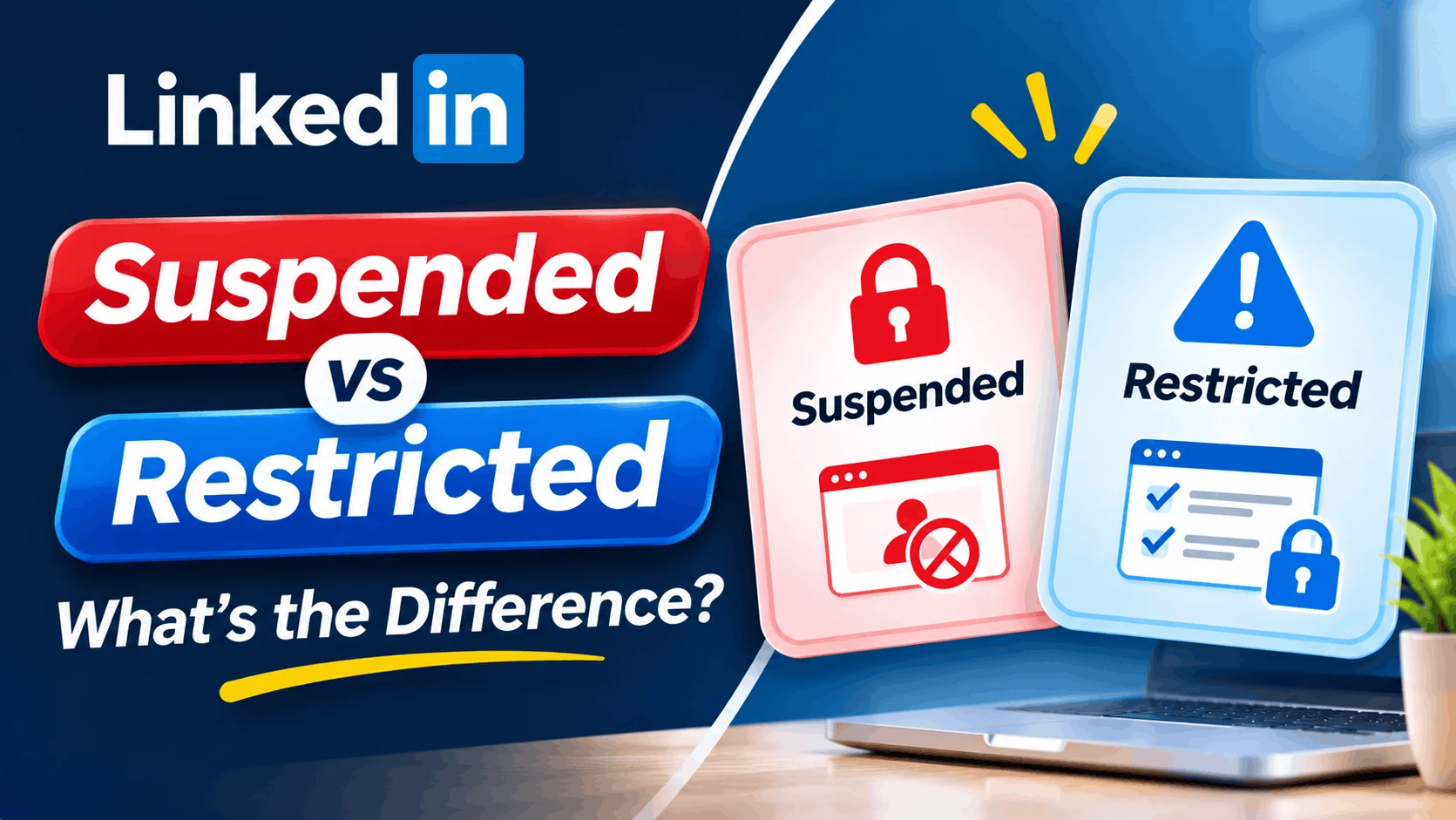
LinkedIn Account Suspended vs Restricted: What’s the Difference?
linkedin account suspended is a situation that can be confusing and stressful, especially when you rely on LinkedIn to connect with professionals, search for job opportunities, communicate with clients, or grow your business. However, not every account access problem means the same thing. LinkedIn may suspend an account, restrict certain activities, request identity verification, or temporarily limit access to specific features depending on what it detects.
Understanding the difference between a suspended and restricted account is important because the solution depends on the type of action LinkedIn has taken. For example, someone who cannot send connection requests may have a temporary feature restriction, while another person who cannot access their profile at all may be dealing with a more serious account security or policy issue.
Many users use the words suspended and restricted interchangeably, but they do not always describe the same experience. The notification displayed during login, the features you can still access, and the reason provided by LinkedIn can help you understand what happened.
In this guide, we will explain the difference between suspended and restricted LinkedIn accounts, explore common reasons behind these situations, and discuss practical steps you can take to recover access. You will also learn how to avoid common mistakes that could make an existing account problem more difficult to resolve.
What Does a Suspended LinkedIn Account Mean?
A suspended LinkedIn account generally refers to an account that has been temporarily or otherwise significantly disabled from normal use. When this happens, LinkedIn may prevent the account owner from signing in or using important platform features.
A linkedin account suspended notification can appear for different reasons. For example, LinkedIn may detect unusual login attempts, suspicious account activity, or behavior that appears inconsistent with its User Agreement and Professional Community Policies.
Suspension can also be a protective measure rather than direct evidence that the account owner intentionally violated a rule. If someone repeatedly enters an incorrect password, LinkedIn may temporarily suspend access to protect the account.
Common Signs of an Account Suspension
Although the exact experience depends on the situation, there are several signs that may indicate a suspension:
- You receive a notification explaining that your account has been suspended.
- You cannot access your profile through the normal login process.
- LinkedIn asks you to complete an identity verification process.
- You receive an email explaining that unusual activity has been detected.
- The platform provides instructions about waiting or submitting an appeal.
One important detail is that suspension does not automatically mean the account has been permanently removed.
LinkedIn may temporarily suspend access while investigating unusual activity or protecting an account. In other situations, the platform may require additional information before restoring access.
Is a Suspended Account Always Permanent?
No. A suspension can be temporary, and the available recovery options depend on the reason behind it.
For instance, LinkedIn explains that accounts temporarily suspended because of repeated unsuccessful sign-in attempts may become accessible again after a waiting period. Its official guidance recommends waiting 24 hours before trying to sign in again in that particular situation.
However, this recommendation should not be applied to every suspension. If LinkedIn provides a specific recovery instruction, follow that instruction instead.
A serious policy violation may result in a longer suspension or permanent restriction. Therefore, it is important to read the notification carefully rather than assuming that every suspension will disappear automatically.
What Does a Restricted LinkedIn Account Mean?
An account restriction usually means LinkedIn has limited your access to the platform, particular features, or certain activities because of a security concern, policy issue, or usage pattern.
The linkedin account restricted meaning can vary depending on the type of restriction. Some users may still access their profiles but cannot send connection invitations. Others may be asked to verify their identities before they can continue using LinkedIn.
This distinction matters because a restriction does not always affect the entire account.
For example, LinkedIn may temporarily prevent someone from sending additional invitations after detecting excessive invitation activity. The person may still be able to view their feed, read messages, and access other features.
Different Types of LinkedIn Restrictions
LinkedIn restrictions can affect different parts of the platform.
- Connection invitation restrictions
These restrictions prevent users from sending additional connection requests for a specific period. They may happen when someone sends too many invitations within a short time or receives a high number of ignored or reported requests.
- Messaging restrictions
In some situations, LinkedIn may limit how frequently an account can contact other members. This can happen when activity appears repetitive, unwanted, or inconsistent with normal professional communication.
- Identity verification restrictions
LinkedIn may ask users to verify their identity when profile information appears inaccurate, suspicious, or inconsistent with the platform’s authenticity requirements.
- Content-related restrictions
If LinkedIn identifies content that violates its Professional Community Policies, it may remove the content or limit account access depending on the seriousness of the violation.
- Automated activity restrictions
Using prohibited third-party tools, browser extensions, or software to automate LinkedIn activities can result in temporary or permanent restrictions.
These examples show why understanding the linkedin account restricted meaning requires looking beyond the notification itself. The actual limitation determines what you can and cannot do.
LinkedIn Suspended vs Restricted: What’s the Main Difference?
The most important difference is the level and scope of access affected.
A suspension generally indicates a broader interruption of account access, while a restriction may apply to specific features or activities. However, LinkedIn does not use these terms as a simple universal classification in every account notice. Some restrictions can be severe enough to prevent access to the entire account.
Therefore, the notification and recovery instructions are more reliable than the label alone.
Key Differences Explained
| Comparison | Suspended Account | Restricted Account |
| Account access | May be unavailable | May be partially or fully limited |
| Login experience | May prevent normal login | May allow login with limited access |
| Feature availability | Often broadly affected | May affect selected features |
| Common triggers | Security concerns or serious policy issues | Excessive activity, policy issues, or verification concerns |
| Recovery | May require verification, waiting, or appeal | Depends on the specific restriction |
| Duration | Temporary or potentially indefinite | Temporary or potentially indefinite |
1. Access to Your Profile
When an account is suspended, you may be unable to access your profile through the usual login process.
A restricted account can sometimes remain accessible. You might be able to browse LinkedIn but discover that certain activities are unavailable.
However, a permanent restriction is much more serious. LinkedIn states that permanently restricted accounts cannot use the account or its associated features, and other members will no longer be able to find or message that profile.
2. Ability to Use LinkedIn Features
A restricted account may have access to most features while certain actions remain unavailable.
For example, you could still read posts, review professional updates, and manage some profile information while being unable to send connection invitations.
A suspension may affect a much larger portion of your account experience.
3. Duration of the Limitation
There is no single duration that applies to every situation.
Some feature restrictions may automatically expire after a specified period. LinkedIn states that most restrictions involving connection invitations are automatically removed within one week.
Other restrictions can last longer, particularly when identity verification or a policy review is necessary.
A suspended account may also have different recovery timelines depending on the underlying reason.
Why Does LinkedIn Suspend or Restrict Accounts?
LinkedIn aims to maintain a professional environment where people can communicate, build relationships, share knowledge, and discover career opportunities.
To protect that environment, the platform monitors account activity and enforces its policies. When activity appears suspicious or violates platform requirements, LinkedIn may take action.
Here are some common reasons.
1. Sending Too Many Connection Requests
One of the common reasons for temporary restrictions is sending a large number of connection invitations within a short period.
Some users try to grow their networks quickly by sending requests to hundreds of people. However, this approach may create an unusual activity pattern.
LinkedIn also considers how recipients respond. If many invitations are ignored, left pending, or marked as spam, the account may attract additional restrictions.
Instead of focusing on quantity, prioritize relevant professional connections.
2. Using Automation Tools or Browser Extensions
Automation tools can create serious account problems.
Some software applications promise to send connection requests automatically, visit profiles, extract information, or send repetitive messages.
Although these tools may appear convenient, LinkedIn does not permit third-party software or browser extensions that scrape data, modify the website’s appearance, or automate activity in prohibited ways.
If you are experiencing a linkedin account suspended issue after using an automation tool, consider whether that software contributed to the problem.
Disable unauthorized extensions and stop using applications that interact with LinkedIn in ways prohibited by its User Agreement.
3. Creating Multiple or Fake Accounts
LinkedIn expects members to maintain authentic accounts using their real identities.
Creating accounts with misleading information, impersonating another person, or maintaining multiple personal accounts can violate platform requirements.
The platform may request additional verification if it detects inconsistencies between the account information and the identity of the person using it.
Using accurate information from the beginning can help prevent unnecessary verification issues.
4. Sharing Content That Violates Community Policies
Content violations can also lead to restrictions.
Examples include harassment, misleading information, fraudulent activity, inappropriate material, and other content that violates LinkedIn’s Professional Community Policies.
Not every content violation leads to the same consequence. Depending on the severity and history of the behavior, LinkedIn may remove content, limit certain features, or permanently restrict an account.
Repeatedly posting content that has already been flagged can increase the risk of further enforcement.
5. Suspicious Login Attempts
Unusual login activity may trigger security measures.
For example, repeated unsuccessful password attempts can lead to a temporary suspension. LinkedIn may also restrict an account if it detects signs that someone else has accessed or taken control of it.
This is particularly important if you receive unexpected password reset emails or notice account activity you do not recognize.
6. Unusual Messaging and Posting Activity
Sending large numbers of repetitive messages, comments, or posts in a short period may look like automated or inauthentic activity.
LinkedIn monitors patterns that could negatively affect other members.
If your normal usage involves frequent professional outreach, keep your interactions relevant and meaningful rather than sending identical messages repeatedly.
How to Check Whether Your LinkedIn Account Is Suspended or Restricted
Before trying to recover your account, identify exactly what happened.
Making assumptions can lead to unnecessary actions that waste time or create additional confusion.
Step 1: Try Signing In Normally
Visit LinkedIn through its official website or mobile application.
Enter your usual login information and review the message displayed on the screen.
Pay attention to the exact wording. Does it say your account is temporarily suspended, restricted, or requires identity verification?
The message may also explain whether you need to wait, complete a security check, or submit an appeal.
Step 2: Check Your Registered Email Address
LinkedIn may send notifications explaining account actions.
Look through your inbox, spam folder, and promotions folder for recent messages from LinkedIn.
Read the notification carefully and identify:
- The date the issue started.
- The reason provided by LinkedIn.
- Whether the restriction is temporary.
- Whether identity verification is required.
- Whether an appeal option is available.
Be careful with emails that ask you to provide passwords or payment information through unfamiliar websites.
Step 3: Identify Which Features Are Unavailable
If you can still log in, check whether the problem affects your entire account or only a particular feature.
For example, if your profile remains accessible but connection invitations are unavailable, you may be dealing with an invitation restriction rather than a complete suspension.
Understanding this difference will help you choose the correct recovery approach.
How to Recover a Suspended LinkedIn Account
If your account has been suspended, the first step is to follow the recovery instructions provided by LinkedIn.
There is no guaranteed method for restoring every suspended account, but the following steps can help you approach the process correctly.
1. Follow the Official Login Recovery Instructions
Start by visiting LinkedIn directly and attempting to sign in.
If the platform displays recovery instructions, follow them carefully.
Depending on the situation, LinkedIn may ask you to verify your identity, confirm account ownership, or wait for a specified period.
Avoid repeatedly attempting to log in when the platform has already provided a waiting instruction.
2. Complete Identity Verification
If LinkedIn requests identity verification, use the official verification process.
LinkedIn currently provides an identity recovery process through Persona in applicable situations. The process may ask you to upload a clear image of a valid government-issued identification document.
Depending on the case, you may also be asked to take a photograph of yourself to confirm that your appearance matches the identification document.
The accepted documents and available methods may vary by country.
Before submitting personal information, confirm that you are accessing the verification process through LinkedIn’s official login or recovery instructions.
3. Secure Your Email and Password
If you suspect unauthorized access, securing your associated email account is an important step.
Change your email password if necessary, enable available security protections, and review recent login activity.
Once you regain access to LinkedIn, update your account password and review your account settings.
Also remove unauthorized applications or browser extensions that may have access to your account.
4. Contact LinkedIn Support
If the automated recovery process does not resolve the issue, use the official LinkedIn Help Center.
Explain the problem clearly and include relevant information such as the date the suspension occurred and the notification you received.
If you are searching for linkedin account restricted help, remember that LinkedIn’s official recovery channels should be your first choice.
Avoid submitting multiple identical support requests. Repeated messages do not guarantee a faster review.
5. Submit an Appeal When Available
If you believe LinkedIn suspended your account incorrectly, follow the appeal instructions provided in the notification or account recovery process.
Your appeal should be factual, polite, and specific.
Explain why you believe the action may have been taken by mistake. If your account was compromised, mention that clearly.
Avoid making unsupported accusations or sending aggressive messages.
LinkedIn reviews appeals according to its policies and the circumstances of the case. Submitting an appeal does not guarantee that the account will be restored.
How to Fix a Restricted LinkedIn Account
The recovery process for a restricted account depends on which feature or activity has been limited.
A user who cannot send invitations may need a different solution from someone who has been asked to verify their identity.
1. Review the Restriction Notification
Start by identifying the exact limitation.
If LinkedIn says your invitation privileges are temporarily restricted, check the stated duration and follow the instructions.
If the notification requests identity verification, complete the required process instead of repeatedly attempting restricted activities.
2. Wait for Temporary Restrictions to Expire
Some restrictions are designed to expire automatically.
For example, LinkedIn explains that most standard invitation restrictions are removed within one week.
If the platform has provided a specific timeframe, allow that period to pass.
Do not assume that withdrawing pending invitations will immediately remove an existing restriction. LinkedIn specifically states that withdrawing invitations does not remove an invitation restriction.
3. Stop Activities That May Have Triggered the Restriction
Review your recent LinkedIn activity.
Have you been sending too many invitations? Have you been using automated software? Have you posted repetitive comments or messages?
If so, stop those activities and return to normal, professional use.
For users looking for linkedin account restricted help, this step is important because continuing the same behavior may result in additional enforcement.
4. Complete Any Required Verification
If the restriction involves your identity or account security, complete the verification process requested by LinkedIn.
Make sure the information you provide is accurate and consistent with your account details.
If your account was compromised, follow the official recovery instructions before resuming normal activity.
5. Request a Review if the Restriction Appears Incorrect
For content-related restrictions, LinkedIn may provide an option to request another review.
Use the available appeal process and explain why you believe the content complies with the platform’s policies.
Keep your explanation short, relevant, and supported by facts.
How to Write an Effective LinkedIn Account Appeal
An appeal is an opportunity to explain your situation and request a review.
A well-written appeal should make it easy for the support team to understand what happened without unnecessary details.
What Should You Include?
Your appeal should generally contain:
- A brief explanation of the account issue.
- The date you first noticed the restriction.
- The notification or message you received.
- Relevant details about your recent account activity.
- A clear explanation if you believe the decision was incorrect.
- A polite request for another review.
Do not include your password, verification codes, or unnecessary sensitive information.
Example Appeal Message
You can adapt the following message to your situation:
Subject: Request for Review of My LinkedIn Account Restriction
Hello LinkedIn Support Team,
I recently noticed that my LinkedIn account has been restricted, and I would appreciate your help understanding the reason behind this action.
I use LinkedIn for professional networking, communication, and career-related activities. I always aim to follow the platform’s User Agreement and Professional Community Policies.
If any recent activity from my account unintentionally triggered this restriction, I would appreciate clarification so I can understand and correct the issue.
If possible, please review my account and let me know whether additional information or identity verification is required.
Thank you for your time and assistance.
Best regards,
[Your Name]
Remember to personalize the message. Never claim that your account was hacked or that a violation did not happen unless those statements are accurate.
How Long Does LinkedIn Account Suspension or Restriction Last?
There is no universal recovery timeline.
The duration depends on the reason, severity, and type of enforcement.
A temporary login-related suspension may have a relatively short waiting period. Invitation restrictions often last longer, with LinkedIn stating that most are automatically removed within one week.
Identity verification and account security reviews may require additional time.
More serious policy violations can result in indefinite or permanent restrictions.
Factors That Can Affect Recovery Time
Type of restriction: A limitation affecting one feature may have a different timeline from a full account suspension.
Verification requirements: If LinkedIn needs to confirm your identity, the process depends partly on completing the requested steps.
Severity of the violation: Serious or repeated violations may lead to stronger enforcement.
Appeal review: If you request a review, the final decision depends on LinkedIn’s assessment.
The best approach is to follow the instructions provided in your account notification rather than relying on unofficial recovery timelines.
Common Mistakes to Avoid During Account Recovery
When users lose access to an account, they sometimes make decisions that create additional problems.
Avoiding these mistakes can make the recovery process more organized.
1. Creating Another Account Immediately
Opening a new account to avoid an existing restriction is not a reliable solution.
LinkedIn requires members to maintain one personal account using their real identity. Creating another account while restricted may create further complications.
Focus on resolving the original account issue through official channels.
2. Using Third-Party Recovery Services
Be cautious of websites and individuals promising guaranteed account recovery.
Some may ask for your password, verification codes, or payment in exchange for services they cannot guarantee.
No independent service can promise that LinkedIn will reverse an enforcement decision.
Use LinkedIn’s official Help Center and recovery process instead.
3. Sending Repeated Support Messages
Sending the same appeal repeatedly is unlikely to improve your chances.
Prepare one clear explanation, provide the requested information, and wait for the response or further instructions.
If new information becomes available, provide it through the appropriate support channel.
4. Ignoring Security Warnings
If LinkedIn detects suspicious activity, do not ignore the notification.
Review your email security, update compromised passwords, and remove unauthorized access where possible.
Protecting your account is just as important as restoring access.
5. Continuing Automated Activities
If automation may have contributed to the issue, stop using the relevant tools.
Switch to genuine, manual interactions and avoid software that violates LinkedIn’s platform rules.
How to Prevent Future LinkedIn Account Restrictions
Once you regain access, developing safer account habits can help reduce the possibility of similar problems.
Use Your Real Identity
Keep your profile information accurate and consistent.
Your name, professional experience, education, and other profile details should reflect genuine information.
Avoid impersonation, misleading credentials, or fake professional details.
Build Your Network Naturally
Focus on connecting with people who have a genuine professional reason to interact with you.
Personalize invitations when appropriate and avoid sending large volumes of requests within a short period.
Quality connections are generally more valuable than an unnecessarily large network.
Avoid Unauthorized Automation
Do not use third-party software or browser extensions that automate LinkedIn activity or collect information in ways prohibited by the platform.
If you use business tools, review their permissions and confirm that their functionality complies with LinkedIn’s rules.
Share Relevant and Professional Content
Before publishing, review your content for accuracy, relevance, and professional suitability.
Avoid spam, misleading claims, harassment, and repetitive promotional posts.
Protect Your Login Information
Use a strong, unique password and protect your associated email account.
Never share verification codes with anyone claiming to be LinkedIn Support.
Review unfamiliar login notifications and respond quickly if you suspect unauthorized access.
Follow LinkedIn’s Official Policies
Platform policies can change over time.
Review the latest User Agreement and Professional Community Policies periodically, especially if you use LinkedIn for business development, recruitment, or marketing.
Frequently Asked Questions About LinkedIn Suspended vs Restricted Accounts
1. Can I recover a suspended LinkedIn account?
Yes, some suspended accounts can be recovered. The available options depend on why LinkedIn suspended the account. You may need to wait, verify your identity, secure your account, or submit an appeal. However, permanent enforcement decisions may not be reversible.
2. What is the linkedin account restricted meaning?
The linkedin account restricted meaning depends on the notification. It generally indicates that LinkedIn has limited access to an account or particular activities. Some restrictions affect only connection invitations, while others can prevent access to the entire account.
3. How do I know whether my account is suspended or restricted?
Try signing in and read the exact notification. Check your registered email address and identify which features remain available. A broad account access interruption may indicate suspension, while an individual feature limitation may indicate a restriction. However, the terms can overlap in LinkedIn’s enforcement notices.
4. Can LinkedIn permanently restrict an account?
Yes. LinkedIn may permanently restrict accounts for serious violations of its Professional Community Policies or User Agreement. Permanent restrictions prevent the member from using the account and associated features.
5. How long does an invitation restriction last?
LinkedIn states that most standard invitation restrictions are automatically removed within one week. The exact situation may vary, and LinkedIn Support generally cannot shorten the waiting period.
6. Can I still receive messages when my account is restricted?
It depends on the type of restriction. Some temporary restrictions affect only selected activities, allowing other account features to remain available. A permanent restriction is different because other members can no longer find or message the restricted profile.
7. Does LinkedIn suspend accounts for using automation tools?
Yes. LinkedIn prohibits third-party software and browser extensions that scrape data, modify the platform’s appearance, or automate activity in prohibited ways. Using such tools can result in temporary or permanent account restrictions.
8. Where can I find linkedin account restricted help?
The safest option is the official LinkedIn Help Center. Review your account notification, follow the available recovery instructions, and use the official support or appeal process when appropriate. Avoid unofficial services promising guaranteed results.
Final Thoughts
Understanding the difference between a suspended and restricted LinkedIn account can save time and help you choose the right recovery approach.
A suspension generally involves a broader interruption of account access, while a restriction may affect selected features or activities. However, both situations can vary in severity, duration, and recovery options.
If you are dealing with a linkedin account suspended notification, start by reviewing the official message and following LinkedIn’s recovery instructions. If only certain features are unavailable, identify the specific restriction before taking action.
Most importantly, avoid shortcuts that promise instant recovery. Do not create additional accounts to bypass enforcement, share passwords with strangers, or use unauthorized tools.
For anyone searching for linkedin account restricted help, the most dependable approach is to understand the reason behind the restriction, complete any requested verification, and communicate clearly through LinkedIn’s official channels.
LinkedIn is a valuable platform for professional networking, career development, and business relationships. Protecting your account through authentic activity, responsible communication, and good security practices can help you maintain a reliable professional presence over time.


