
Is LinkedIn Premium Worth It? Honest Breakdown for Job Seekers
is linkedin premium worth it is a question many professionals ask when they are actively searching for employment, trying to reach recruiters, or looking for better career opportunities. LinkedIn offers several paid features that promise to make professional networking and job searching more effective. However, paying for a subscription does not automatically mean you will receive more interview invitations or secure a better position.
For someone already dealing with application rejections, unanswered messages, and increasing competition, spending additional money on a professional networking platform can feel like a difficult decision. You want something that provides real value, not another monthly expense that looks useful but produces no meaningful results.
The truth is that LinkedIn Premium has some genuinely useful tools, but not every job seeker needs them. Some features can improve how you research opportunities, understand job requirements, and contact hiring professionals. Others may offer limited value if your profile is incomplete or you do not actively use them.
In this honest breakdown, we will examine the actual benefits, subscription costs, limitations, Reddit discussions, and practical experiences associated with LinkedIn’s paid membership. We will also compare the free and paid versions, explain who can benefit most, and help you decide whether upgrading makes sense for your current career situation.
1. Understanding What LinkedIn Premium Actually Offers
Before deciding whether a subscription is worthwhile, it is important to understand what you are paying for.
LinkedIn is already a powerful professional networking platform. A free account allows you to create a profile, connect with professionals, follow companies, participate in discussions, search for vacancies, and apply for available positions.
The paid membership adds tools that provide more information and additional ways to interact with people outside your existing network.
For job seekers, the most relevant option is Premium Career. It focuses on employment opportunities, recruiter communication, professional visibility, and skill development.
The subscription is not designed to replace your CV, professional experience, or application strategy. Instead, it gives you additional resources that may help you use LinkedIn more effectively.
1.1 What Features Are Included?
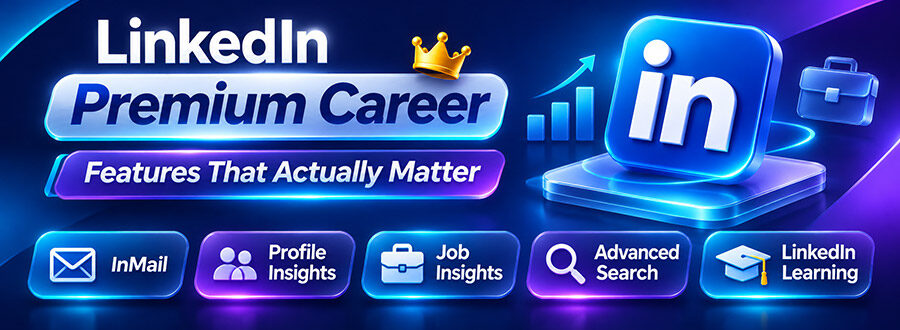
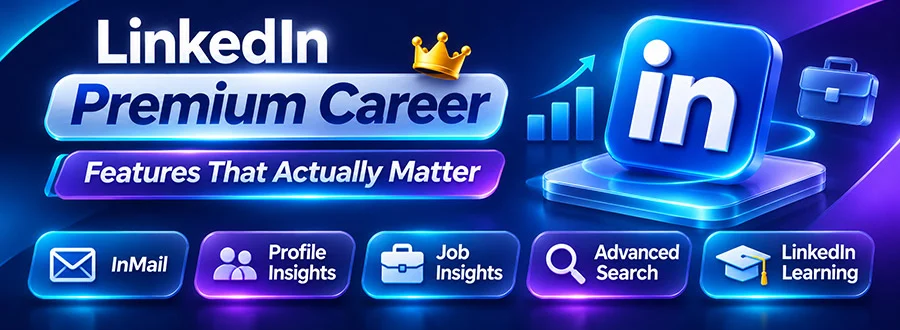
The main features generally include:
- InMail credits for contacting eligible professionals outside your network.
- Additional information about people who viewed your profile.
- Job applicant insights and personalized job recommendations.
- Top Applicant and Top Choice job features.
- Advanced search filters.
- Profile-writing recommendations.
- Message proofreading assistance.
- Access to LinkedIn Learning courses.
- Additional professional and career development insights.
These features address different problems. Some help you find suitable opportunities, others support communication, while learning resources help you develop skills.
However, their usefulness depends on how you approach your job search.
For example, having the ability to message a recruiter does not guarantee that the recruiter will respond. Similarly, seeing applicant information does not automatically make your application stronger.
1.2 Premium Career Is Different From Other Paid Plans
LinkedIn offers several subscription options, including Premium Career, Premium Business, Sales Navigator, and Recruiter Lite.
Premium Career is intended primarily for people looking for employment or planning their next professional move.
Premium Business focuses more on business networking and professional growth. Sales Navigator is designed for sales professionals who need lead-generation tools, while Recruiter Lite supports recruitment activities.
Choosing the wrong plan can result in paying for features that do not support your actual goals.
If your main objective is to find employment, Premium Career is the plan worth evaluating rather than purchasing a more expensive business-oriented subscription.
2. Is LinkedIn Premium Worth It for Job Search Activities?
The biggest reason people consider upgrading is the expectation that it will improve their chances of finding work.
But there is an important difference between having more job-search information and actually getting hired.
A paid account can help you research vacancies, identify hiring professionals, and understand how your qualifications compare with job requirements. These are useful advantages, but they are only part of the recruitment process.
2.1 Finding Jobs That Match Your Experience
One of the more practical features is job-related insights.
LinkedIn can provide personalized information about how your profile matches particular vacancies. It may also highlight positions where your experience and qualifications appear relevant.
Imagine that you are an SEO specialist with experience in technical optimization, keyword research, content planning, and website performance.
You discover two vacancies. One requires experience in SEO strategy and content optimization, while the other focuses primarily on software engineering.
Applicant insights can help you identify which opportunity is more closely aligned with your professional background.
This can reduce time spent applying to unrelated positions.
However, job-matching information should be treated as guidance rather than a final decision. Employers may evaluate experience, industry knowledge, qualifications, location, and other requirements differently from the platform’s matching system.
2.2 Understanding Applicant Competition
Another useful feature is access to additional job-posting insights.
You may be able to see information about applicant competition and how your profile compares with other candidates.
This can help you understand the competitive environment surrounding a particular vacancy.
For example, if a position has received hundreds of applications, you may want to examine whether your experience closely matches the requirements before spending time preparing a customized application.
However, applicant numbers do not tell the entire story.
Some applicants may not meet the requirements. Others may submit incomplete applications or have different levels of experience.
A vacancy with fewer applicants is not necessarily easier to secure, and a vacancy with many applicants is not automatically impossible to win.
Use these insights to make informed decisions rather than allowing them to discourage you.
2.3 Does Paying Improve Your Application Ranking?
This is one of the most important misunderstandings surrounding paid membership.
A Premium subscription should not be treated as a guaranteed way to move your application to the top of a recruiter’s list.
LinkedIn provides features that help members identify relevant jobs and communicate their interest, but employers remain responsible for reviewing applications and making hiring decisions.
A strong application still depends on:
- Relevant professional experience.
- A well-structured CV.
- Appropriate qualifications.
- Skills matching the vacancy.
- Clear communication.
- Evidence of previous achievements.
- Interview preparation.
Paying for additional visibility cannot compensate for a weak application.
3. InMail: Can You Actually Reach Recruiters?
InMail is one of the most frequently discussed benefits of a paid career membership.
Normally, LinkedIn messaging is easiest when you communicate with first-degree connections. InMail allows eligible Premium members to send messages to people outside their immediate network.
The standard Premium Career membership includes five monthly InMail credits.
For active job seekers, this can create opportunities to communicate directly with hiring managers, recruiters, and other relevant professionals.
3.1 When InMail Can Be Useful
Suppose you discover a vacancy at a company where you genuinely want to work.
You identify the recruiter responsible for the position, but you are not connected with that person.
Rather than waiting for a connection request to be accepted, you may be able to send a direct message using an InMail credit.
A short, personalized message could introduce your relevant experience and explain why you are interested in the opportunity.
For example:
“Hello, I recently came across the Digital Marketing Specialist position at your company. My background includes SEO strategy, content optimization, and website performance. I would appreciate the opportunity to learn more about the role and its requirements.”
This is more effective than sending a generic message asking someone to provide a job.
3.2 Why InMail Does Not Always Produce Results
The main limitation is that receiving the ability to contact someone does not mean that person has time or interest in responding.
Recruiters receive numerous messages, applications, and professional inquiries.
Some may not regularly check InMail. Others may prefer candidates to apply through the official recruitment process.
Even a well-written message can go unanswered.
This is why you should not measure success simply by how many messages you send.
A more meaningful measure is whether your outreach creates relevant conversations, useful feedback, or genuine professional connections.
3.3 How to Use Five Credits Strategically
Five monthly credits can be useful when they are reserved for the right people.
Before sending a message:
- Research the company and its recruitment activities.
- Identify the person responsible for the relevant department.
- Check whether the vacancy is still active.
- Explain why your experience matches the position.
- Keep your message short and professional.
- Avoid asking for immediate employment or special treatment.
If you are applying for dozens of jobs, InMail should support your application strategy rather than become the entire strategy.
4. Profile Views: Is Knowing Who Visited Your Profile Valuable?
Profile visitor information is another feature that attracts attention.
LinkedIn allows members to see certain information about people who have visited their profiles. Premium provides more extensive historical insights, including information covering up to 365 days, subject to privacy settings and viewer availability.
For someone looking for employment, this information can sometimes be useful.
4.1 Identifying Potential Recruiter Interest
Imagine that you apply for a position at a technology company.
A few days later, you notice that someone working in recruitment at that company has viewed your profile.
This may indicate that your application attracted attention.
You can use that information to understand which companies or industries are discovering your professional profile.
Similarly, if several professionals from your target industry visit your page, you may want to review the content and positioning of your profile.
However, a profile view does not mean that someone intends to interview or hire you.
Visitors may include recruiters, potential clients, competitors, existing connections, or people who simply discovered your profile through a search.
4.2 Can Profile Views Help You Get a Job?
They can provide useful context, but their value is indirect.
Knowing that a recruiter visited your profile may encourage you to review the relevant vacancy, prepare for possible communication, or send a thoughtful follow-up where appropriate.
However, there is no reason to assume that every visitor represents an employment opportunity.
You should focus on relevant activity rather than constantly checking the visitor list.
4.3 Is Anonymous Browsing Useful?
Premium also provides access to private browsing options.
These can be helpful when researching hiring managers, recruiters, and professionals at companies you are interested in.
However, private browsing comes with a trade-off.
Your ability to see identifiable information about visitors may be affected by your own profile-viewing privacy settings.
This is worth considering before changing your browsing preferences.
5. LinkedIn Learning: A Benefit Beyond Job Applications
Not every benefit of a career subscription is directly connected to applying for vacancies.
Professional development is another important part of the membership.
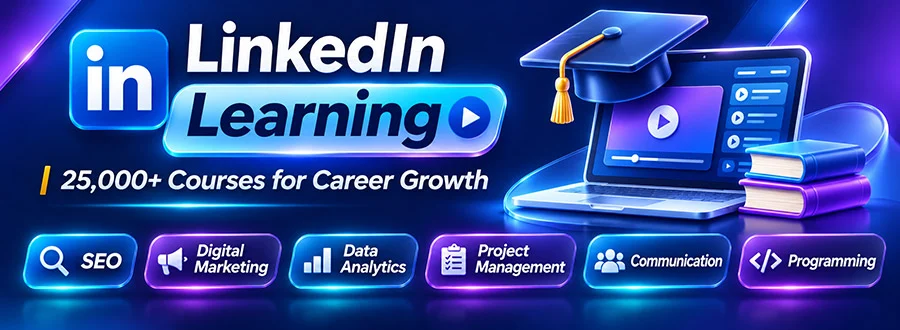
LinkedIn Learning provides access to a large collection of courses covering business, technology, creative work, communication, and professional skills.
The official Premium Career offering advertises access to more than 25,000 courses, although the available learning experience can depend on account eligibility and regional availability.
5.1 What Skills Can You Develop?
Some popular learning areas include:
- Search engine optimization.
- Digital marketing.
- Data analytics.
- Project management.
- Microsoft Excel.
- Communication and leadership.
- Programming and software development.
- Graphic design.
- Business management.
- Productivity and professional development.
For example, someone applying for an SEO position could improve their knowledge of analytics, technical optimization, reporting, and content strategy.
A marketing professional might explore advertising platforms, campaign planning, and performance measurement.
5.2 Do Learning Certificates Help With Employment?
Course certificates can support your professional profile by showing that you completed specific learning activities.
They may also help demonstrate an interest in continuous development.
However, employers generally want evidence that you can apply what you have learned.
Completing a course about Google Analytics is not the same as managing real analytics projects.
The best approach is to combine learning with practical experience.
Build sample projects, document your results, and explain how your skills can solve business problems.
That evidence is often more persuasive than a long list of certificates.
5.3 Is Learning Access Enough to Justify the Cost?
That depends on how frequently you use it.
If you regularly complete relevant courses and apply the knowledge, the learning resources may contribute meaningful value.
However, if you only watch one or two videos occasionally, the additional subscription expense may be difficult to justify.
You should compare the membership with other learning resources available to you, including free tutorials and individual professional courses.
6. LinkedIn Premium Pricing: What Will You Actually Pay?
Subscription cost is one of the most important factors when deciding whether to upgrade.
LinkedIn Premium Career has different prices depending on location, billing frequency, taxes, and promotional eligibility.
According to LinkedIn’s published US pricing, the starting rates are:
| Billing option | US starting price |
| Monthly | $39.99 |
| Annual | $239.88 |
| Effective monthly annual cost | $19.99 |
The annual option provides a substantial saving compared with paying the monthly rate for twelve months.
However, these prices should not be treated as universal.
6.1 Does LinkedIn Charge the Same Price Worldwide?
No.
LinkedIn uses localized subscription pricing.
For example, the official pricing page lists different starting rates for users in the United States, United Kingdom, Canada, Australia, and European markets.
Your final amount may also depend on applicable taxes, promotional discounts, and the billing platform.
If you are purchasing from Bangladesh, check the price shown in your own LinkedIn account.
Do not assume that the amount displayed on an American review website will be the amount charged to your payment method.
6.2 Monthly or Annual: Which Is Better?
Monthly billing is generally more flexible for people who want to evaluate the features during a focused job-search period.
For example, someone who plans to apply actively over the next month may prefer to pay for one month and review the results before continuing.
Annual billing can offer better value for people who consistently use the features throughout the year.
However, paying for twelve months in advance is not a good decision if you are unsure whether the additional tools will be useful.
My suggestion is to evaluate your needs before choosing a longer billing commitment.
6.3 What About a Free Trial?
LinkedIn may offer free trials to eligible accounts.
The duration and availability can vary by location, account history, and promotional eligibility.
A free trial is a useful opportunity to explore the features before paying.
However, always check:
- The trial’s starting and ending dates.
- Whether payment information is required.
- The amount charged after the trial.
- Automatic renewal conditions.
- Cancellation instructions.
Do not assume that simply stopping your use of LinkedIn will cancel the subscription.
7. LinkedIn Premium Worth It Reddit: What Are Real Users Saying?
When researching a paid service, official product descriptions are only one part of the decision.
Many people also want to understand what actual subscribers experienced after paying for the features.
Reddit is useful for exploring these discussions because users often share personal experiences, frustrations, and recommendations.
The discussions are not controlled product tests, so individual opinions should not be treated as universal evidence. Nevertheless, recurring themes can help identify what subscribers appreciate and what disappoints them.
7.1 Why Some Reddit Users Recommend It
Some users report that the subscription becomes more useful when combined with an optimized profile and consistent professional activity.
In a discussion on r/linkedin in April 2025, one user described receiving more recruiter messages after improving their profile and regularly engaging with other people’s posts.
Another participant explained that job-related insights and professional learning materials were useful during an active search.
These experiences suggest that the additional tools may provide more value when users already have a clear strategy.
The subscription does not operate independently of your professional activity.
If you improve your profile, participate in relevant discussions, and contact the right people, you may get more practical value from the additional features.
7.2 Why Other Reddit Users Say It Is Not Worth It
Negative experiences are also common.
In the same April 2025 discussion, several users questioned whether InMail and profile-view information justified the subscription price.
Some reported receiving little or no response from people they contacted outside their network.
Others felt that the additional applicant information did not meaningfully improve their employment prospects.
A separate discussion from July 2026 included users who considered the service too expensive for individual job searching, even though some acknowledged that it might have uses in other professional situations.
The common complaint is straightforward: paying for more information does not necessarily produce more interviews.
7.3 What Do Job Seekers Complain About Most?
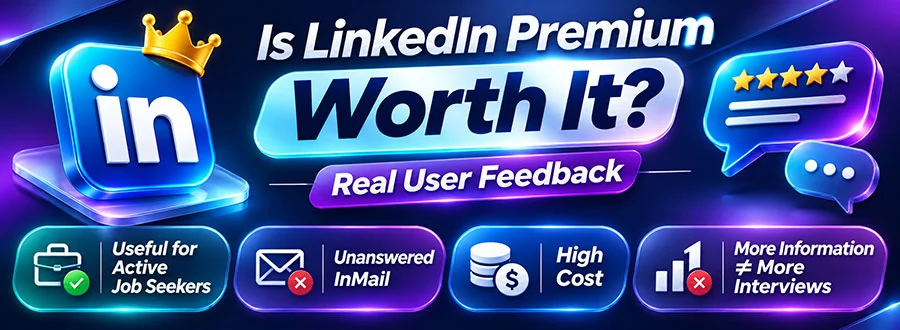
Across these discussions, several recurring concerns appear:
Unanswered InMail messages: People can contact recruiters, but responses are not guaranteed.
Limited practical improvement: Some users feel that the information they receive does not change their application results.
High subscription costs: The monthly price can be difficult to justify, particularly for unemployed professionals.
Unhelpful profile visitors: Some visitors are salespeople or unrelated professionals rather than potential employers.
Application competition: Seeing large numbers of applicants can create additional pressure without providing a meaningful advantage.
These are personal experiences, not proof that every subscriber will have the same outcome.
7.4 My Interpretation of Reddit Feedback
The strongest lesson from these discussions is that expectations matter.
If you purchase a subscription expecting recruiters to contact you automatically, you may be disappointed.
If you purchase it to access specific information, contact relevant hiring professionals, and develop your skills, the experience may be more useful.
The discussions also highlight something important: a well-optimized profile and meaningful engagement can be valuable even without a paid membership.
You should therefore evaluate the subscription based on the additional functionality you actually use, not simply the opinions of people who had different career goals.
8. Free LinkedIn vs Paid Membership: What Is the Real Difference?
One of the best ways to decide whether upgrading makes sense is to compare the free account with the paid option.
Many people assume that a free account is too limited for serious job searching. That is not necessarily true.
A free LinkedIn account already provides the essential tools needed to build a professional presence and apply for vacancies.
| Feature | Free Account | Premium Career |
| Professional profile | Yes | Yes |
| Job search | Yes | Yes |
| Job applications | Yes | Yes |
| Professional networking | Yes | Yes |
| Basic profile views | Limited | Extended insights |
| InMail allowance | No monthly Premium allowance | 5 monthly credits |
| Top Applicant insights | No | Yes |
| Top Choice jobs | No | Yes |
| Advanced job search filters | Limited | Additional filters |
| LinkedIn Learning | Not included | Included |
| Profile writing assistance | Limited | Included |
| Message proofreading | Not included | Included |
8.1 What Can You Achieve With a Free Account?
You can create a complete professional profile, connect with recruiters, follow employers, discover vacancies, and apply for suitable opportunities.
You can also publish professional content, share your achievements, and engage with people working in your industry.
These activities can help build visibility without requiring a paid subscription.
For many candidates, the biggest improvement comes from making their profiles more relevant to the positions they want.
8.2 What Does the Paid Version Add?
The paid membership offers additional information and communication options.
You can access more profile-view insights, use InMail credits, explore additional job-related information, and access LinkedIn Learning.
The important distinction is that these are additional tools rather than completely different employment opportunities.
You are still applying to companies, competing with other candidates, and communicating with recruiters through the same professional platform.
9. Who Benefits Most From a Paid Subscription?
The value of the membership is different for different professionals.
Some people can use the additional features regularly, while others may find that the free version already meets their needs.
9.1 Recent Graduates
Recent graduates often need help understanding employer expectations and identifying entry-level opportunities.
Additional job insights and professional learning resources may help them discover relevant roles and improve their skills.
However, they should also focus on internships, practical projects, and building evidence of their abilities.
A subscription cannot replace the experience that employers expect from candidates.
9.2 Experienced Professionals
People with several years of experience may find the additional tools useful when exploring new employment opportunities.
They can use job insights to identify suitable roles, research companies, and contact relevant hiring professionals.
For someone planning a career move, these features may make the research process more organized.
9.3 Career Changers
Changing industries can be challenging because employers may look for skills and experience that are not immediately obvious from your existing profile.
Learning resources can help you understand new requirements, while job insights may provide information about potential opportunities.
However, you still need to demonstrate how your previous experience transfers to the new role.
9.4 International and Remote Job Seekers
People applying to international companies may need to research organizations, understand different recruitment processes, and communicate with professionals across multiple locations.
InMail can be helpful when contacting relevant hiring professionals outside your existing network.
However, you should always check whether the employer accepts applications from your location and whether the position supports international or remote employment.
9.5 Professionals Who Regularly Use LinkedIn Learning
People who are actively developing their skills may find additional value in the educational resources.
The subscription becomes more useful when you follow a structured learning plan and apply the knowledge to practical work.
10. Who Should Not Pay for LinkedIn Premium?
Not everyone needs the additional features.
In fact, there are situations where continuing with a free account is the more sensible decision.
10.1 You Only Need Basic Networking
If you primarily use LinkedIn to connect with colleagues, share updates, and maintain professional relationships, the free version may be enough.
10.2 Your Profile Is Not Ready
If your profile has an incomplete headline, a weak About section, missing experience details, or no clear professional direction, upgrading should not be your first step.
Improve the foundation before paying for additional tools.
10.3 You Rarely Contact Recruiters
If you do not intend to use InMail or communicate with people outside your network, one of the main paid communication benefits may remain unused.
10.4 You Already Have Other Learning Resources
If you have access to suitable courses through your employer, university, or other learning platforms, LinkedIn Learning may not provide enough additional value.
10.5 Your Budget Is Limited
If paying for a subscription creates financial pressure, do not treat it as a necessary career expense.
You can still build a professional profile, apply for vacancies, and develop your network without upgrading.
11. How to Get Better Results Without Depending on Premium
A paid membership should support a good job-search strategy, not become a replacement for one.
Before spending money, make sure you are using the available free features effectively.
11.1 Optimize Your LinkedIn Headline
Your headline should communicate your professional identity and relevant expertise.
Avoid vague descriptions such as “Looking for Opportunities.”
Instead, use a clear description that reflects your skills and target role.
For example:
“Digital Marketing Specialist | SEO Strategy | Content Optimization | Google Analytics”
This makes it easier for visitors to understand your professional background.
11.2 Improve Your About Section
Your About section should explain what you do, what experience you have, and what type of opportunities interest you.
Use natural language and focus on relevant professional achievements.
Avoid filling the section with unrelated keywords.
11.3 Add Measurable Achievements
Employers want to understand what you have accomplished.
Instead of writing that you managed marketing campaigns, explain the type of campaigns, your responsibilities, and the outcomes you contributed to.
Where possible, include relevant measurements.
For example, describe improvements in organic traffic, campaign performance, lead generation, or website visibility.
11.4 Build Meaningful Connections
Connect with people in your industry, previous colleagues, recruiters, and professionals whose work is relevant to your career.
Do not send hundreds of random connection requests.
A smaller network of relevant professional relationships can be more valuable than a large collection of unrelated contacts.
11.5 Participate in Professional Discussions
Comment on industry discussions, share useful observations, and publish content that demonstrates your knowledge.
You do not need to post every day.
Consistency and relevance are more important than publishing large amounts of content without a clear purpose.
11.6 Apply Through Multiple Channels
Do not depend entirely on LinkedIn.
Check company career pages, reputable job boards, professional communities, and recruitment agencies where appropriate.
Using multiple channels can help you discover opportunities that may not appear in your LinkedIn feed.
12. How to Test Premium Before Making a Long-Term Decision
If you are still uncertain, a free trial or a short subscription period may provide an opportunity to evaluate the additional features.
However, you should approach the trial with a clear plan.
Step 1: Define Your Career Goal
Decide what you want to achieve.
Are you looking for a new job, trying to contact recruiters, changing industries, or developing additional professional skills?
Your goal should determine which features you evaluate.
Step 2: Improve Your Profile
Before starting, make sure your headline, About section, experience, and skills accurately reflect your professional background.
This provides a better foundation for evaluating the additional tools.
Step 3: Identify Relevant Opportunities
Create a list of companies and positions that match your experience.
Use job insights to examine how suitable the available opportunities are.
Step 4: Test InMail Carefully
Contact a small number of relevant hiring professionals with personalized messages.
Record whether you receive meaningful responses or useful information.
Step 5: Use the Learning Resources
Choose courses that support your target role.
Complete relevant lessons and apply what you learn to practical projects.
Step 6: Evaluate the Results
At the end of the trial or billing period, ask yourself:
- Did I discover more relevant opportunities?
- Did I have useful conversations with recruiters?
- Did the job insights influence my application decisions?
- Did I use the learning resources?
- Did the additional information improve my job-search process?
- Would I pay the same amount again?
If the answer to most of these questions is no, continuing the subscription may not make sense.
Remember to review the renewal date and cancellation terms before activating a trial.
13. Final Verdict: Should You Pay for LinkedIn Premium?
So, is linkedin premium worth it when you consider its features, subscription cost, and the experiences shared by other job seekers?
My answer is that it can be useful, but it is not essential for everyone.
The strongest reasons to consider upgrading are access to InMail, additional job-related insights, extended profile-view information, and LinkedIn Learning.
These features can help you organize your job search, research opportunities, communicate with selected professionals, and develop relevant skills.
However, the limitations are equally important.
A subscription does not guarantee that recruiters will respond, employers will prioritize your application, or you will receive an interview.
Reddit discussions also show that many subscribers struggle to identify a direct improvement in their employment outcomes. Some find the additional tools useful, while others consider the price too high for the practical benefits.
The difference often comes down to how people use the platform and what they expect from it.
My Recommendation
If you are currently unemployed, have a limited budget, or are just beginning your professional journey, start with a free account.
Build a strong profile, identify relevant opportunities, connect with industry professionals, and improve your application materials.
Once you understand which additional features you genuinely need, consider trying the paid membership for a short period.
The linkedin premium worth it reddit discussions are useful for understanding different experiences, but your own career goals and usage should determine the final decision.
Ultimately, the best subscription is not the one with the most features. It is the one that solves a real problem and provides enough practical value to justify its cost.
For most job seekers, professional skills, a strong CV, relevant experience, and thoughtful networking will remain more important than having a paid badge on their profile.
Use Premium if it supports those activities. Do not buy it simply because you believe paying more will automatically make your job search successful.
14. Frequently Asked Questions
Is LinkedIn Premium worth it for someone actively looking for a job?
It can be useful for active job seekers who regularly use InMail, job insights, profile-view information, and LinkedIn Learning. However, people who only need basic job applications and networking may find the free version sufficient.
Does LinkedIn Premium help you get hired faster?
There is no guarantee that a paid subscription will shorten your job search. It provides additional information and communication tools, but hiring decisions remain with employers.
Is LinkedIn Premium worth it for job seekers with limited experience?
It may help recent graduates discover relevant opportunities and access learning resources. However, practical experience, internships, and a well-prepared CV remain essential.
Does having Premium make recruiters notice your profile?
Premium provides additional features and visibility options, but it does not guarantee that recruiters will prioritize your profile. Your professional experience, relevant skills, and profile quality remain important.
Can you send messages to recruiters without Premium?
Yes. You can communicate with first-degree connections using regular LinkedIn messaging. InMail provides an additional way to contact eligible members outside your immediate network.
How many InMail credits are included?
The standard Premium Career subscription includes five InMail credits per month. Availability and credit rules should be checked in your account.
Can I cancel LinkedIn Premium whenever I want?
You can manage and cancel your subscription through LinkedIn’s Premium account settings. Your access generally continues until the end of the current billing period, subject to the applicable terms.
Is the free LinkedIn account enough to find a job?
Yes. Many people use free LinkedIn accounts to build professional networks, discover vacancies, communicate with connections, and apply for jobs. A paid subscription is optional.
Should I buy Premium for one month or one year?
If you are unsure about the benefits, a shorter billing period provides more flexibility. Annual billing may offer savings, but only choose it if you expect to use the features consistently.
What is the biggest disadvantage of LinkedIn Premium?
The biggest disadvantage is that the subscription costs money without guaranteeing better employment outcomes. Some features can be useful, but their value depends on your needs and how consistently you use them.
Conclusion
A successful job search requires more than access to additional platform features.
You need a clear professional direction, relevant skills, a strong application, and the ability to communicate your value to employers.
LinkedIn Premium can support those activities, but it cannot perform them on your behalf.
Start with the resources already available to you. Identify your weaknesses, improve your professional profile, and build meaningful connections.
If the additional paid features address a specific problem in your job-search process, consider testing them.
Otherwise, save your money and focus on the activities that directly improve your qualifications and employment prospects.


