What Is LinkedIn Sales Navigator? A Plain-English Guide
LinkedIn Sales Navigator is a powerful sales prospecting tool designed to help businesses, sales professionals, and marketers find potential customers, identify decision-makers, and build meaningful professional relationships. Unlike a regular LinkedIn account, it provides advanced search filters, lead recommendations, buyer insights, and prospect tracking features that make finding the right people easier.
Imagine spending hours searching for potential clients, only to discover that most of them are not relevant to your business. You send connection requests, write messages, and hope someone responds. Unfortunately, this approach often wastes valuable time without producing meaningful conversations.
Sales Navigator offers a more focused alternative. Instead of contacting random professionals, you can identify people who match your ideal customer profile, understand their professional background, and approach them with relevant messages.
But does every business need this tool? How does it work, and is the subscription worth paying for?
This guide explains everything in simple language, including its features, practical applications, pricing, limitations, and strategies for getting better results.
What Is LinkedIn Sales Navigator?
If you have been researching B2B marketing tools, you have probably wondered, what is linkedin sales navigator, and why do so many sales teams use it?
In simple terms, it is LinkedIn’s premium sales intelligence platform. Its primary purpose is to help professionals discover potential buyers, research companies, monitor business opportunities, and connect with relevant decision-makers.
Regular LinkedIn is mainly built around professional networking, job opportunities, content sharing, and career development. Sales Navigator focuses more directly on prospecting and relationship-based selling.
For example, suppose you operate a digital marketing agency offering SEO services to construction companies in New York. Searching manually for construction business owners could take considerable time.
With linkedin sales navigator, you can narrow your search using criteria such as industry, location, company size, job title, and seniority. This makes it easier to discover professionals who fit your target audience.
However, finding someone does not automatically make them a qualified buyer. You still need to understand their business requirements, confirm whether your services are relevant, and establish trust.
How Is It Different From Regular LinkedIn?
A standard LinkedIn account allows you to connect with professionals, follow companies, publish posts, and search for people. These features are useful for networking but can be limiting when prospecting becomes a daily business activity.
Sales Navigator extends those capabilities through specialized search options, organized lead lists, notifications, and additional insights.
Rather than treating every LinkedIn connection equally, you can focus on people and organizations that represent genuine commercial opportunities.
This distinction matters because successful B2B selling depends on relevance, timing, and meaningful conversations rather than simply collecting connections.
What Is LinkedIn Sales Navigator Used For?
One of the most common questions from beginners is what is linkedin sales navigator used for in everyday business activities.
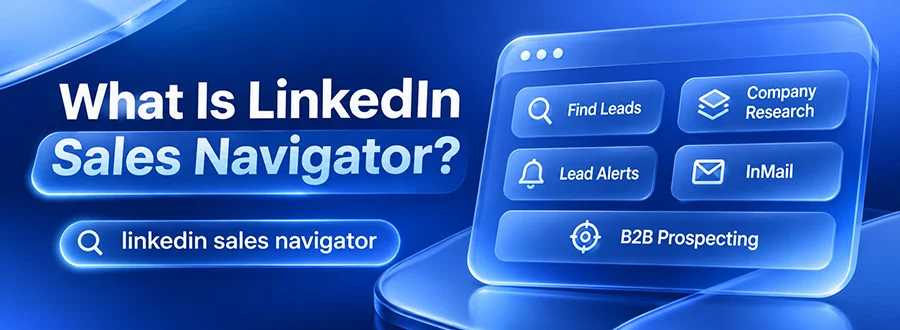
The platform primarily supports B2B lead generation, sales research, prospect identification, account management, and professional outreach.
It helps businesses answer important questions before contacting potential customers. Who makes purchasing decisions? Which organizations match our target market? Has a prospect recently changed jobs? Are there mutual connections who could help introduce us?
These details can make outreach more informed and personalized.
Finding Potential Customers
Sales professionals can search for people matching specific professional and company-related characteristics.
For example, a software company selling HR management solutions might target human resources directors working at organizations with 200 to 1,000 employees.
Instead of contacting hundreds of unrelated professionals, the sales team can create a focused prospect list.
Identifying Decision-Makers
Reaching the wrong contact is a common problem in B2B sales.
A marketing executive may be interested in your product but lack the authority to approve a purchase. Sales Navigator helps you investigate company structures and identify professionals with more relevant responsibilities.
Building Long-Term Relationships
Not every prospect is ready to buy immediately.
Some potential customers may require several conversations before discussing a proposal. By saving leads and following relevant updates, sales professionals can maintain relationships without relying entirely on memory.
The objective is to recognize appropriate moments for engagement rather than repeatedly sending generic promotional messages.
How Does LinkedIn Sales Navigator Work?
Understanding what is linkedin sales navigator becomes easier when you examine its basic workflow.
The platform brings together LinkedIn’s professional information, advanced filtering capabilities, and sales-focused research features.
You begin by defining the types of businesses and professionals you want to reach. Next, you search for relevant accounts and individuals, save promising prospects, and monitor updates that might create opportunities for conversation.
Step 1: Define Your Ideal Customer
Before using any search tool, identify your ideal customer profile.
Consider the industry, geographic market, company size, business challenges, and decision-making roles associated with your service.
A cybersecurity consultant targeting financial organizations will need a different prospecting strategy from a graphic designer serving small restaurants.
Clear targeting improves the usefulness of search results and prevents unnecessary outreach.
Step 2: Search for Relevant Leads
Use advanced search filters to narrow the available profiles.
You might search for operations directors working at manufacturing companies in Texas or founders managing technology startups in London.
Review the resulting profiles individually instead of assuming everyone matches your requirements.
Step 3: Save and Organize Prospects
Once you identify relevant people, save them as leads and organize companies into account lists.
This creates a structured working environment where you can revisit prospects without repeating the same research.
Step 4: Research and Connect
Study each person’s role, company, professional interests, and relevant activity before reaching out.
A thoughtful message that reflects the recipient’s business context generally offers a better starting point than an impersonal sales pitch.
Key Features of LinkedIn Sales Navigator
The value of linkedin sales navigator comes from features designed to make professional selling more focused and manageable.
Not every feature is available with every subscription, so understanding the differences between plans is important.
Advanced Lead Search Filters
Advanced searching is one of the platform’s strongest capabilities.
LinkedIn currently describes more than 50 filters for researching potential leads and accounts. Available criteria include professional function, seniority, geography, company characteristics, and experience.
These filters help sales teams move from broad searches to more specific audiences.
For example, targeting marketing directors at medium-sized healthcare organizations is considerably more precise than searching for everyone working in healthcare.
Lead and Account Recommendations
The platform can suggest relevant people and companies based on prospecting activity and other available signals.
Recommendations are useful when expanding an existing target list or discovering organizations that resemble your preferred customers.
However, suggestions should still be reviewed against your ideal customer profile.
Lead Alerts and Professional Updates
People change jobs, receive promotions, and move between organizations.
Sales Navigator can notify users about relevant developments involving saved leads and accounts.
These updates may help identify timely reasons to reconnect. A newly appointed department director, for example, might be reviewing suppliers or considering different business priorities.
That possibility is worth researching, but it should never be treated as proof of purchasing intent.
InMail Messaging
InMail provides a way to contact eligible LinkedIn members without first establishing a direct connection.
This can be useful when approaching prospects who would otherwise be difficult to reach through your existing network.
Sales Navigator plans currently include monthly InMail credits, subject to LinkedIn’s applicable rules.
Effective messages should be relevant, concise, and respectful. Access to additional messaging opportunities does not guarantee positive responses.
AI-Powered Research Assistance
LinkedIn also offers AI-assisted capabilities, including Account IQ and Lead IQ, to help users research organizations and individuals more efficiently.
These features can summarize useful information and support meeting preparation.
AI-generated findings should still be checked before being incorporated into sales conversations, particularly when commercial decisions depend on their accuracy.
CRM Integration
For larger teams, CRM integration can reduce repetitive data entry and improve coordination between prospecting activities and customer records.
Advanced integrations are associated with the Advanced Plus subscription rather than every plan.
Businesses should confirm compatibility with their existing CRM before choosing a subscription.
Who Should Use LinkedIn Sales Navigator?
When people ask what is linkedin sales navigator used for, the answer often depends on their professional responsibilities.
The platform is particularly relevant to businesses that sell products or services to other businesses and regularly need to identify specific professional contacts.
B2B Sales Representatives
Sales representatives can use the platform to research prospects, create focused lead lists, and identify relevant people within target companies.
Instead of relying exclusively on purchased databases or broad cold outreach, they can investigate professional backgrounds before making contact.
Marketing Agencies and Consultants
SEO agencies, advertising consultants, web development companies, and other service providers can locate business owners and marketing decision-makers.
For example, an agency specializing in local SEO might target healthcare clinics or home improvement companies within a particular region.
Recruitment and Staffing Professionals
Recruiters may find the advanced professional search capabilities useful for researching organizations and identifying relevant contacts.
However, Sales Navigator is designed for selling. LinkedIn Recruiter may be more appropriate when the primary goal is sourcing and managing job candidates.
Business Owners and Founders
Small business owners who personally handle business development can benefit from more structured prospecting.
This is especially useful when each new customer represents substantial recurring revenue.
Account Managers
Professionals managing existing customer relationships can monitor account developments, research stakeholders, and identify potential expansion opportunities.
The platform can therefore support both new customer acquisition and relationship development.
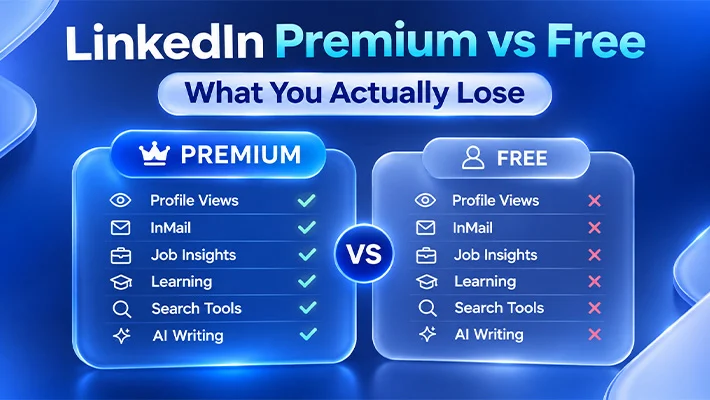
LinkedIn Sales Navigator vs. LinkedIn Premium
Another common question is what is linkedin sales navigator compared with LinkedIn Premium, and which subscription offers better value.
Although both provide paid LinkedIn features, they serve different professional needs.
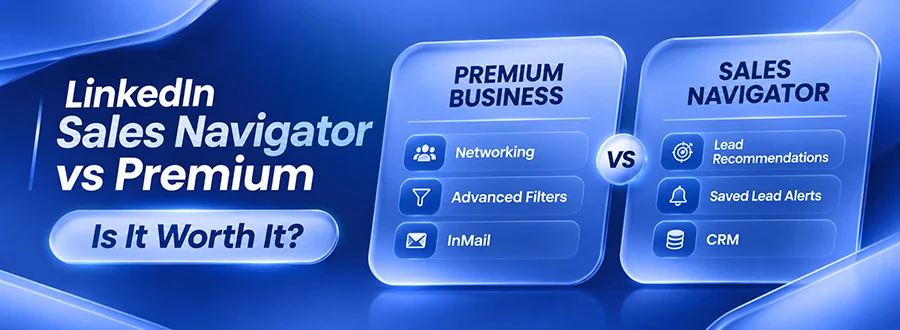
LinkedIn Premium Business focuses more broadly on professional networking, business visibility, and profile-related insights. Sales Navigator offers specialized tools for identifying potential customers and developing B2B relationships.
| Feature | LinkedIn Premium Business | Sales Navigator |
| Primary purpose | Professional networking | B2B sales prospecting |
| Advanced sales filters | Limited | Extensive |
| Lead recommendations | Not a core feature | Available |
| Saved lead alerts | Limited | Available |
| InMail | Included, with plan limits | Higher monthly allowance |
| Sales-focused AI research | Limited | Available |
| Advanced CRM integrations | Not included | Advanced Plus |
For professionals interested mainly in networking, Premium Business may be sufficient.
However, if your daily responsibilities include researching companies, identifying purchasing contacts, and managing sales opportunities, linkedin sales navigator offers more purpose-built functionality.
How Much Does LinkedIn Sales Navigator Cost?
Understanding subscription costs is essential before deciding whether the platform fits your budget.
LinkedIn currently offers three principal Sales Navigator plans: Core, Advanced, and Advanced Plus.
Sales Navigator Core
Core is designed primarily for individual sellers who need advanced prospecting and research capabilities.
Its published United States starting price is $119.99 per month per license, or $1,079.88 annually.
The subscription includes essential tools for searching, researching, organizing, and communicating with prospects.
Sales Navigator Advanced
Advanced is intended for sales teams requiring additional collaboration and account intelligence capabilities.
The published United States starting price is $159.99 monthly per license, or $1,799.88 annually.
It includes additional team-oriented functionality, making it more suitable for organizations with coordinated prospecting activities.
Sales Navigator Advanced Plus
Advanced Plus targets organizations requiring deeper CRM connectivity and enterprise-level sales workflows.
Pricing is customized according to business requirements, team size, and integration needs.
For anyone wondering what is linkedin sales navigator used for at the enterprise level, this plan demonstrates how the platform can connect sales intelligence with broader customer management operations.
Pricing reference: LinkedIn’s official Sales Navigator plan comparison. Published US starting prices may change, and taxes, billing arrangements, and regional differences can affect the final amount.
How to Use LinkedIn Sales Navigator for Lead Generation
Understanding what is linkedin sales navigator is only the beginning. The real benefit comes from developing an effective prospecting process.
Simply purchasing a subscription and sending hundreds of messages rarely produces a sustainable sales strategy.
Create a Target Customer Profile
Begin with a clear description of your best customers.
Identify their industries, business locations, organization sizes, and likely challenges.
For example, an IT service provider might focus on companies with 50 to 500 employees that lack extensive internal technology teams.
The more accurately you understand your market, the more effectively you can use search filters.
Build Focused Lead Lists
Use linkedin sales navigator to discover people matching your targeting criteria.
Create separate lists for different industries, geographic regions, or service offerings.
A marketing agency might maintain one list for dental practices and another for real estate businesses.
Separating audiences makes it easier to develop messages addressing specific business problems.
Research Before Sending Messages
Review each prospect’s professional responsibilities, company website, and publicly available activity.
Look for opportunities to start a relevant conversation.
For instance, if a company recently announced an expansion, you could discuss challenges connected to that development, provided your offering genuinely addresses them.
Avoid pretending to have personal knowledge or a business relationship that does not exist.
Personalize Your Outreach
A useful prospecting message should explain why you are contacting that particular person.
Keep the introduction brief, mention a relevant business observation, and suggest a practical next step.
Rather than immediately requesting a sales meeting, consider starting with a question or sharing a useful insight.
Measure Your Results
Track meaningful indicators such as qualified leads identified, positive replies, meetings booked, and opportunities created.
These measurements help determine whether your prospecting strategy is producing commercial value.
They also highlight areas where targeting or messaging may require improvement.
Benefits of Using Sales Navigator for Business Growth
A frequent variation of the question what is linkedin sales navigator used for relates to its practical business benefits.
The platform can support several improvements when used as part of a disciplined sales process.
More Accurate Prospect Targeting
Advanced filters help reduce time spent researching professionals outside your ideal market.
Better targeting can improve the relevance of your outreach, although it does not automatically guarantee higher conversion rates.
Better Sales Research
Access to professional and company information helps sellers understand who they are approaching.
This preparation can lead to more meaningful conversations and better discovery questions.
Improved Prospect Organization
Saved leads, account lists, and alerts create a more structured approach to relationship management.
Instead of repeatedly searching for the same person, sellers can maintain an organized prospecting workflow.
Timelier Conversations
Professional changes and business developments can provide useful reasons to initiate conversations.
Linkedin sales navigator can help surface these signals, allowing sellers to decide when an approach may be appropriate.
More Efficient Teamwork
Certain team-focused features allow colleagues to collaborate on account development and identify potential introductions.
For organizations handling complex B2B purchasing processes, this coordination can be especially valuable.
Common Mistakes to Avoid
Even advanced tools deliver disappointing results when used without a clear strategy.
Sending Generic Messages
A message that could be sent to any professional rarely demonstrates a meaningful understanding of the recipient.
Personalization should be based on relevant research, not simply inserting someone’s first name.
Targeting Everyone
Overly broad searches produce large prospect lists but often reduce relevance.
Start with a specific market, evaluate results, and expand gradually.
Ignoring Follow-Up Opportunities
A prospect who does not respond immediately may still be worth contacting later.
However, follow-ups should remain respectful, purposeful, and limited rather than becoming repetitive pressure.
Expecting Automatic Sales
Linkedin sales navigator is not an automatic customer acquisition system.
It supports research and outreach, but successful selling still depends on positioning, communication, competitive offerings, and trust.
Is LinkedIn Sales Navigator Worth It?
The answer depends on your sales model, expected customer value, and the amount of prospecting you perform.
For example, a consultant who earns several thousand dollars from each new client may find the subscription worthwhile if it consistently helps create qualified opportunities.
A small business that rarely sells to other organizations may receive less value.
When evaluating what is linkedin sales navigator worth to your business, consider both subscription expenses and the time required to use the platform effectively.
A simple evaluation involves comparing the cost of the subscription with the additional profit generated from customers acquired through your prospecting activities.
Remember that correlation does not establish causation. A customer discovered through LinkedIn may also have been influenced by advertising, referrals, or other marketing channels.
For an accurate assessment, track your prospecting activities and review actual business outcomes over a reasonable evaluation period.
Frequently Asked Questions (FAQs)
What Is LinkedIn Sales Navigator for Beginners?
If you’re asking what is linkedin sales navigator, think of it as a specialized LinkedIn tool that helps you find business prospects, learn about their organizations, and manage professional sales relationships.
Beginners can start with basic prospect searches, save relevant leads, and gradually explore more advanced features.
What Is LinkedIn Sales Navigator Used for in Small Businesses?
The question what is linkedin sales navigator used for is especially relevant to small business owners managing their own sales activities.
It helps them identify potential business customers, research decision-makers, organize prospect lists, and approach suitable contacts without depending entirely on referrals.
Can I Use LinkedIn Sales Navigator for Free?
Sales Navigator is a paid subscription, although eligible users may be offered a free trial.
Trial availability, eligibility requirements, and billing terms should be checked directly through LinkedIn before subscribing.
Does LinkedIn Sales Navigator Automatically Generate Leads?
No. Linkedin sales navigator helps you discover and research potential customers, but it does not guarantee that those people will become qualified leads or paying clients.
You must still evaluate prospects, initiate conversations, and develop relationships.
Is LinkedIn Sales Navigator Better Than LinkedIn Premium?
When comparing what is linkedin sales navigator with Premium Business, the main difference is purpose.
Sales Navigator is generally more appropriate for regular B2B prospecting, while Premium Business may be sufficient for broader professional networking.
Can Sales Navigator Help With International Lead Generation?
Yes. Businesses can use geographic and professional filters to research potential customers across different countries.
For teams investigating what is linkedin sales navigator used for internationally, this can include identifying overseas distributors, business partners, and corporate decision-makers.
Final Thoughts
Understanding what is linkedin sales navigator can help you decide whether advanced prospecting tools belong in your business development strategy.
The platform offers valuable capabilities for researching companies, discovering decision-makers, following professional updates, and organizing potential sales opportunities.
However, effective lead generation requires more than sophisticated software. Successful outreach depends on understanding customer needs, identifying relevant prospects, communicating clearly, and building genuine professional relationships.
For businesses that regularly sell to other businesses, linkedin sales navigator can become a useful part of a structured sales process.
Start with clear targeting, test your approach, measure meaningful results, and improve your strategy based on real customer conversations.
Ultimately, the goal is not to collect the largest possible list of contacts. It is to find the right people, understand their challenges, and create professional relationships that lead to mutually beneficial business opportunities.