
How to Contact LinkedIn Support When You’re Restricted
If you’re searching for linkedin account restricted contact support, chances are you’re dealing with a frustrating situation. Maybe you tried logging into LinkedIn this morning and discovered that your account was restricted. Perhaps you received a security warning, or your profile suddenly became inaccessible without an explanation you could understand.
Whatever happened, losing access to LinkedIn can feel overwhelming, especially when you depend on it for work.
For job seekers, it can mean missing important messages from recruiters. For business owners and sales professionals, it might interrupt conversations with potential clients. And for anyone who has spent years building professional connections, the possibility of losing that network is understandably concerning.
The good news is that a restriction doesn’t always mean your account is gone forever.
Depending on why LinkedIn restricted your profile, you may be able to verify your identity, request a review, or complete specific security steps to regain access.
In this guide, we’ll walk through the official ways to reach LinkedIn support, explain how the appeal process works, and share practical tips to help you avoid common recovery mistakes.
Why Does LinkedIn Restrict Accounts?
Before contacting support, it helps to understand what might have triggered the restriction.
LinkedIn takes account security and professional authenticity seriously. Its systems monitor activity that could indicate spam, unauthorized access, misleading information, or violations of its policies.
Sometimes, a restriction follows a clear policy violation. Other times, legitimate users may encounter security checks after unusual account activity.
Here are several common reasons.
Unusual Login Activity
Imagine regularly accessing LinkedIn from your home computer, then suddenly signing in from an unfamiliar device or location.
That change might trigger a security review.
LinkedIn may temporarily limit access while checking whether the account belongs to the person attempting to sign in.
This doesn’t necessarily mean you’ve done anything wrong. It could simply mean LinkedIn needs additional confirmation.
Sending Too Many Connection Requests
LinkedIn encourages professional networking, but sending excessive invitations can create problems.
If you frequently contact strangers, send repetitive messages, or receive numerous negative responses to your invitations, LinkedIn may interpret that behavior as suspicious.
Building connections gradually and focusing on relevant professional relationships is generally a safer approach.
Using Unauthorized Automation Tools
Many professionals use LinkedIn for prospecting, recruitment, and business development.
However, tools that automatically send connection requests, scrape profiles, or generate large volumes of messages may violate LinkedIn’s rules.
Even if an automation service promises to save time, using it can expose your account to restrictions.
Profile Authenticity Concerns
LinkedIn expects members to provide accurate information about their identities and professional backgrounds.
Impersonation, misleading details, or other authenticity issues can lead to account reviews.
If your profile information is accurate, identity verification may help establish that you’re the legitimate account owner.
How to Contact LinkedIn Support When Your Account Is Restricted
When you need linkedin account restricted contact support, your first step should be LinkedIn’s official Help Center.
It’s tempting to search for a direct email address or phone number, especially when you’re locked out. However, unofficial contact details can waste your time or expose you to scams.
Here’s a more reliable approach.
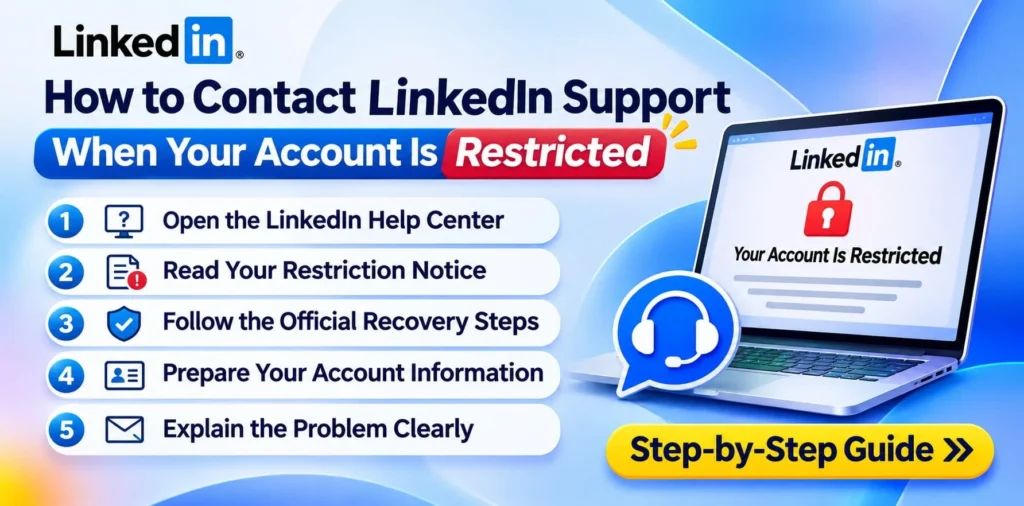
Step 1: Open the LinkedIn Help Center
Visit the official LinkedIn Help Center.
This is where LinkedIn publishes guidance about account access, identity verification, security concerns, and restrictions.
Look for articles related to your specific problem.
For example, if you cannot sign in, search for restricted account recovery rather than general profile troubleshooting.
The more closely the instructions match your situation, the easier it becomes to identify your next step.
Step 2: Read Your Restriction Notice
Not every LinkedIn restriction works the same way.
Some users receive temporary limitations on certain activities. Others cannot access their accounts until they complete verification.
In more serious situations, LinkedIn may restrict an account indefinitely.
Pay attention to the wording displayed on your screen.
Does LinkedIn ask you to confirm your identity? Does it provide an appeal option? Is there a specific waiting period?
Those details matter because they determine which recovery process you should follow.
Step 3: Follow the Official Recovery Instructions
If LinkedIn displays a verification or review option, use it.
Don’t skip the instructions simply because you would prefer speaking directly with a support representative.
Sometimes, completing the required verification is the fastest available route toward resolving the issue.
If you cannot find an appropriate option, return to the Help Center and explore its account access guidance.
Step 4: Prepare Your Account Information
Before submitting a request, gather the information LinkedIn may need to understand your situation.
Useful details include your full name, registered email address, profile URL, and the approximate date the restriction appeared.
You should also save a screenshot of the message shown during login.
Step 5: Explain the Problem Clearly
A clear explanation is more useful than a long, emotional complaint.
Describe what happened, when you noticed the problem, and what you’ve already tried.
If you’re unsure why your account was restricted, say so.
You don’t need to guess or invent a reason.
Is There a LinkedIn Account Restricted Support Email?
If you’ve searched for linkedin account restricted support email, you’ve probably noticed that finding a reliable direct address isn’t straightforward.
That’s because LinkedIn doesn’t provide one universally available public email address specifically for resolving every restricted account.
Instead, it directs users toward its Help Center, available support forms, and account recovery procedures.
Why You Should Avoid Random Support Emails
You might find websites claiming to share exclusive LinkedIn customer support addresses.
Some of those addresses could be outdated, unrelated to restrictions, or entirely fraudulent.
Sending personal details to an unverified address is risky, particularly when you’re already dealing with an account security issue.
Rather than trusting a random contact, use official LinkedIn resources.
How to Find the Right Support Channel
When looking for linkedin account restricted support email, start by checking whether LinkedIn has already sent you an account notification.
A legitimate message may explain the restriction and provide instructions for further action.
You can also visit the Help Center to find the appropriate recovery process.
If you receive a support case reference, keep it somewhere accessible. It may help you organize future correspondence.
Can You Contact LinkedIn Through Social Media?
LinkedIn maintains official social media accounts, including channels that share support information.
However, posting publicly about a restricted account doesn’t guarantee that someone will review your case.
Never publish your password, verification codes, identity documents, or sensitive account details in public comments.
What About LinkedIn Premium Support?
Premium subscribers may have access to additional customer support options.
However, Premium membership doesn’t guarantee faster reinstatement or exemption from LinkedIn’s policies.
If your account is restricted, you still need to follow the applicable recovery instructions.
How to Submit a LinkedIn Account Restriction Appeal
A LinkedIn account restriction appeal gives eligible users an opportunity to request reconsideration of an account restriction.
If you believe LinkedIn made a mistake, requesting a review may be appropriate.
However, appeal availability depends on the circumstances. Not every restriction includes the same review options.
Step 1: Understand the Reason for the Restriction
Start with the notification LinkedIn provided.
If it identifies a policy concern, read the relevant policy before preparing your response.
You don’t have to agree with the decision, but understanding the issue helps you explain your position more effectively.
For example, a security-related restriction requires a different explanation from one involving automated messaging.
Step 2: Locate the Appeal Option
If LinkedIn offers an appeal or review link in your restriction notice, follow it.
Otherwise, consult the Help Center for current guidance.
Avoid third-party websites that promise to submit appeals through secret channels.
There’s no reliable reason to trust services claiming they can guarantee a favorable decision.
Step 3: Write a Thoughtful Appeal
Your LinkedIn account restriction appeal should sound like a genuine explanation from a real person.
You don’t need complicated legal language or an overly formal statement.
Simply explain what happened and why you’re requesting a review.
If you believe the restriction was incorrect, describe the circumstances calmly.
If you recognize a mistake in your previous activity, acknowledge it and explain how you’ll avoid repeating it.
Step 4: Provide Supporting Details
LinkedIn may ask for additional information before reviewing your account.
Provide accurate details and follow its instructions carefully.
If identity verification is required, use only the official verification process.
Avoid sharing unnecessary documents through unrelated communication channels.
Step 5: Wait for a Response
After submitting your LinkedIn account restriction appeal, check your registered email regularly.
Look in your spam folder occasionally, too.
If LinkedIn requests more information, respond through the channel it provides.
Try not to submit multiple identical requests. Repeated messages won’t necessarily speed up the process.
How to Write a Support Message That Sounds Genuine
If you’re trying to use linkedin account restricted contact support, the message you send can make a difference in how easily your issue is understood.
You don’t need to sound desperate, angry, or excessively apologetic.
A respectful explanation that includes the relevant facts is usually more helpful.
Sample LinkedIn Support Message
Subject: Request for Assistance With My Restricted LinkedIn Account
Dear LinkedIn Support Team,
I recently discovered that my LinkedIn account has been restricted, and I’m currently unable to access my profile.
I’ve been using LinkedIn to maintain professional connections, so losing access has been difficult.
I’m not entirely sure what caused the restriction, but I’d appreciate your help understanding the issue and identifying the steps needed to resolve it.
My account is registered under [Your Email Address], and my profile URL is [Your Profile URL].
I’m happy to complete any necessary identity verification or provide additional information.
Thank you for taking the time to review my request.
Best regards,
[Your Name]
Make Your Message Specific
The example above is a starting point, not something you must copy word for word.
If you received a security warning, mention it.
If the restriction happened immediately after changing your password, explain that.
And if LinkedIn has already asked you to verify your identity, describe whether you’ve completed that step.
Avoid Making Promises You Cannot Keep
Don’t claim you’ve never used automation if you actually have.
Likewise, don’t admit to violations you didn’t commit simply because you think doing so might help.
Being truthful is more important than trying to guess what a reviewer wants to hear.
How to Recover Your LinkedIn Account Through Identity Verification
Sometimes, the answer to linkedin account restricted contact support isn’t contacting a representative at all.
Instead, LinkedIn may require you to confirm that you’re the legitimate account owner.
This is particularly relevant when the restriction involves security or identity concerns.
Complete the Verification Process
LinkedIn may direct you to an identity verification service, such as Persona.
Depending on your location and circumstances, you might need to submit a government-issued identification document.
Follow the instructions displayed during the official process.
Make sure your photographs are clear, your document is valid, and the required information is visible.
What If Your Verification Fails?
Verification can fail because of blurry photographs, unsupported documents, expired identification, or other issues.
Before trying again, check whether LinkedIn has explained the problem.
If your document was unreadable, take a clearer photograph in good lighting.
If the issue continues, look for alternative recovery instructions in the Help Center.
Can You Recover Your Account Without an ID?
LinkedIn may provide alternative verification options for certain eligible users.
Availability depends on your location and the specific recovery process.
If you cannot provide the requested document, consult LinkedIn’s official guidance rather than uploading unrelated personal information.
What If You Cannot Log In at All?
One frustrating part of researching linkedin account restricted support email is discovering that some contact options require you to sign in.
That creates an obvious problem when your account is inaccessible.
Fortunately, some recovery instructions can be accessed from LinkedIn’s login process.
Try the Available Login Recovery Options
Visit LinkedIn’s official login page.
If you’ve forgotten your password, use the password recovery feature.
However, remember that resetting a password doesn’t automatically remove an account restriction.
If LinkedIn displays a separate restriction message, follow those instructions instead.
Check Your Email Notifications
Search your inbox for recent messages from LinkedIn.
You may find information about suspicious activity, account verification, or enforcement actions.
Make sure the message is legitimate before opening links or submitting information.
Don’t Immediately Create Another Account
Creating a replacement profile might seem like the easiest solution.
However, attempting to bypass an existing restriction can create further problems.
Focus on resolving your original account issue through authorized recovery channels.
How Long Does LinkedIn Support Take to Respond?
People searching for linkedin account restricted support email often want one thing above everything else: a quick response.
Unfortunately, there isn’t a guaranteed response time for every restricted account.
The process depends on the type of restriction, the information required, and whether further review is necessary.
Temporary Account Restrictions
Some restrictions apply for a limited period.
If LinkedIn provides a specific waiting time, follow it.
Don’t assume that contacting support repeatedly will shorten the restriction.
Identity Verification Reviews
Verification may require additional processing, particularly when submitted information needs further examination.
If LinkedIn asks you for clearer documentation, provide it through the official process.
Permanent Restrictions
Permanent restrictions are more serious.
Depending on the reason, LinkedIn may provide a review option, but reinstatement isn’t guaranteed.
A LinkedIn account restriction appeal should focus on relevant facts rather than demanding an immediate reversal.
When Should You Follow Up?
If you have an existing support case, use that channel for further communication.
Follow any stated response timeframe.
When no timeframe is provided, allow reasonable time for review before sending a brief status inquiry.
Common Mistakes to Avoid During Account Recovery
When your professional profile is inaccessible, it’s natural to want a solution immediately.
Unfortunately, rushing can sometimes make the situation more complicated.
Here are several mistakes worth avoiding.
Trusting Unverified Recovery Services
Searching for linkedin account restricted support email may lead you to individuals claiming they can restore accounts for a fee.
Be cautious.
Nobody outside LinkedIn can guarantee that an account restriction will be reversed.
Never share your password or authentication codes with someone offering recovery assistance.
Sending Repeated Appeals
Submitting the same message repeatedly doesn’t necessarily improve your chances.
It may also make your correspondence harder to follow.
Keep track of your existing case and respond when LinkedIn requests additional information.
Providing Incorrect Information
Your LinkedIn account restriction appeal should contain accurate details.
Don’t alter documents, fabricate explanations, or provide misleading information.
A straightforward explanation is better than an elaborate story that cannot be verified.
Continuing Suspicious Activity
If unauthorized automation contributed to the restriction, review your connected applications.
Remove tools that violate LinkedIn’s policies and reconsider workflows that rely on excessive automated activity.
Resolving the restriction is important, but preventing another one matters just as much.
How to Keep Your LinkedIn Account Safe After Recovery
Regaining access is a relief, but it’s also an opportunity to improve your account security.
A few practical habits can help reduce avoidable risks.
Build Connections Naturally
Focus on connecting with people who are genuinely relevant to your professional interests.
Avoid sending large volumes of identical invitations.
Meaningful conversations are more valuable than collecting connections without a clear purpose.
Keep Your Profile Accurate
Use your real identity and maintain truthful professional information.
Update your experience, employment details, and contact information when necessary.
Strengthen Your Login Security
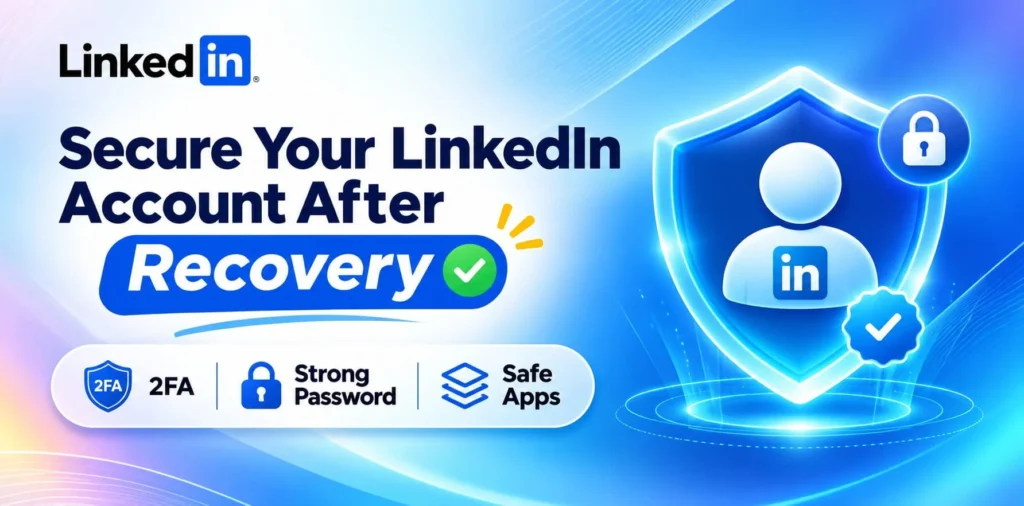
Enable two-factor authentication and use a strong, unique password.
Keep your recovery email accessible.
If you notice unfamiliar activity, review your security settings promptly.
Review Third-Party Applications
Check the tools and services connected to your account.
Remove integrations you no longer need, particularly those that automate activity in ways LinkedIn prohibits.
Pay Attention to Warning Messages
Don’t ignore notifications about unusual activity or account limitations.
Addressing a problem early may help you avoid more serious interruptions.
Frequently Asked Questions
How Do I Contact LinkedIn Support When Restricted?
If you’re searching for linkedin account restricted contact support, begin with LinkedIn’s official Help Center.
Follow the instructions in your restriction notice and use any available verification or review options.
What Is the LinkedIn Account Restricted Support Email?
There isn’t one universally available linkedin account restricted support email for all restriction cases.
Use LinkedIn’s official Help Center, recovery procedures, or support channels provided for your account.
Can I Appeal a Permanently Restricted Account?
A LinkedIn account restriction appeal may be available depending on the enforcement decision.
Check your notification for review instructions. Not every restriction is eligible for reversal.
Can I Contact LinkedIn Without Logging In?
Some account recovery procedures are accessible through the login process.
However, certain customer support features require account access.
Does LinkedIn Have Phone Support?
LinkedIn states that it does not provide customer support through a public telephone number.
Be careful with websites advertising paid LinkedIn phone assistance.
Can LinkedIn Premium Help With Restrictions?
Premium subscribers may have additional support options, but those benefits don’t guarantee account reinstatement.
What Should I Do If My Appeal Is Rejected?
Read the response carefully.
If LinkedIn offers another review option, follow its instructions.
If the decision is final, avoid trying to bypass the restriction.
Is It Safe to Send My ID to LinkedIn?
Only submit identity documents through LinkedIn’s official verification process or a legitimate verification provider it directs you to.
Never send sensitive documents to an unverified email address.
Final Thoughts: Getting Your LinkedIn Account Back
If you’ve been searching for linkedin account restricted contact support, remember that recovering your profile starts with understanding why access was limited.
You don’t need to panic, pay an unfamiliar recovery service, or send messages to every email address you find online.
Start with LinkedIn’s official Help Center. Read your restriction notice carefully, complete any required verification, and request a review if that option is available.
If you’re preparing a LinkedIn account restriction appeal, keep your explanation clear, truthful, and respectful.
Most importantly, be patient with the process. Some restrictions can be resolved through verification, while others require additional review, and not every decision can be reversed.
Your LinkedIn profile represents professional relationships, opportunities, and years of networking. Taking the right recovery steps is worth the effort.
Need help getting started? Visit the LinkedIn Help Center and follow the official recovery instructions for your account.


