
How to Tell If Someone Has LinkedIn Premium
how to know if someone has linkedin premium is a common question when you are researching a potential client, checking a recruiter’s profile, or simply wondering why some people have a small gold symbol beside their names. The quickest answer is to look for the optional Premium badge on their LinkedIn profile or in search results. If it appears, the person is displaying Premium membership. If it does not appear, however, you cannot safely conclude that they use a free account.
LinkedIn gives eligible subscribers control over whether their Premium status appears publicly. That makes identification straightforward in some cases and uncertain in others. You do not need complicated software to check visible clues, but you do need to understand what those clues actually mean. This guide explains the badge, other useful signals, misleading assumptions, privacy considerations, and sensible ways to approach people without focusing too heavily on their subscription.
What Does LinkedIn Premium Mean?
LinkedIn Premium is a collection of paid subscription offerings designed for different professional needs. Depending on the plan, members may receive additional job-search information, messaging allowances, learning resources, or business insights. Not every subscriber gets the same feature package, and subscription offerings can change over time.
How to Know If Someone Has LinkedIn Premium: The Fastest Check
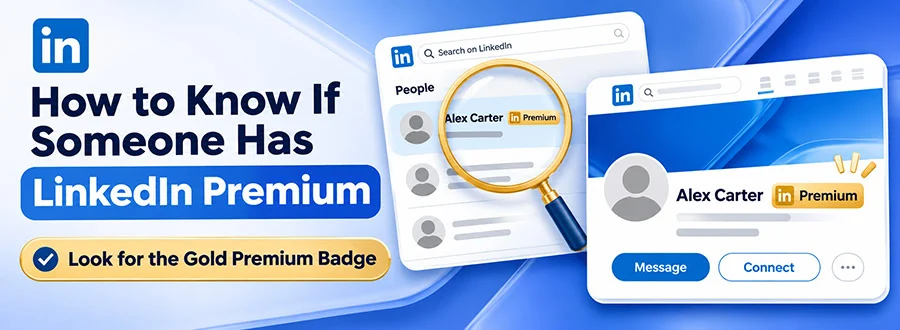
The linkedin premium badge is the clearest initial signal. The most direct approach is to visit the person’s LinkedIn profile and inspect the area near their name. A visible gold Premium symbol indicates that the member has chosen to display Premium profile status. LinkedIn also explains that the symbol can appear beside a member’s name in search results.
Here is a practical process:
- Sign in to your LinkedIn account.
- Search for the person by name, company, or job title.
- Look for a gold Premium icon alongside their name in the results.
- Open the profile and check the introduction area for the same indicator.
- If you cannot find it, treat their subscription status as unknown rather than assuming they have a free account.
If you search how to tell if someone has linkedin premium, the final step is especially important. The platform allows subscribers to hide the symbol, so searching harder will not necessarily reveal anything. A respectful check should stop at publicly available profile information.
What Does the LinkedIn Premium Badge Look Like?
The gold Premium indicator is a small gold-colored LinkedIn symbol associated with a member’s profile. It is visually different from the standard LinkedIn logo and from profile decorations used for other purposes. Its exact placement may vary across desktop layouts, mobile apps, and interface updates.
Can You Spot the Badge in LinkedIn Search Results?
Yes, when a subscriber has enabled Premium profile visibility, the gold icon can appear beside their name in LinkedIn search results. This can make an initial check more convenient than opening every profile individually. Results may display differently depending on device and product changes, so the profile page remains a useful place to confirm what you saw.
How to Tell If Someone Has LinkedIn Premium Without a Visible Badge
If you are wondering how to tell if someone has linkedin premium when there is no gold icon, the answer is less definite. You can look for additional public features, but not every feature is exclusive to a single plan, and some indicators depend on account settings. LinkedIn does not provide ordinary visitors with a reliable public list of every person’s subscription status.
An account without a visible badge might belong to a Basic member, a subscriber who turned the badge off, or someone using a LinkedIn product with different profile-display settings. You should regard the situation as unresolved unless the person states their membership or another explicit LinkedIn indicator confirms it.
Look for an Open Profile Messaging Option
Open Profile is a feature that allows people outside a subscriber’s network to contact an eligible Premium member without the sender spending an InMail credit. When a profile clearly offers Open Profile messaging, that can be a meaningful clue about the recipient’s available account features.
However, do not confuse Open Profile with every ordinary Message button. You can often message first-degree connections through regular LinkedIn messaging, and other messaging routes may appear in different contexts. A button alone is not proof of a paid account.
Why Open Profile Is a Clue, Not a Universal Test
For outreach, the practical question is often not whether somebody pays LinkedIn but whether you have a legitimate, appropriate way to contact them. A clear reason to message someone matters more than the mechanism that delivers your note.
Check Public Statements About Their Membership
Occasionally, people mention trying Premium, using a particular paid LinkedIn product, or taking advantage of subscriber features in public posts. Such statements can add context, but they may be old. Somebody who discussed a trial last year may no longer subscribe today.
Why the LinkedIn Premium Badge May Be Missing
The gold membership symbol is optional. LinkedIn’s official help documentation says eligible Premium members can choose whether to show the gold membership symbol. This single setting explains why profile appearance cannot be used as a complete directory of paying users.
Hidden Badges and Personal Privacy
If you want to understand how to know if someone has linkedin premium, remember that the platform deliberately gives members a choice. A hidden badge is not a technical loophole waiting to be uncovered. It is a visibility preference that should be respected.
Sales Navigator and Different Subscription Arrangements
LinkedIn has special profile-display guidance for Sales Navigator customers. According to its help pages, certain subscriptions purchased online can upgrade a LinkedIn profile to Premium by default, while some sales-contract arrangements keep the public profile Basic unless Premium visibility is enabled.
Consequently, professional use of advanced LinkedIn products does not guarantee that a gold symbol will appear on a personal profile. Avoid treating the badge as a complete picture of every paid LinkedIn service someone may access through work.
Subscription Changes and Account Timing
LinkedIn’s cancellation guidance says Premium benefits, including the badge, are lost when the applicable subscription period ends. If you are maintaining a contact database, consider visible status a point-in-time observation rather than a permanent personal attribute.
LinkedIn Premium vs. Free Accounts: What You Can Actually See
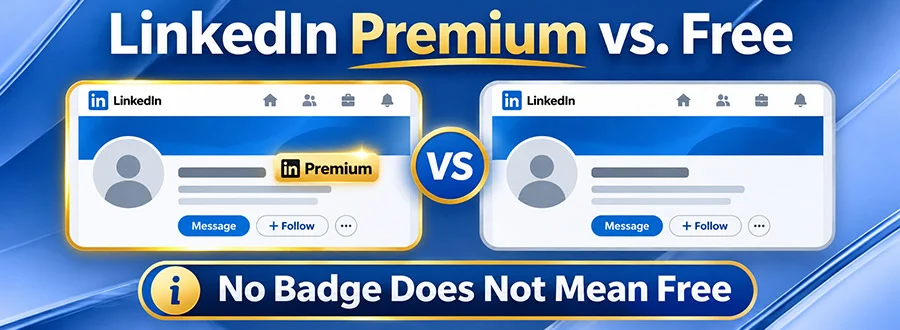
A free account and a paid account can look remarkably similar from the outside. Profile photos, headlines, work history, recommendations, posts, and connection counts are not reliable subscription markers. Both types of members can build impressive professional profiles.
| Public clue | What it suggests | How reliable is it? |
| Visible gold Premium icon | Member displays Premium profile status | Strong positive signal |
| No gold icon | Badge is absent or hidden | Does not confirm a free account |
| Clearly labeled Open Profile | Recipient allows eligible open messaging | Useful supporting clue |
| Ordinary Message button | Messaging may be available | Not proof of Premium |
| Active posting and networking | Member uses LinkedIn regularly | Not a subscription indicator |
| Detailed profile or many connections | Member maintains their professional presence | Not a subscription indicator |
That is the key to how to know if someone has linkedin premium in practice: positive evidence and missing evidence have different meanings. Seeing a supported indicator can justify a careful conclusion. Not seeing one does not automatically justify its opposite.
Do Premium Users Have Special Profile Designs?
No distinctive profile layout reliably identifies every Premium subscriber. A polished banner, custom headline, featured content, detailed experience section, or professional photograph can be created without a paid membership. The platform may introduce subscriber features over time, but ordinary profile quality is never a dependable test.
Can You Identify the Exact Premium Plan?
Usually not from a simple profile visit. Even if the linkedin premium badge appears, it does not publicly disclose a complete billing record or distinguish every available subscription tier. Premium Career, business-oriented subscriptions, and specialized products serve different users, but the presence of a gold icon alone is too limited to determine the exact package.
For prospecting, record only what is actually visible. If your outreach depends on whether someone uses Sales Navigator, for example, ask about their workflow rather than assigning a product based on badge appearance.
How to Know If Someone Has LinkedIn Premium on Mobile
The question how to tell if someone has linkedin premium applies on a phone as well as on a computer. Open the LinkedIn app, search for the person, and review their profile introduction for a visible gold indicator. Depending on the interface version, the icon may appear in a slightly different position or alongside the name in results.
If you do not immediately see it, check the profile view carefully, but do not assume the app is hiding a secret membership report. Mobile and desktop interfaces are simply different ways of displaying the public information a person has chosen to share.
Simple Mobile Checklist
A quick mobile review is usually enough: search the correct person, inspect the name area, verify that any gold symbol is associated with Premium, and write down only the evidence you can see. People with common names may have multiple similar profiles, so confirm the company, location, and job history before recording observations.
Can Someone Hide Their LinkedIn Premium Badge?
Yes. LinkedIn lets eligible subscribers manage whether Premium membership appears on their profile. The option is part of Premium profile visibility controls. Because menu names and layouts change, users should consult the current settings screen or LinkedIn Help rather than relying on an old screenshot.
For anyone asking how to tell if someone has linkedin premium, this visibility control is the central limitation. There is no trustworthy public shortcut that turns an intentionally hidden badge into guaranteed confirmation of membership.
How Members Manage Badge Visibility
LinkedIn’s help resources describe controls for showing or hiding Premium membership. A subscriber can review their profile-editing or Premium visibility options, depending on the interface and product. The setting affects what other visitors can learn from the public-facing membership symbol.
Does Hiding the Badge Cancel Premium?
No. Hiding a display indicator is not the same action as canceling a subscription. Membership management and profile visibility are separate considerations. A person can still hold an eligible paid plan while choosing not to advertise that fact through their profile.
That distinction helps explain why a missing icon should never be converted into a definitive statement about billing status. Public appearance is only one part of the account experience.
Common Mistakes When Checking Premium Membership
People sometimes combine weak clues and treat the result as certainty. For example, an individual may have many connections, send thoughtful outreach messages, publish regularly, and still use a free account. Another person might have a quiet profile and a paid plan.
The following mistakes are particularly common:
- Assuming a missing gold icon proves a Basic membership.
- Treating any Message button as an Open Profile indicator.
- Confusing a verification marker with a subscription badge.
- Assuming frequent posting requires paid features.
- Believing a Premium icon reveals someone’s income or purchasing power.
- Using outdated screenshots as evidence of current membership.
- Relying on browser extensions that claim to uncover hidden status.
Learning how to know if someone has linkedin premium should make your research more accurate, not encourage intrusive guesses. A careful conclusion based on limited information is better than a confident conclusion based on speculation.
Should You Use Third-Party Premium Detection Tools?
Be cautious. Some tools advertise Premium-member discovery or automated prospect lists. They may identify visible gold symbols, but that does not mean they can reliably reveal hidden membership status. Claims of complete detection should be evaluated critically, particularly when providers do not explain their evidence.
Why Knowing Someone’s Subscription Might Matter
People researching how to know if someone has linkedin premium have legitimate reasons to check public membership indicators. A sales professional might want to understand the communication tools a prospect uses. A recruiter may be interested in candidates who actively explore professional resources. A job seeker could be curious about whether an industry contact uses paid LinkedIn features.
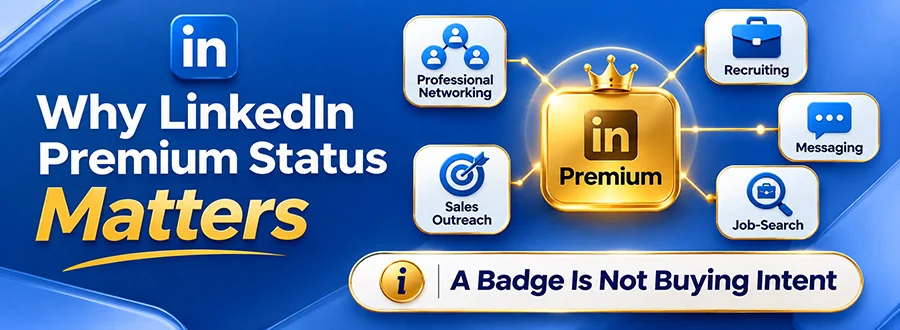
Still, the linkedin premium badge does not measure interest in your offer. It does not establish that a prospect needs your product, that a recruiter is hiring, or that a connection wants a conversation. The badge is a feature indicator, not a statement of intent.
For Recruiters and Talent Teams
Focus on experience, qualifications, availability signals, and relevant skills. A candidate’s public Premium status may be incidental context, but job fit should drive your decision. Strong applicants can use free accounts, and paying members may have no interest in changing roles.
A better approach is to personalize communication around specific expertise or a genuinely relevant opportunity. Explain why you selected the person and give them an easy way to decline. That is considerably more useful than mentioning their subscription.
For Sales and Business Development
For example, an operations director who recently discussed an implementation challenge is a more promising contact than an unrelated member who merely displays a paid badge. Relevant context makes an outreach message valuable.
For Job Seekers and Everyday Networking
When approaching a hiring manager or potential mentor, respect the information they have chosen to share. Your introduction should explain the connection between their work and your request. Ask concise questions and avoid language that makes the recipient feel monitored.
How to Tell If Someone Has LinkedIn Premium: A Practical Example
Imagine you are researching two people at different companies. The first profile shows a gold Premium icon next to the name. The second has a detailed career history and an ordinary Message button but no gold icon.
For the first person, you can reasonably say that the member is displaying Premium profile status. For the second, you should say that no visible Premium indication was found. It would be inaccurate to label that person a confirmed free user, because the symbol could be hidden and ordinary messaging provides no decisive evidence.
If your contact spreadsheet has a subscription column, use labels such as “Visible Premium badge,” “Open Profile observed,” and “Not confirmed.” Add the date checked when the information will inform future decisions. These choices make the database more honest and easier for colleagues to interpret.
A Better Way to Evaluate Your Findings
Frequently Asked Questions
How to Know If Someone Has LinkedIn Premium for Free?
You can inspect their public profile or search-result listing without purchasing Premium yourself. A visible gold membership symbol is the clearest clue. If none appears, their status remains uncertain because paying members can hide their badge. No subscription purchase is required simply to look for a publicly displayed indicator.
How to Tell If Someone Has LinkedIn Premium If They Hide the Badge?
There is no dependable public method to confirm every hidden subscription. You might notice an explicitly labeled Open Profile feature or a recent statement by the member, but those clues have limitations. If confirmation truly matters, ask the person politely rather than trying to circumvent their visibility preferences.
Is the LinkedIn Premium Badge Always Visible?
No. The gold icon is optional for eligible members. LinkedIn provides controls for displaying or hiding Premium membership, and subscription arrangements may affect public profile presentation. A missing symbol is therefore not sufficient evidence of a free account.
Does a Gold Badge Mean Someone Has Sales Navigator?
Not necessarily. A visible Premium indicator does not tell you which subscription someone purchased. Different paid products serve different professional needs, and some Sales Navigator customers have separate profile visibility arrangements. Avoid equating a general gold symbol with one specific product.
Can I See Premium Membership on the LinkedIn App?
Yes, if the member chooses to display the Premium indicator and the app shows it in the current interface. Check the person’s name area on their profile or in search results. Layout differences can affect placement, but they do not eliminate the member’s control over visibility.
Can Someone Have Premium Without Showing a Badge?
Yes. A subscriber can choose to keep their membership symbol hidden. This is why how to know if someone has linkedin premium has a qualified answer: visible evidence can confirm what is displayed, but the absence of evidence does not establish a Basic account.
Does LinkedIn Premium Let Someone See Who Checked Their Profile?
Premium may offer expanded profile-viewer insights, depending on the plan and current product rules. However, viewer privacy settings still matter. A person browsing in full private mode is not identified by name simply because the profile owner pays for Premium. Membership detection and profile-view anonymity are different issues.
Can I Search for Only Premium Members?
LinkedIn’s ordinary profile search should not be treated as a complete directory of subscribers. Even a process that collects every publicly visible gold icon would miss members who hide it. For prospecting, search by role, industry, organization, and relevant experience instead of relying on paid status as your main filter.
Final Thoughts
The answer to how to know if someone has linkedin premium is simple when the member displays a gold icon and uncertain when they do not. Start with the publicly visible badge, recognize that Open Profile can offer supporting context, and avoid turning ordinary profile features into evidence of a paid subscription.


