
Does LinkedIn Premium Show Who Viewed Your Profile?
does linkedin premium show who viewed your profile? Yes, a Premium subscription can reveal more information about people who visit your LinkedIn profile than a free account provides. However, there is an important limitation: Premium cannot identify every visitor. People browsing in private mode can remain anonymous, and some visits may not appear as individual names. Understanding that distinction helps you decide whether upgrading is worthwhile.
Profile views can be useful signals when you are looking for work, developing professional relationships, or attracting clients. A recruiter checking your experience might indicate interest, while a visit from someone at a prospective customer’s company could be a reason to review your outreach strategy. Neither visit guarantees an opportunity. This guide explains how the feature works, what changes with Premium, why information sometimes disappears, and how to use viewer insights responsibly.
How LinkedIn’s Profile Viewer Feature Works
LinkedIn records certain visits to member profiles and presents available information through its Who Viewed Your Profile feature. What you see depends on your subscription, the visitor’s privacy choices, and the platform’s eligibility rules. Viewer information may include names, headlines, companies, industries, or general trends when those details are available.
A visit is not the same as a connection request, message, or endorsement. Someone may open your profile while researching a company, checking a comment you wrote, or browsing search results. The context is often unknown, so avoid treating every view as proof of professional interest.
Where to Find Your Profile Viewers
Open LinkedIn, navigate to your profile or analytics area, and select the profile viewers option. The exact navigation can vary between desktop and mobile versions. Depending on your account, you may see a visitor list, a count of recent views, or prompts to upgrade for additional insights.
If you cannot locate the feature, check whether you are signed into the correct account and whether the interface has changed. LinkedIn frequently updates navigation labels, so its Help Center is the best place to confirm current steps.
What a Profile View Actually Means
A view means LinkedIn registered activity associated with your profile, not that the visitor carefully read your experience. A person may have clicked accidentally or stayed for only a moment. Viewer data is most useful when you examine patterns across time rather than trying to interpret a single name.
Why Context Matters
A spike after publishing an article may suggest that the content generated curiosity. A spike after sending job applications may suggest that employers are reviewing your background. These are reasonable possibilities, not confirmed explanations. Combine viewer information with messages, interview requests, website inquiries, and other concrete outcomes.
Does LinkedIn Premium Show Who Viewed Your Profile in Detail?
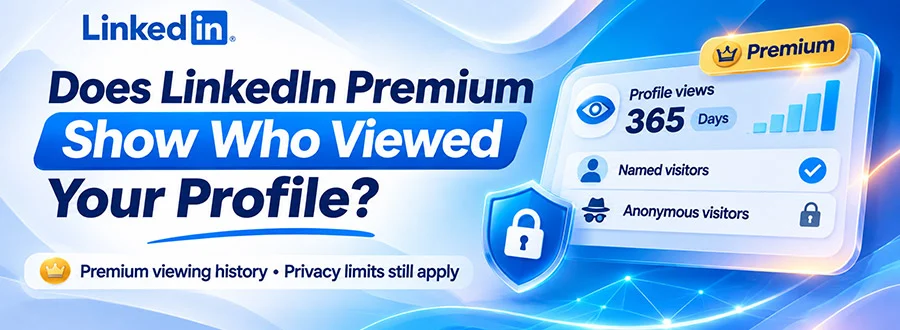
The short answer to does linkedin premium show who viewed your profile is that Premium generally provides a longer viewing history and richer insights than the free experience. LinkedIn describes access to viewer information extending up to 365 days for eligible Premium members, subject to privacy limitations and product rules. That longer window can help reveal trends that would otherwise be difficult to notice.
Premium may also provide filters or analytics about visitors, including information that helps you understand which professional audiences are finding you. Available details vary, and some insights may be aggregated rather than attached to identifiable individuals. For linkedin profile views not showing, a subscription cannot reveal hidden identities.
Named Visitors Versus Anonymous Visitors
When a visitor browses with their name and headline visible, LinkedIn may show identifying profile information. If they use private mode, their identity is hidden. Some visitors choose an intermediate privacy setting that displays general characteristics without their name. The amount of detail you receive follows the visitor’s setting.
This is the central privacy rule: paying for Premium does not override another person’s decision to browse anonymously. Any website claiming to reveal all private LinkedIn viewers should be approached skeptically, especially if it requests account credentials or browser permissions.
Does Premium Reveal Past Visits?
Premium can provide access to a longer available history, but it should not be treated as a guarantee that every historical visit will suddenly become identifiable. The viewer’s settings, account status, and LinkedIn’s data availability still apply. If a visit was anonymous, purchasing a subscription does not magically attach a name to it.
What You Should Expect After Upgrading
Expect broader access to eligible viewer data, not a perfect surveillance record. Before purchasing, review the exact features offered in your account and consider whether you need historical patterns or simply want to know who visited yesterday.
LinkedIn Who Viewed Your Profile Free: What Is Included?
The linkedin who viewed your profile free experience is more limited than Premium, but it can still provide useful information. LinkedIn generally offers free members a restricted view of recent visitors, often highlighting a small selection of names or limited viewer details when eligibility conditions are met. The precise display can change as LinkedIn updates its product.
Free members may also see a recent profile view count and limited analytics. However, they should not assume that every visitor will appear or that the same historical information available to Premium subscribers will be accessible without payment.
Free Account Versus Premium Account
| Capability | Free LinkedIn | LinkedIn Premium |
| See some eligible profile visitors | Limited access | Broader access |
| Historical viewer information | Restricted | Up to 365 days where eligible |
| Viewer trends and insights | Basic or limited | More detailed insights |
| Identify private-mode visitors | No | No |
| Access every past visitor | No guarantee | No guarantee |
| Other professional tools | Standard features | Depends on subscription |
The distinction matters because linkedin who viewed your profile free is not necessarily useless. If you only need an occasional indication of interest, the free experience may be enough. If you regularly analyze audience activity, a longer history may justify the expense.
Can Free Users See Who Viewed Them?
Yes, some free members can see eligible visitors, but access is limited and affected by privacy settings. In particular, browsing in private mode on a free account can affect your ability to see other viewers. Check the notice displayed in your account because LinkedIn may apply specific restrictions based on your viewing setting.
When the Free Option Makes Sense
Choose linkedin who viewed your profile free if you rarely review analytics or need extended visitor history. Your professional profile can still perform well without Premium.
Why LinkedIn Profile Views Not Showing Happens
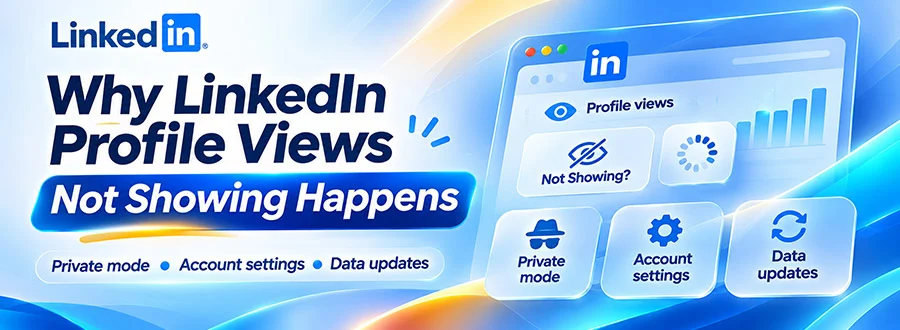
Searching for linkedin profile views not showing often leads to the assumption that LinkedIn has a technical problem. Sometimes that is true, but missing names can also be explained by privacy controls, limited subscription access, account settings, or differences between a view count and a visible visitor list.
For linkedin profile views not showing, counts and identifiable visitors may differ. You might see evidence of activity without receiving a complete list of names. This does not automatically mean the platform has lost information.
1. Visitors Are Using Private Mode
Private mode allows members to browse without disclosing their identities to the person whose profile they open. Premium cannot reverse this choice. If your visitor list includes anonymous entries, privacy settings may explain the missing details.
2. Your Own Viewing Setting Restricts Access
Your profile viewing option affects what other people see when you visit their profiles. For some free members, choosing private mode also restricts access to viewer information. Premium members may have different viewing-history privileges, but they still cannot identify visitors who browse privately.
3. Your Subscription Has Limited Viewer Access
A free account may display fewer visitors or less history than Premium. If you expect a complete historical list while using a free subscription, the missing information may reflect product limits rather than a bug.
4. The Interface or Data Has Not Updated
Temporary loading issues, stale app versions, or changes to the interface can make analytics harder to find. Try opening LinkedIn in a desktop browser, refreshing the page, updating the mobile app, or signing out and back in. Do not repeatedly change privacy settings without understanding the consequences.
When to Contact LinkedIn Support
If the feature remains unavailable despite correct settings and an active subscription, consult LinkedIn Help. Include the device, app version, approximate date of the issue, and what appears on screen. Avoid sharing passwords or sensitive account details in public forums.
LinkedIn Profile Views Not Showing: A Practical Checklist
When linkedin profile views not showing becomes a recurring problem, work through the likely causes systematically. First, confirm that your account actually received profile visits during the period you are reviewing. Next, examine your viewing preferences and subscription status. Finally, rule out a temporary interface issue.
Check Your Privacy Settings
Open Settings & Privacy, locate Visibility, and review the profile viewing options. LinkedIn commonly offers named viewing, private profile characteristics, and private mode. Read the descriptions before selecting an option because each one changes how your visits appear to others.
Check Your Premium Subscription
If you pay for Premium, verify that the subscription is active on the account you are using. An expired trial, a different signed-in account, or a billing problem can change feature access. The subscription management page should show the plan and renewal information.
Test on Another Device
If a viewer panel fails to load on mobile, check the desktop site. If it works there, the issue may involve the app or its cached interface. If it fails everywhere, LinkedIn’s help resources are a more reliable next step than installing unofficial extensions.
Avoid Third-Party Viewer Trackers
Services promising secret identities, unlimited visitor histories, or guaranteed anonymous-viewer detection may be misleading. Some can also introduce privacy or account-security risks. Use LinkedIn’s own controls and official documentation for account-related information.
Does LinkedIn Premium Show Who Viewed Your Profile in Private Mode?
Many people ask does linkedin premium show who viewed your profile when the visitor has enabled private mode. The answer is no: Premium does not reveal that person’s identity simply because you are a paying member. The visitor’s privacy preference remains effective.
This distinction is particularly important for recruiters and business professionals. A private visitor could be researching you for a legitimate reason, but you cannot confidently identify them from an anonymous entry. Do not infer a particular person’s identity based only on the timing of a visit.
What Is Private Profile Characteristics Mode?
LinkedIn may allow members to display limited descriptive information rather than their names. Depending on the available settings, this could indicate a general professional category without identifying the person. It offers more context than a fully anonymous entry while preserving some privacy.
Can You Browse Privately with Premium?
Premium members can generally use LinkedIn’s private browsing option. However, your own browsing privacy and your access to information about people viewing you are separate questions. Review the exact terms for your subscription before assuming that all viewer analytics remain unchanged.
Privacy Is a Two-Way Feature
You may want detailed information about your visitors while also wanting privacy when researching other profiles. LinkedIn’s settings attempt to balance those interests. Respecting the choices of other members helps keep professional browsing useful and predictable.
LinkedIn Who Viewed Your Profile Free Versus Paid: Is Upgrading Worth It?
The linkedin who viewed your profile free experience should guide your upgrade decision. A longer viewer history can be useful, but it has little financial value if you never act on the insights or cannot connect them to meaningful professional outcomes.
For example, a job seeker might compare profile activity before and after improving their headline. A consultant could observe whether articles about a particular service attract relevant professionals. Neither example requires contacting every visitor.
Value for Job Seekers
Premium Career may be worthwhile if you are actively applying for positions and also need its job-related features, learning resources, and InMail credits. Profile viewer insights are one benefit among several. Do not subscribe solely because you hope to discover which recruiter viewed you anonymously.
Value for Freelancers and Business Owners
Premium Business may be useful when combined with regular networking, company research, and targeted outreach. Viewer information can help you recognize broader audience patterns, but it should not replace a qualified lead-generation process.
Calculate Value Before Paying
Ask whether the subscription saves time, improves your research, or contributes to measurable opportunities. If the answer is unclear, begin with free features and upgrade only when you encounter a genuine limitation.
How to Turn Profile Views into Professional Opportunities
For does linkedin premium show who viewed your profile, identifying visitors is only the beginning. The more important question is whether your profile communicates value when someone arrives. Strong positioning makes visitors more likely to understand your expertise and consider a relevant next step.
Improve Your Headline and About Section
Your headline should explain your role, specialty, or the problem you solve. Your About section should support that promise with specific experience and achievements. Avoid stuffing keywords into every sentence; natural language is easier for visitors to read.
Publish Content That Matches Your Goals
Share useful observations, practical lessons, or examples from your work. A designer might explain a project decision. A consultant could describe a common business challenge. A job seeker might share a thoughtful technical analysis. Relevant content gives people a reason to visit and remember your profile.
Connect Without Being Intrusive
If a named visitor appears professionally relevant, you can review their public profile and decide whether a connection request makes sense. Do not write, “I saw you stalking my profile.” Instead, mention a genuine shared interest or relevant professional context.
Measure Conversations, Not Curiosity
Track meaningful responses, interviews, collaborations, or client inquiries alongside profile visits. Viewer counts can indicate attention, but real professional progress usually involves stronger signals than a page view.
Common Misconceptions About LinkedIn Profile Visitors
Several myths create unrealistic expectations about paid subscriptions. Clearing them up can prevent wasted money and awkward networking behavior.
Myth: Premium Reveals Every Anonymous Visitor
False. Private browsing settings still apply. A paid account cannot turn an intentionally anonymous visit into a named identity.
Myth: Every View Means Someone Wants to Hire You
False. People browse profiles for many reasons. Even a recruiter visit may be part of routine research rather than an active hiring decision.
Myth: Free Members Never See Visitors
False. The linkedin who viewed your profile free feature can provide limited information about eligible viewers. The restrictions are meaningful, but free access is not necessarily zero.
Myth: More Views Always Mean a Better Profile
Not necessarily. A controversial post may attract curiosity without creating relevant opportunities. Quality of audience, professional fit, and meaningful engagement matter more than raw traffic.
Myth: Viewer Tracking Tools Can Bypass LinkedIn Privacy
Be cautious of such claims. Unofficial tools may rely on inaccurate guesses, invasive permissions, or practices that threaten your account. LinkedIn’s privacy limitations are not something a trustworthy service can simply promise to erase.
Frequently Asked Questions
Does LinkedIn Premium Show Who Viewed Your Profile Without Their Knowledge?
When considering does linkedin premium show who viewed your profile, remember that LinkedIn’s own privacy rules determine which identities appear. A named visit may be visible to the profile owner, while private-mode visits remain anonymous. Premium does not provide secret access to everyone who has browsed your page.
Can I See Who Viewed My LinkedIn Profile Without Premium?
Yes, eligible free accounts can see limited viewer information. The amount displayed depends on privacy choices and LinkedIn’s current feature rules. A paid plan generally offers a longer history and additional insights.
Why Are Some Profile Viewers Anonymous?
Those members may have chosen private mode or another restricted viewing option. You cannot reliably identify them from the anonymous entry, even with Premium.
Why Did My Profile View Count Change?
Counts may reflect different reporting periods, data updates, or activity patterns. Check the selected date range before assuming a technical problem. If figures appear clearly incorrect, consult LinkedIn’s official help resources.
Can Someone Tell If I Viewed Their Profile?
It depends on your profile viewing setting. Named viewing may reveal your identity to the person whose profile you opened. Private mode is designed to conceal that identity. Review your settings before browsing sensitive professional contacts.
Is LinkedIn Premium Worth Buying Just for Viewer History?
For most occasional users, probably not. It becomes more compelling when you also use other Premium tools and have a clear reason to analyze visitor trends over time.
Final Verdict: Should You Upgrade to See Profile Visitors?
The practical answer to does linkedin premium show who viewed your profile is yes, but only within LinkedIn’s privacy and product limits. Premium can expand access to eligible viewer history and insights; it cannot expose people who intentionally browse anonymously. That boundary is essential when deciding whether the subscription meets your expectations.
If you are satisfied with linkedin who viewed your profile free, you may not need to spend anything. If you regularly monitor professional visibility and would benefit from broader history alongside other Premium tools, upgrading may be reasonable. For linkedin profile views not showing, investigate settings, subscription access, and technical issues before assuming a paid plan will solve everything.
Ultimately, the strongest reason to use viewer insights is to improve your professional presence, not to monitor strangers. Build a clear profile, publish relevant work, and focus on relationships that lead to meaningful outcomes. Profile analytics can inform that process, but they should never become the entire strategy.


