
LinkedIn Premium InMail Credits Explained
linkedin premium inmail credits let eligible subscribers message certain LinkedIn members without first becoming connected. That sounds simple, but the rules behind the feature can be confusing. How many messages do you receive? Do unused credits disappear? Does a reply give you a credit back? And how can you tell whether your messages are actually working?
This guide explains the practical answers without treating InMail as a magic shortcut to recruiters or customers. You’ll learn how allowances differ by subscription, what happens when recipients respond, how to track results, and when ordinary connection requests may be a better option. Most importantly, you’ll see how to use a limited messaging allowance thoughtfully instead of wasting it on generic outreach.
What Are LinkedIn InMail Credits?
InMail is LinkedIn’s paid messaging feature for contacting eligible people who are not already your first-degree connections. Normally, you can freely message people you are connected with, but contacting strangers directly is more restricted. InMail provides another route when you have a relevant reason to reach someone and a connection request would be inconvenient or unsuccessful.
For linkedin premium inmail credits, a credit generally represents the ability to initiate one qualifying InMail conversation. It is not a promise that the recipient will read or answer. It does not permit unlimited follow-ups.
InMail Versus Regular LinkedIn Messages
Regular messages work primarily within your existing network. InMail can reach eligible people outside that network, subject to the recipient’s settings and your plan’s rules. Other LinkedIn features may also allow contact.
When InMail Makes Sense
Use it when the person is highly relevant, you have a specific reason to contact them, and your request can be explained briefly. Job seekers can contact hiring managers; consultants can approach relevant partners. Relevance matters most.
How Many InMail Credits for LinkedIn Premium?
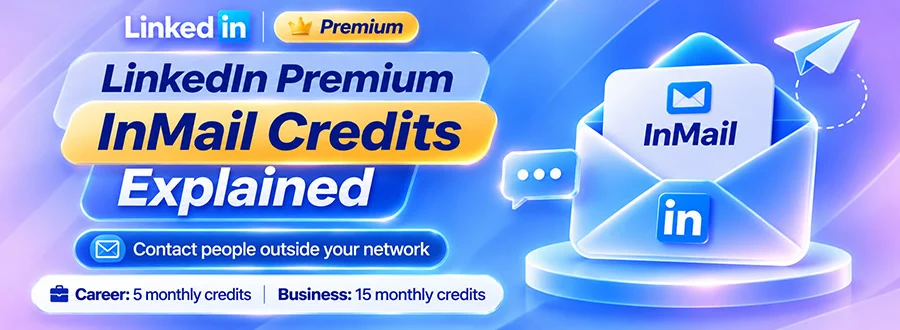
A frequent question is how many inmail credits for linkedin premium subscribers receive each month. The answer depends on the subscription. LinkedIn Premium Career commonly includes five monthly InMail credits, while Premium Business commonly includes fifteen. Sales Navigator and recruiting products have different messaging arrangements and should not be confused with the two individual Premium plans.
| Subscription | Typical Monthly Allowance | Main Audience |
| Premium Career | 5 | Job seekers and career changers |
| Premium Business | 15 | Entrepreneurs and networking professionals |
| Sales Navigator | Plan-dependent | Sales teams and prospecting professionals |
| Recruiting products | Product-dependent | Recruiters and talent teams |
These figures describe commonly published allowances, not a guaranteed entitlement for every account. Check current plan terms and your balance before buying.
Why Career and Business Have Different Limits
Career supports focused job outreach. Business supports more frequent networking. More credits do not necessarily mean better value: a person who sends only two well-researched messages monthly may gain nothing from paying for fifteen.
Are Credits Shared Across Plans?
Do not assume credits from different LinkedIn products form one interchangeable pool. Each product has its own eligibility and billing rules. If you change subscriptions, review the information shown during the switch, including what happens to your existing balance. Do not assume balances combine.
How LinkedIn Premium InMail Credits Work
Your linkedin premium inmail credits are associated with your eligible paid subscription. When you start a qualifying InMail conversation, LinkedIn generally deducts a credit from your available balance. You can then monitor the conversation in your messaging area and review your remaining allowance through the account interface.
Rules vary by product and recipient response; check LinkedIn Help for specifics.
What Happens When Someone Replies?
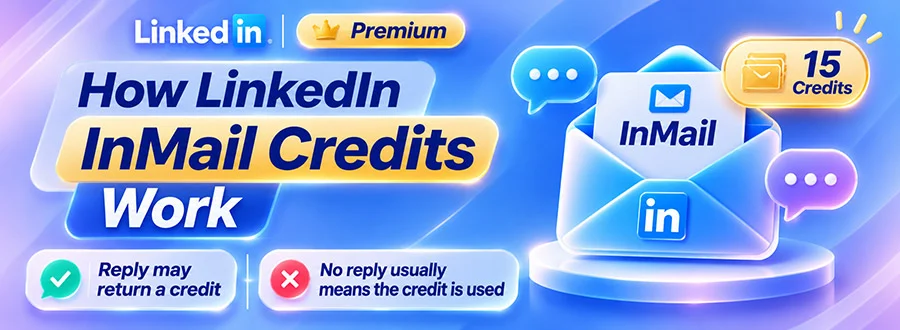
For standard Premium InMail, LinkedIn generally returns a credit when the recipient responds within the qualifying period, including certain declines. That policy encourages messages that invite genuine engagement rather than one-way mass outreach. However, eligibility, timing, and product rules matter; a message that receives no response should not be assumed to generate a refund.
Does Any Reply Count?
A polite refusal can still be a meaningful response under applicable credit-return rules. Nevertheless, getting a credit back is not the same as achieving your professional objective. If someone says they are not interested, respect that decision. Repeatedly pushing for a meeting can damage your reputation even when the platform technically permits further communication.
What If Nobody Responds?
An unanswered InMail generally consumes the original credit unless another applicable rule restores it. Instead of immediately trying to contact the same person through multiple channels, review whether the message was relevant, clear, and appropriately timed. Sometimes silence simply means the recipient is busy or does not want to engage.
Do Unused InMail Credits Roll Over?
Unused credits may accumulate within limits established for the subscription. This is often described as rollover, but it does not mean you can save an unlimited number indefinitely. The maximum balance and any expiration conditions depend on the specific LinkedIn product and current policy.
If you are planning a campaign several months from now, check your account’s displayed balance and the applicable terms first. Do not build a messaging plan around a presumed unlimited reserve. Message people when you have a useful reason.
How Many InMail Credits for LinkedIn Premium Are Left?
Your available balance answers how many inmail credits for linkedin premium you can still use before renewal.
Where to Check Your Remaining Balance
Open LinkedIn’s messaging or Premium management area and look for the InMail credit information associated with your subscription. Interfaces vary; consult subscription settings or LinkedIn Help.
When Does the Monthly Allowance Refresh?
Credits are ordinarily allocated according to your subscription’s billing cycle, not necessarily on the first calendar day of every month. Your account’s renewal information is more reliable than a general estimate. Check that date before scheduling outreach that requires several new conversations.
LinkedIn InMail Response Rate: What It Really Means
The linkedin inmail response rate measures how often recipients respond to messages within a defined group. It is a useful engagement indicator, but it should not be confused with a meeting-booking rate, job interview rate, or sales conversion rate. A response might be positive, neutral, or negative.
To calculate a basic response rate, divide the number of messages receiving replies by the number of delivered messages in your chosen sample, then multiply by one hundred. For example, four replies from twenty messages produce a twenty percent response rate. Specify your time window and counting method when comparing campaigns.
Why Published Benchmarks Can Mislead
You may see claims that a certain response percentage is typical or excellent. Such figures often depend on the audience, industry, sender reputation, message type, and data source. Recruiter outreach to a candidate may perform differently from unsolicited sales outreach to an executive. There is no single universal benchmark that guarantees your results.
Positive Replies Matter More Than Raw Replies
Suppose ten recipients answer, but nine say they are not interested. Your headline response rate may look impressive, while your useful conversation rate remains low. Track positive responses separately. Track interviews or qualified business discussions instead.
What Affects Your LinkedIn InMail Response Rate?
Several controllable factors influence whether someone chooses to answer. The strongest starting point is audience relevance. A carefully selected recipient who can reasonably benefit from your message is more likely to engage than someone chosen only because their title sounds senior.
Recipients may review your profile, so keep it complete and credible.
Personalization Without Overdoing It
Mention a concrete reason for reaching out: a role they manage, a recent professional post, a shared industry concern, or a company initiative that is publicly discussed. Avoid pretending you know someone personally or using exaggerated compliments. One accurate detail is usually more persuasive than several generic sentences about their impressive background.
Message Length and Clarity
Busy professionals appreciate messages they can understand quickly. Explain who you are, why the recipient is relevant, and what small next step you suggest. Long introductions, multiple links, and several unrelated questions make a message harder to answer. A short note should still contain enough context to feel legitimate.
Timing and Recipient Expectations
Timing can matter, but there is no universally perfect weekday or hour. Consider the recipient’s location, work context, and likely priorities. A recruiter handling an active vacancy may be more receptive to a relevant applicant than someone approached months after the position closes. Do not mistake a lack of response for proof that your timing alone was wrong.
How to Write InMail Messages That Get Useful Replies
Before spending linkedin premium inmail credits, write a message that earns attention through relevance. Start with a straightforward subject where the interface supports one. Then introduce the reason for your outreach in the opening sentence. Avoid bait-like subject lines that hide your intention.
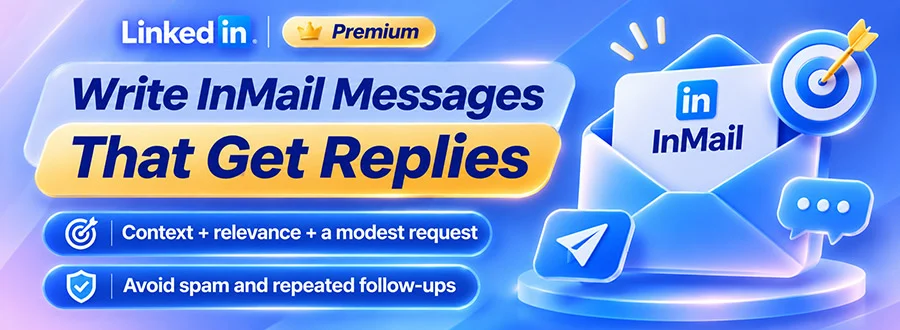
A practical structure is simple: context, relevance, and a modest request. For example, a job seeker could mention a specific opening, summarize one relevant qualification, and ask whether the hiring team welcomes a brief question. A consultant could identify a challenge their service addresses and ask whether a short exchange would be appropriate.
Example: Job Seeker Outreach
Subject: Question about the product analyst opening
Hello, I noticed your team is hiring a product analyst. My recent work includes dashboard reporting and customer behavior analysis, which appear relevant to the role. I’ve applied through the official listing and would appreciate any guidance on the team’s main priorities. Thank you for your time.
This example is specific without demanding special treatment. It does not claim a referral or imply that an application should bypass the employer’s normal process.
Example: Business Networking Outreach
Subject: Exploring a possible collaboration
Hello, I enjoyed your recent post about improving customer onboarding. I work with service businesses on practical content and user experience improvements. Your point about reducing confusion during setup resonated with a project I’ve been studying. Would you be open to a short conversation about approaches that have worked for your team?
What to Avoid in Either Message
Do not invent familiarity, overstate results, or attach unsolicited confidential materials. Avoid immediately requesting thirty minutes from a stranger when a simple question would do. Respect a refusal and do not send repeated follow-ups merely to force a response.
Using InMail for Job Searching
Job seekers should prioritize quality over volume. Identify roles that genuinely match your skills, research the organization, and determine whether a hiring manager or recruiter is an appropriate contact. Apply through the official channel when required; InMail should complement the application, not replace it.
For someone asking how many inmail credits for linkedin premium are enough for a job search, five can be useful when each message is carefully targeted. You might contact a small number of recruiters working in your specialty rather than sending identical notes to dozens of unrelated professionals.
Prepare Your Profile Before Messaging
Make sure your headline clearly states your professional focus. Update relevant experience, skills, portfolio examples, and location preferences. If a recruiter opens your profile, they should quickly understand why you contacted them. Your InMail can start the conversation, but your profile provides supporting evidence.
Measure Real Job Search Progress
Record which messages led to substantive answers, referrals, or interviews. Also note the role and the date of outreach. If a message format produces little engagement, improve the targeting before changing only the wording. A well-matched recipient is often more important than a clever subject line.
Using InMail for Business Development
For entrepreneurs and consultants, linkedin premium inmail credits can support targeted introductions to prospective partners or customers. They should not be treated as permission for indiscriminate advertising. Research the organization, understand its possible needs, and make sure your offer is genuinely relevant.
Business users should also consider whether InMail is the best channel. A warm introduction, public conversation, or thoughtful connection request may establish trust more naturally. InMail is valuable when those options are unavailable and you have a clear professional reason to make contact.
Build a Small Prospect List
Start with a narrow audience defined by industry, responsibilities, and likely fit. Review public information before sending a message. Keep notes on why each person is relevant, not just their name and title. This preparation reduces wasted credits and makes personalization easier.
Evaluate Conversation Quality
Track positive replies, qualified meetings, and relationships that continue beyond the first message. If you sell services, measure genuine opportunities and eventual revenue while accounting for your time. A high linkedin inmail response rate is encouraging, but it does not automatically mean your outreach is profitable.
Premium Career vs Premium Business: Which Offers Better Value?
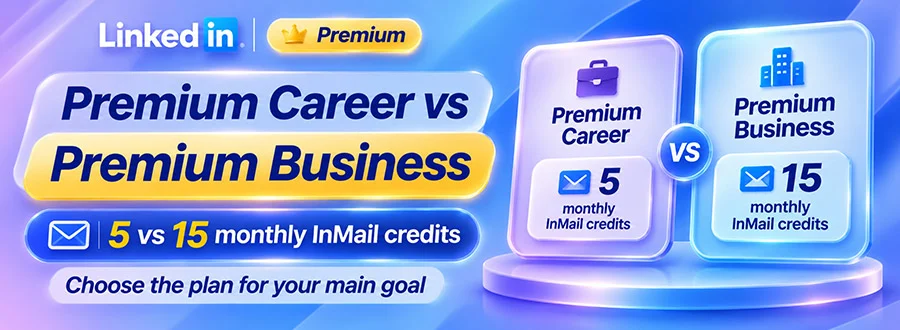
Understanding how many inmail credits for linkedin premium you receive matters most when your outreach needs are predictable. Career’s commonly listed five monthly credits may fit a job seeker contacting selected recruiters. Business’s commonly listed fifteen may suit a professional conducting more frequent relationship-building outreach.
Yet message quantity is only one part of the comparison. Business also emphasizes broader professional search and business insights, while Career focuses more on job-related features. Choose the plan that supports your main objective rather than upgrading solely because a larger number appears attractive.
Calculate Cost per Useful Conversation
Divide your subscription cost by the number of meaningful conversations you attribute to its paid features. If you pay for a month but send no InMail and use no other Premium tools, the subscription may offer little practical value. If you consistently develop relevant relationships, the cost may be easier to justify.
When a Free Account Is Enough
A free LinkedIn account already supports connections, ordinary messaging with your network, posting, and many job applications. If your outreach mostly involves people who readily accept connection requests, you may not need InMail. Upgrade when a specific limitation is holding back an activity you regularly perform.
Common Mistakes That Waste InMail Credits
The first mistake is treating linkedin premium inmail credits like a quota that must be exhausted. Sending irrelevant messages to use the balance can hurt your reputation. Another mistake is assuming that a paid message will automatically receive priority from the recipient.
Some users also focus excessively on catchy subject lines while neglecting audience selection. Others send a lengthy pitch before establishing any relationship. Finally, people sometimes forget to review credit-return rules, renewal dates, and the actual allowance included in their subscription.
Improve Your Process Instead
Use a simple tracking sheet with recipient category, reason for contact, message date, response, and outcome. Review the results after several weeks. Look for patterns without drawing sweeping conclusions from only a handful of messages. Small samples can fluctuate substantially.
Protect Your Professional Reputation
Keep messages truthful, respectful, and appropriate to the relationship. Avoid scraping contact information or using unauthorized automation to send bulk outreach. LinkedIn’s policies and recipients’ preferences still apply to paid subscribers. Sustainable networking depends on trust rather than technical workarounds.
Frequently Asked Questions
How Many InMail Credits for LinkedIn Premium Career?
If you’re wondering how many inmail credits for linkedin premium Career provides, the commonly published allowance is five per month. Verify your account’s current entitlement because subscription packaging and regional availability can change.
How Many Credits Come with Premium Business?
Premium Business commonly includes fifteen monthly InMail credits. The larger allowance can support more outreach, but it does not guarantee more responses or clients. Consider the plan’s other features before deciding whether the higher price is worthwhile.
Do LinkedIn Premium InMail Credits Expire?
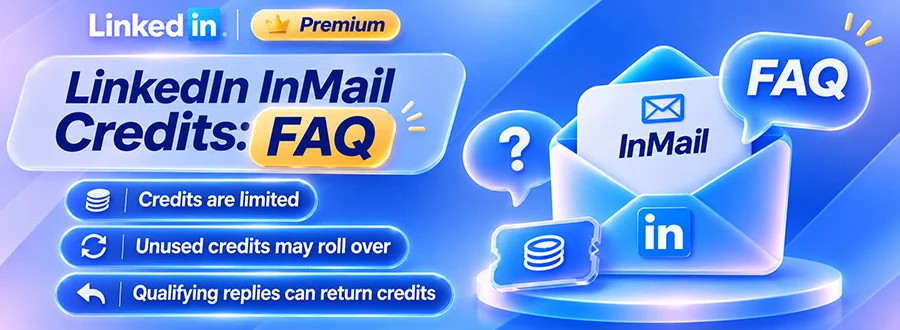
Unused credits may roll over up to a plan-specific limit, but they are not necessarily preserved forever. Check LinkedIn’s current rules for your product, especially before changing or canceling a subscription.
Can You Send Unlimited InMail with Premium?
No. Standard Premium plans have limited allowances. Other LinkedIn products may have different messaging rules, but a paid subscription should not be interpreted as unlimited permission to contact strangers.
What Is a Good LinkedIn InMail Response Rate?
A good linkedin inmail response rate depends on the audience and purpose. Compare your results against your own previous campaigns, and track positive conversations separately from refusals. A smaller number of meaningful replies can be more valuable than many unproductive responses.
Does a Reply Refund an InMail Credit?
Under standard Premium rules, qualifying replies can return credits. The timing and eligibility conditions matter, and specialized products may work differently. Consult the current LinkedIn Help guidance for your specific subscription.
Can You Message Someone Without Using InMail?
Yes, depending on your relationship and the person’s settings. First-degree connections can generally exchange ordinary messages, and some members permit other forms of contact. A respectful connection request may be sufficient.
Final Thoughts: Make Every Message Count
linkedin premium inmail credits are most valuable when they help you reach the right person for a clear professional reason. Understand your plan’s allowance, verify rollover and credit-return rules, and avoid assuming that more messages automatically produce better outcomes.
Rather than chasing a universal linkedin inmail response rate, focus on relevance, clarity, and genuine conversation quality. A handful of thoughtful messages can support a job search or business relationship more effectively than a large batch of generic pitches. Review your results regularly, use free networking options when appropriate, and pay for Premium only when its additional tools serve a real need.


