
What You Get with LinkedIn Premium: Full Feature List
linkedin premium benefits go beyond adding a gold badge to your profile. A paid subscription can help you understand who is viewing your profile, contact professionals outside your network, learn new skills, and find opportunities that may be harder to spot with a free account. However, the value depends on which plan you choose and what you actually do with its tools.
Some people subscribe while searching for a job. Others want to reach prospective customers, research companies, or become more visible in their industries. LinkedIn offers different Premium products for these goals, so not every subscriber receives exactly the same capabilities. This guide explains the major tools, their practical uses, their limitations, and the situations in which paying makes sense.
What Is LinkedIn Premium?
LinkedIn Premium is a collection of paid subscriptions that add specialized features to the platform’s standard professional networking experience. A free account already lets you build a profile, connect with people, post updates, follow companies, and apply for many jobs. Premium introduces additional insights and communication options intended to make particular activities easier.
If you are wondering what does linkedin premium do, think of it as a toolkit rather than a shortcut to success. It provides information and access that can support your efforts, but it does not guarantee interviews, clients, or greater visibility. Results still depend on your experience, profile quality, message relevance, and consistency.
Who Is LinkedIn Premium Designed For?
Premium Career generally serves people seeking employment, changing industries, or developing professional skills. Premium Business targets individuals interested in expanding professional relationships, researching organizations, and promoting their services. LinkedIn also offers more specialized products, including Sales Navigator for sales professionals and recruiting solutions for talent teams.
A useful question is what does linkedin premium do for the task you repeat most often?
The exact features of linkedin premium depend on the subscription, region, and current product offering. The features of linkedin premium should match that task rather than an imagined future need. Before paying, review the plan’s feature page rather than assuming every advertised Premium capability is included in every tier.
LinkedIn Premium Benefits at a Glance
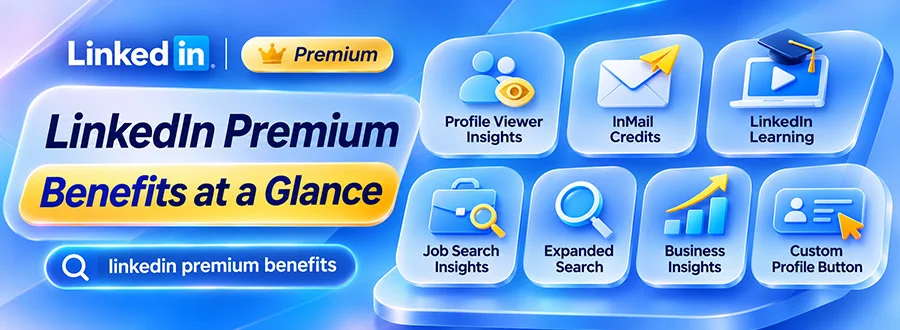
The core linkedin premium benefits include enhanced profile viewer information, InMail messaging, access to LinkedIn Learning, and additional tools for job discovery or professional networking. Some plans also include expanded search, business insights, and profile customization.
| Capability | Why It Matters | Availability |
| Profile viewer insights | Understand who discovers your profile | Common Premium feature |
| InMail credits | Contact eligible people outside your connections | Allowance varies by plan |
| LinkedIn Learning | Develop professional and technical skills | Included with Career and Business |
| Job search insights | Evaluate opportunities and applications | Career-focused tools |
| Expanded people search | Research more professional contacts | Business and specialized plans |
| Business insights | Learn more about organizations | Business-focused tools |
| Custom profile button | Direct visitors to a chosen destination | Eligible Business subscriptions |
For a realistic assessment of linkedin premium benefits, consider your weekly workflow.
This overview is a starting point, not a promise that every account has every tool. LinkedIn periodically changes packaging, eligibility, and interface details. The most useful comparison is between the capabilities available in your account and the outcomes you want to achieve.
1. See More About Who Viewed Your Profile
One of the most familiar linkedin premium benefits is access to richer information about profile visitors. LinkedIn can show viewer history and trends for an extended period, helping you recognize interest in your background. Premium’s viewer insights may cover up to 365 days, although what you can see depends on other members’ privacy settings and LinkedIn’s current rules.
How Profile Viewer Insights Help
Suppose you recently updated your headline to emphasize project management. If more people working in that field begin visiting your profile, you have a clue that your positioning may be attracting the right audience. A consultant could notice visits from employees at a company they hope to work with. A job seeker might spot interest from recruiting professionals.
What These Insights Cannot Tell You
A profile view does not prove someone wants to hire you or purchase your services. Some viewers browse casually, and private-mode visits may remain anonymous. Treat the information as a signal to investigate, not an invitation to send aggressive sales messages. Improve your profile and build relationships naturally instead.
2. Contact People Outside Your Network with InMail
InMail is another reason professionals consider upgrading. It allows you to send messages to eligible LinkedIn members even when you are not directly connected. This can help when you cannot reach a hiring manager, potential mentor, or business contact through a regular connection request.
For anyone asking what does linkedin premium do for networking, InMail is a practical example: it creates an additional communication channel. Premium Career commonly includes five monthly InMail credits, while Premium Business commonly includes fifteen. Other products have different allowances, and credit rules can change.
Write Messages People Want to Answer
Start by explaining why you chose that particular person. Mention a relevant project, shared professional interest, or specific question. Keep your request modest and easy to respond to. A short, thoughtful message is more likely to start a useful conversation than a long generic pitch.
Understand InMail Limits
InMail is not unlimited simply because you pay for Premium. Some replies can return credits under LinkedIn’s rules, and unused credits may carry forward subject to limits. You should also respect recipients’ preferences and avoid bulk unsolicited outreach. Premium improves access; it does not remove the need for good judgment.
3. Get More Context When Searching for Jobs
For active job seekers, the features of linkedin premium can make opportunity research more focused. Career-oriented tools may highlight how your profile aligns with a job, surface positions where you appear competitive, and provide additional application insights. Depending on availability, LinkedIn may also offer AI-assisted guidance for job searches and profile improvement.
Identify Relevant Openings
Instead of applying to every vacancy containing your preferred title, compare the responsibilities with your actual experience. Job match indicators can help prioritize promising roles, but they are estimates rather than employer decisions. Read the description carefully and check required qualifications before investing time in an application.
Improve Your Application Strategy
Use job insights to identify recurring skills, terminology, and experience requirements across several openings. Then update your profile and resume truthfully to reflect relevant work. For example, if multiple roles emphasize stakeholder management, describe specific projects where you coordinated teams or communicated with clients.
Avoid Treating a Match Score as a Guarantee
A strong match does not guarantee an interview. Recruiters may evaluate applicants using criteria that are not visible on LinkedIn. Referrals, timing, location, and competition also influence hiring. Premium can inform your choices, but the quality of your applications remains essential.
4. Learn New Skills with LinkedIn Learning
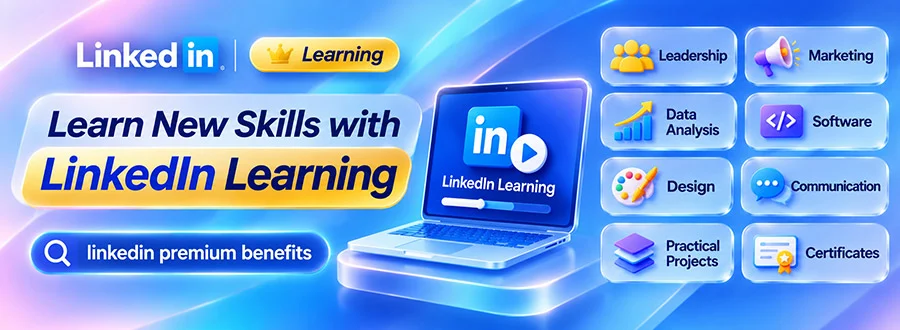
Access to LinkedIn Learning is among the most versatile linkedin premium benefits because it supports professionals regardless of whether they are actively looking for work. Eligible Career and Business subscribers can explore courses in leadership, marketing, data analysis, software, design, communication, and many other subjects.
Turn Courses into Practical Progress
Choose courses that address a real skill gap. If you want to move into digital marketing, you might study analytics, search strategy, and campaign reporting. Then create a small project that demonstrates those skills. Completing lessons can build understanding, but applying the material makes your learning more credible.
Use Certificates Carefully
Course completion certificates can signal ongoing professional development, especially when they complement relevant experience. They are not equivalent to professional licenses, university degrees, or proof of mastery. Include them selectively, and be prepared to explain what you learned and how you used it.
Make a Learning Schedule
Set a realistic weekly target, such as two short sessions and one practical exercise. Keep notes on techniques worth testing at work. A subscription becomes easier to justify when learning is a routine rather than an occasional activity you forget about after signing up.
5. Research Companies Before Making Contact
Business-oriented subscriptions offer tools that can support company research. These may include additional business insights and broader search capabilities, helping you discover organizations and relevant people before initiating a conversation.
If your question is what does linkedin premium do for entrepreneurs, company research is part of the answer. A freelancer might review a potential client’s industry, leadership team, and recent activity before proposing a service. A consultant could use similar information to prepare for an introductory meeting.
Look for Genuine Relevance
Research should help you understand whether your expertise fits an organization’s needs. Look at public posts, company descriptions, and the roles of potential contacts. Do not assume that a company is buying merely because it is growing or because an employee visited your profile.
Respect Data and Privacy
Use information available through legitimate LinkedIn features and follow the platform’s terms. Avoid scraping profiles, collecting unnecessary personal information, or sending deceptive messages. Trust is an important part of professional networking, and shortcuts can damage it quickly.
6. Make Your Profile More Useful to Visitors
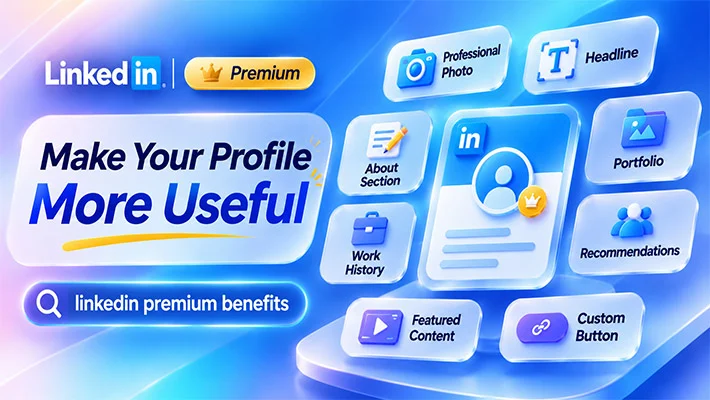
Some Premium offerings include profile presentation features that help visitors understand what you offer and where to go next. Eligible Business subscriptions may provide a custom button linking to a website or another destination. Other profile enhancements vary by product and account eligibility.
These linkedin premium benefits are most useful when your profile already communicates a clear professional identity. A button cannot compensate for a confusing headline or an empty experience section. Explain whom you help, what you do, and what evidence supports your claims.
Strengthen the Basics First
Use a professional photo, descriptive headline, concise About section, and accurate work history. Highlight measurable achievements when possible. Add portfolio examples, recommendations, or featured content that helps visitors evaluate your experience.
Give Visitors a Clear Next Step
If your goal is client inquiries, link to a relevant service page rather than an unrelated homepage. If you want speaking invitations, make your expertise and contact process easy to understand. Good profile design reduces friction without pressuring visitors.
7. Compare LinkedIn Premium Career and Business
The main features of linkedin premium differ according to the subscription’s purpose. Career emphasizes employment-related tools, while Business adds capabilities intended for broader professional research and networking. Both include commonly valued resources such as LinkedIn Learning and enhanced profile viewer information.
Premium Career: Best for Employment Goals
Career is generally the sensible starting point when your priority is finding a new role, exploring a career change, or developing skills for promotion. Its job-related insights and smaller InMail allowance match the needs of many individual applicants.
Premium Business: Best for Relationship Development
Business may suit freelancers, consultants, and entrepreneurs who frequently research organizations and contact people outside their networks. Its higher InMail allowance and broader search tools can support these activities, although success depends on how well you target and approach people.
What About Sales Navigator and Recruiter?
Sales Navigator is a separate sales-focused product, while LinkedIn’s recruiting products support talent sourcing and hiring. Do not assume Premium Business includes every advanced sales or recruiting function. Compare specialized subscriptions separately if your daily work depends on those workflows.
8. Understand Pricing and Billing Before Upgrading
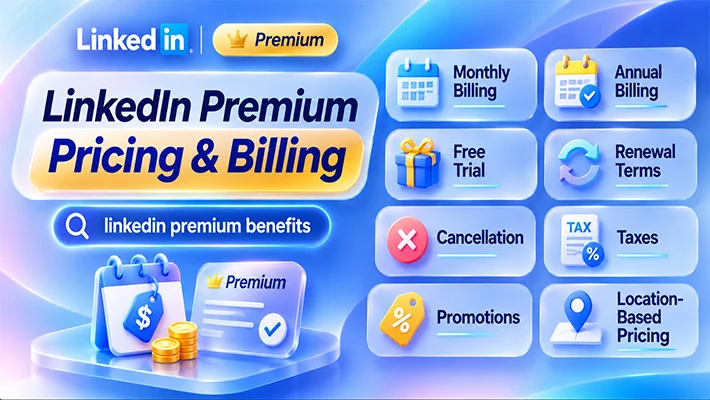
Pricing is an important part of evaluating linkedin premium benefits. LinkedIn has published US starting rates around $39.99 monthly for Premium Career and $69.99 monthly for Premium Business, with lower effective monthly costs on annual billing. These are reference figures, not a guaranteed checkout price for every user.
Your actual price may vary with location, currency, taxes, promotions, and purchase method. Product packaging and rates can change, so verify the amount displayed in your account before subscribing.
Monthly or Annual Subscription?
Monthly billing offers flexibility when you are actively searching for a job or testing a new networking approach. Annual billing may reduce the effective monthly cost, but it requires a longer commitment. Think about how long you expect to use the features, not just the discount shown on the pricing page.
Check Trial and Renewal Terms
Eligible accounts may receive promotional trials. Availability and duration can vary, and trials may convert automatically into paid subscriptions unless canceled in time. Review renewal dates, cancellation conditions, and refund policies before starting. Setting a personal reminder can prevent an unexpected charge.
9. Is LinkedIn Premium Worth It for Job Seekers?
Understanding what does linkedin premium do starts with your job-search habits. Someone applying regularly, researching employers, and contacting a few carefully chosen recruiters may gain value from Career’s tools. Someone who checks job listings once a month may have little reason to pay.
When considering what does linkedin premium do for your job hunt, focus on specific tasks it makes easier. Can you identify more relevant openings? Are the additional insights helping you improve applications? Are your InMail messages leading to useful conversations?
Track Outcomes, Not Just Activity
Count interviews, meaningful recruiter responses, and strong applications rather than only profile views. A rise in activity is encouraging, but it does not automatically mean the subscription is responsible. Continue improving your resume, portfolio, and interview preparation alongside your LinkedIn strategy.
10. Is LinkedIn Premium Worth It for Business Owners?
For business owners, the decision is more closely tied to research and relationship-building needs. Premium Business can be useful if you regularly identify prospects, investigate companies, or initiate professional conversations. It may be unnecessary if most customers arrive through referrals, search engines, or existing partnerships.
The features of linkedin premium should support an established business process, not replace one. Before subscribing, clarify your ideal customer, the problem you solve, and how you will measure whether LinkedIn outreach creates genuine opportunities.
Calculate a Realistic Return
Compare subscription cost with attributable outcomes such as qualified meetings, partnerships, or profitable client work. Avoid counting every connection as a lead. One meaningful relationship may justify the expense, but that result is never guaranteed and should not be assumed in advance.
11. How to Get the Most from Your Subscription
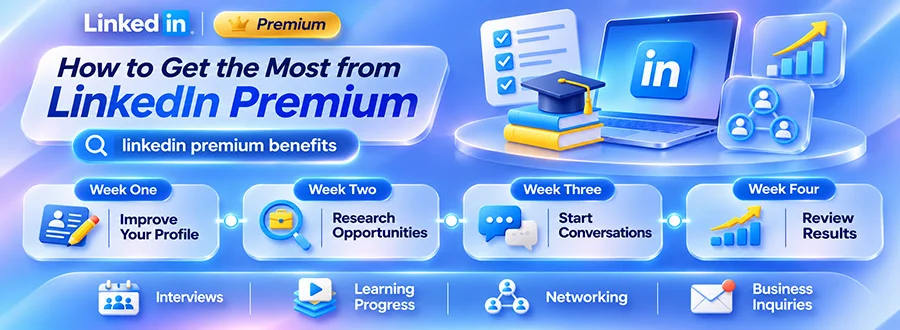
The best way to capture linkedin premium benefits is to connect each tool with a measurable goal. Rather than exploring every feature randomly, decide what you want to achieve during the next thirty days.
Week One: Improve Your Profile
Review your headline, About section, experience, skills, and featured work. Make sure a visitor can quickly understand your professional value. Then identify the Premium tools most relevant to your goal.
Week Two: Research Opportunities
Job seekers can shortlist suitable roles and employers. Business users can identify relevant companies and contacts. Keep the list manageable so you can research each opportunity properly.
Week Three: Start Meaningful Conversations
Use connection requests and InMail thoughtfully. Write individual messages with a clear reason for reaching out. Avoid exaggerated promises, automated spam, or requests that demand too much from strangers.
Week Four: Review Results
Check whether you gained interviews, useful conversations, learning progress, or qualified business inquiries. Compare these outcomes with the subscription cost and the time invested. If the tools are not contributing to your goals, reconsider whether to continue.
Frequently Asked Questions
What Does LinkedIn Premium Do That Free LinkedIn Cannot?
The simplest answer to what does linkedin premium do is that it adds enhanced insights, communication options, learning resources, and plan-specific research tools. Free LinkedIn still supports profiles, connections, posts, and many job applications. Premium expands selected capabilities rather than replacing the basic experience.
Can Premium Members See Everyone Who Viewed Their Profile?
No. Viewer visibility remains affected by privacy settings. Premium provides more historical information and insights, but it cannot reveal the identity of every person who chooses to browse privately.
Does LinkedIn Premium Include Unlimited InMail?
No. InMail allowances vary by subscription, and credits are subject to LinkedIn’s rules. Check your current plan details for the number available and any rollover conditions.
Are LinkedIn Learning Courses Included?
LinkedIn Learning is included with eligible Premium Career and Business subscriptions. Course catalogs and specific capabilities may change, so check availability in your account if a particular course matters to you.
Can I Cancel LinkedIn Premium?
You can manage or cancel a subscription through the applicable account or purchasing platform. The timing of cancellation, continued access, and any refund eligibility depend on the billing terms. Review those terms before purchasing.
Which Premium Plan Should a Freelancer Choose?
A freelancer applying for posted contract roles may prefer Career. Someone actively researching companies and developing a client pipeline may benefit more from Business. The deciding factor is how you find work, not simply whether you call yourself a freelancer.
Final Verdict: Which LinkedIn Premium Features Matter Most?
The most valuable linkedin premium benefits are the ones you will actually use. For job seekers, targeted job insights, recruiter outreach, and learning resources may provide the clearest value. For entrepreneurs and consultants, expanded search, company research, and additional messaging opportunities may be more relevant.
If you are still comparing the features of linkedin premium, begin with your objective, then examine the subscription that supports it. Use a trial when eligible, review the actual checkout price, and assess results after a defined period. Premium can make professional activity more informed and efficient, but thoughtful effort remains the real driver of progress.


