
LinkedIn Premium for Students: Free Offers and Discounts
linkedin premium for students is an interesting option for college students, university graduates, and young professionals who want to build stronger professional profiles, find internships, connect with recruiters, and prepare for their future careers. LinkedIn provides several tools that can help students develop professional relationships and explore employment opportunities, but paying for a Premium subscription may not always fit a student’s budget.
The good news is that students have several ways to access useful LinkedIn resources without immediately paying for a full subscription. These include eligible Premium free trials, university-provided learning access, career services, and occasional promotional offers.
However, there is an important distinction between a student discount and a free trial. LinkedIn does not currently list a universal student-specific Premium Career price, and an older Microsoft student promotion has officially ended. Therefore, students should be careful when following outdated discount guides or websites advertising free subscription codes.
In this guide, we will explain the available offers, how students can check their eligibility, what Premium features are useful for academic and career development, and how to avoid unwanted subscription charges. We will also explore alternatives for students who want professional development resources without adding another monthly expense.
1. What Is LinkedIn Premium for Students?
LinkedIn Premium is a paid membership that provides additional professional networking, career development, and learning features.
Students can use the platform to build professional relationships, discover internships, research employers, and connect with people working in their chosen industries.
A regular LinkedIn account already provides many useful features. You can create a professional profile, connect with classmates, follow companies, search for vacancies, and communicate with your existing connections.
The paid membership adds further tools that may help students prepare for the transition from education to employment.
For example, a business student preparing for an internship might use additional job insights to understand employer requirements. A computer science student might explore learning resources to develop programming knowledge and prepare for technical interviews.
The important point is that Premium is an optional professional tool, not a requirement for academic success or employment.
1.1 What Benefits Can Students Get?
Depending on the Premium plan, available benefits may include:
- InMail credits for contacting eligible professionals outside your network.
- Additional information about profile visitors.
- Job applicant insights.
- Advanced job search filters.
- Top Applicant and Top Choice features.
- Access to LinkedIn Learning courses.
- Professional profile insights.
- Additional business and networking information.
These features can be particularly useful when students have a specific career goal.
For example, someone studying marketing may want to connect with professionals working in digital agencies, while an engineering student may want to research companies offering graduate recruitment programmes.
However, the benefits vary by subscription type, so check the plan details before activating an offer.
1.2 Is Premium Necessary for University Students?
No. Students can build a professional presence and search for opportunities using LinkedIn’s free account.
The free version allows you to:
- Create a professional profile.
- Connect with classmates and professors.
- Follow employers and industry leaders.
- Search for internships and vacancies.
- Apply for available positions.
- Participate in professional discussions.
- Share academic and personal projects.
- Request recommendations.
These features are sufficient for many students who are beginning their professional journey.
Premium becomes more interesting when you need additional career insights, recruiter communication, or structured learning resources.
2. Is There a Free LinkedIn Premium for Students?
One of the most common questions among university students is whether LinkedIn offers a special free membership for people with valid student identification.
The answer requires some clarification.
LinkedIn has provided promotional offers through different partners, including a Microsoft student promotion. However, these offers are not necessarily permanent, and eligibility conditions can change.
As of November 2026, LinkedIn’s official Help Center identifies its Microsoft 365 LinkedIn Premium Career student promotion as no longer available. The promotion has ended, and new codes are no longer being issued.
This means students should not rely on older articles promising an automatically available year-long Premium subscription.
2.1 Does LinkedIn Offer a Permanent Student Discount?
LinkedIn does not currently publish a universal student-specific Premium Career subscription price.
Its official Premium Career pricing page lists standard subscription prices rather than a separate verified-student rate.
This is different from companies that offer dedicated student memberships through university email verification or student discount platforms.
Students who are preparing for internships or their first jobs may want to understand how LinkedIn Premium features can support their career goals.
Students may still receive promotional offers depending on their account, location, and eligibility.
However, a promotion is not the same as a permanent student discount.
2.2 What About the Microsoft Student Promotion?
Microsoft previously offered a promotional programme that provided eligible students in selected regions with access to Microsoft 365 and LinkedIn Premium Career.
The promotion used limited redemption codes that eligible members could activate through Microsoft.
Many older articles and videos still discuss this offer as if students can activate it today.
However, LinkedIn’s official Help Center now confirms that the promotion has ended and that new codes are no longer being issued.
If you already redeemed a code while the promotion was active, Microsoft manages the associated access and subscription benefits.
Microsoft may introduce other promotional offers in the future, but their availability and conditions will depend on official announcements.
2.3 How Can Students Verify Current Offers?
The safest approach is to check official sources rather than relying on random discount websites.
Start with LinkedIn’s Premium page:
Sign in to your account and review the offers displayed.
You can also check LinkedIn’s official Help Center for information about free trials and promotional subscriptions.
If a website claims to provide a special student code, verify that the offer is linked to an official LinkedIn or Microsoft promotion before sharing any personal or payment information.
3. How to Get a Free Trial as a Student
Even without a dedicated student price, eligible university students may be able to access a standard LinkedIn Premium trial.
LinkedIn provides promotional trials to eligible members, allowing them to explore additional features before purchasing a paid subscription.
The duration depends on regional availability and the offer presented to your account.
3.1 Check Your Eligibility
Before activating a trial, sign in to LinkedIn and review the available Premium offers.
Not every member qualifies.
According to LinkedIn’s eligibility guidance, people who are already using or have previously used a free Premium trial may not qualify for another offer.
You cannot switch between different Premium plans for free during an active trial.
If you have already used a trial, you should not assume that creating another account or waiting a certain number of months will automatically make you eligible again.
Before choosing LinkedIn Premium for students, it is worth comparing the available features, subscription costs, and eligibility requirements.
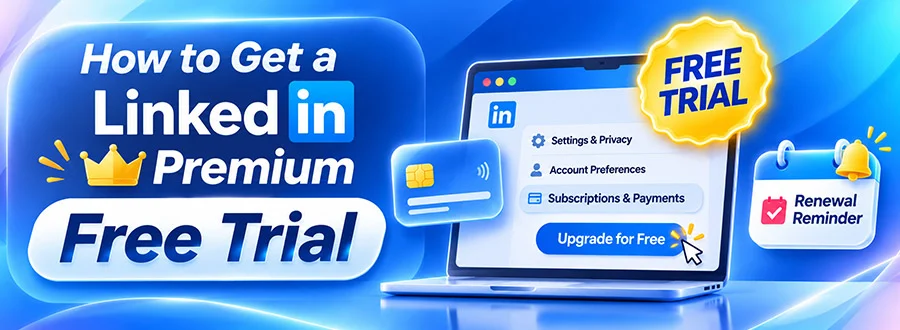
3.2 Activate the Trial Through Desktop
Follow these steps:
Step 1: Visit https://www.linkedin.com and sign in.
Step 2: Click the Me icon at the top of your homepage.
Step 3: Select Settings & Privacy.
Step 4: Open Account preferences.
Step 5: Find Subscriptions & payments.
Step 6: Click Upgrade for Free if the option is available.
Step 7: Review the available Premium plans.
Step 8: Select the offer that matches your requirements.
Step 9: Follow the instructions and provide the required payment information.
Step 10: Confirm the activation and check your renewal date.
<AsyncImage query=”LinkedIn Premium desktop settings account preferences upgrade for free subscription screen” aspectRatio=”16:9″ width=”100%”/>
3.3 Do Students Need a Credit Card?
LinkedIn generally requires a valid credit card to activate its free Premium trial.
The payment information is used when the trial converts into a paid subscription.
Therefore, students should not assume that entering a card is simply an identity verification step.
Before confirming, check the displayed subscription price, billing frequency, trial duration, and renewal date.
If you do not want to continue with a paid membership, cancel before the required deadline.
3.4 How Long Does the Trial Last?
LinkedIn’s trial duration can vary depending on promotional terms and regional availability.
One-month trials have been offered, but you should always rely on the duration shown in your own account.
After activation, record the expiration date.
This is particularly important for students who may be busy with assignments, exams, or internship applications and could easily forget an upcoming renewal.
4. Which LinkedIn Premium Plan Is Best for Students?
Not every Premium plan is suitable for a university student.
Your choice should depend on your academic background, professional interests, and career goals.
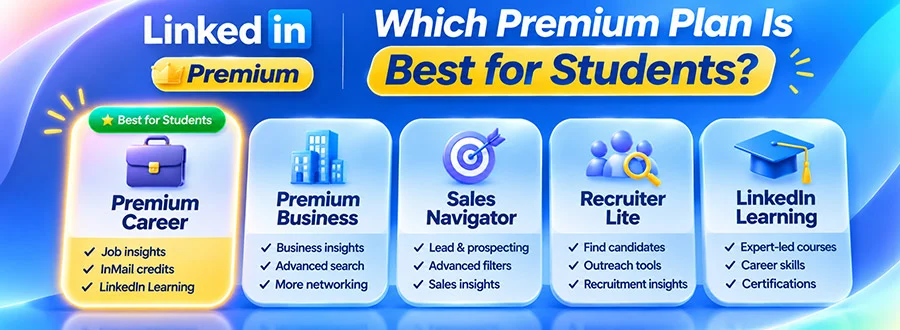
4.1 Premium Career
Premium Career is generally the most relevant option for students preparing for employment.
It focuses on job searching, professional visibility, recruiter communication, and career development.
Potential benefits include:
- InMail messaging credits.
- Additional job applicant information.
- Profile visitor insights.
- Top Applicant information.
- Top Choice job features.
- LinkedIn Learning access.
For example, a final-year business student could use the features to research employers, identify relevant graduate positions, and communicate with selected recruitment professionals.
4.2 Premium Business
Premium Business focuses on professional networking and business development.
It may be useful for students who run small businesses, offer freelance services, or develop professional partnerships.
However, someone whose primary objective is finding an internship or graduate job will generally have more reason to
consider a career-focused membership.
4.3 Sales Navigator
Sales Navigator is designed for sales professionals and people who need specialized prospecting tools.
It offers features for researching potential customers, identifying decision-makers, and developing sales relationships.
A student interested in sales careers may find it useful for understanding prospecting workflows, but it is not essential for ordinary academic networking.
4.4 LinkedIn Learning
Students interested in professional education should also explore LinkedIn Learning.
It provides courses in areas such as:
- Business management.
- Communication.
- Software development.
- Data analysis.
- Digital marketing.
- Project management.
- Graphic design.
- Leadership.
- Productivity.
For example, a computer science student could explore software development courses, while a marketing student could develop knowledge of analytics and advertising.
However, individual course completion does not automatically make someone an expert. Students should apply what they learn through assignments, projects, and practical work.
5. How Students Can Access LinkedIn Learning for Free
One of the most useful alternatives to purchasing a personal Premium membership is checking whether your university already provides LinkedIn Learning access.
Some educational institutions purchase organizational learning licences for students, faculty members, and staff.
When access is available, students may be able to use learning resources through their university credentials.
This can be more economical than paying for an individual subscription.
5.1 Check Your University Library
Start by visiting your university library website.
Search for digital learning resources, online databases, or professional development platforms.
Look for LinkedIn Learning in the list of available services.
If you cannot find it, contact a librarian or student support department.
5.2 Contact Your University IT Department
Some universities provide access through institutional email authentication or a dedicated learning portal.
Contact the IT department and ask whether students receive LinkedIn Learning licences.
You may need to verify your student status or sign in using your university credentials.
5.3 Ask Your Career Services Department
University career services teams sometimes provide access to additional professional development resources.
They may also offer CV workshops, interview preparation, career guidance, and employer networking events.
These resources can help students prepare for employment without purchasing additional subscriptions.
5.4 Understand the Difference Between Learning Access and Premium Career
University-provided LinkedIn Learning access is not necessarily the same as a full Premium Career subscription.
An institutional licence may provide educational courses without including InMail, job applicant insights, or other career features.
Always ask your university which specific benefits are included.
6. LinkedIn Premium Discount for Students: What Options Are Available?
Although there is no universal student-specific Premium Career rate published by LinkedIn, students can explore several legitimate ways to reduce their expenses.
The most important thing is to distinguish between genuine promotional opportunities and outdated discount claims.
6.1 Official Promotional Offers
LinkedIn occasionally offers free or discounted subscriptions through promotional campaigns.
These may be distributed directly by LinkedIn or through selected partners.
However, promotional codes can have limited validity, regional restrictions, and redemption limits.
A code that worked for one student may not work for another.
Check the expiration date and eligibility conditions before attempting to redeem an offer.
6.2 University Partnerships
Some institutions provide access to LinkedIn Learning or other professional development platforms.
Although this may not include a full Premium membership, it can provide useful educational resources at no additional individual cost.
Ask your university whether it has an institutional agreement.
6.3 Employer and Internship Benefits
Some employers provide learning subscriptions or professional development resources to interns and graduate employees.
If you have secured an internship, ask whether the organization offers LinkedIn Learning or other training benefits.
This can help you develop professional skills without paying for a personal subscription. LinkedIn Premium for students is a
popular topic among young professionals who want to improve their networking and job search experience.
6.4 Promotional Pricing for Existing Members
LinkedIn sometimes provides promotional offers to eligible users.
These offers may include discounted access for a limited period.
However, the availability and price depend on the account and campaign.
Do not assume that every student can access the same promotion.
6.5 Compare the Annual and Monthly Cost
If you eventually decide to purchase a membership, compare the monthly and annual billing options.
Annual billing may offer a lower effective monthly price, but it requires a longer financial commitment.
Students should consider their academic calendar and employment plans before choosing an annual subscription.
A one-month period of focused use may be more practical than paying for an entire year.
7. How Much Does LinkedIn Premium Cost for Students?
LinkedIn Premium Career pricing varies by country, billing frequency, and promotional availability.
The published US starting price is:
| Billing option | US starting price |
| Monthly | $39.99 |
| Annual | $239.88 |
| Effective monthly annual cost | $19.99 |
These are standard published US prices, not student-specific rates.
Actual prices may differ based on taxes, currency conversion, location, and promotional offers.
Students in Bangladesh should check the price displayed in their own LinkedIn account before purchasing.
7.1 Is the Annual Plan Better for Students?
Not necessarily.
Students often have changing financial circumstances and different professional needs throughout the academic year.
For example, someone applying for internships during summer may only need additional career tools for a short period.
Paying for twelve months could create unnecessary expenses if the membership is not used consistently. If you are a college
or university student, learning about LinkedIn Premium for students can help you decide whether a paid subscription is
right for your needs.
7.2 Should Students Pay for Premium?
Before paying, ask yourself three questions:
- Do I need features that are unavailable through my free account?
- Will I use those features regularly?
- Can I comfortably afford the subscription?
If the answer to these questions is no, upgrading may not be necessary.
A strong free profile and consistent professional activity can provide significant value without a paid membership.
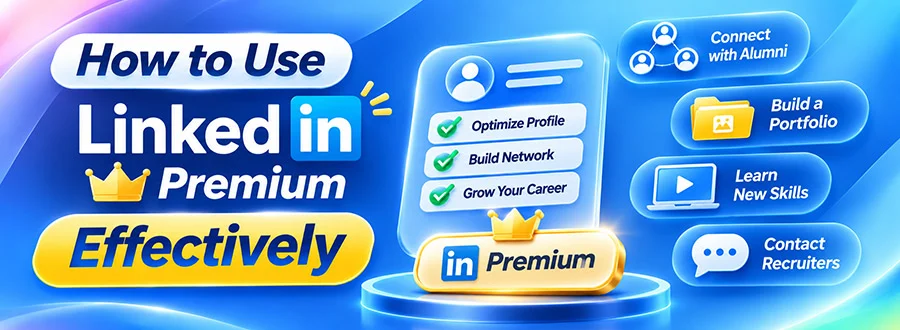
8. How to Use Premium Effectively During University
If you qualify for a trial or decide to purchase a subscription, use it with a clear plan.
Simply activating a membership and browsing randomly will not necessarily improve your career prospects.
8.1 Build a Professional Profile
Start by improving your LinkedIn profile.
Include:
- A professional profile photograph.
- A clear headline.
- A useful About section.
- Your university and degree.
- Relevant academic projects.
- Internships and volunteer experience.
- Technical and professional skills.
- Certifications and achievements.
Your profile should explain what you are studying and what professional opportunities interest you.
8.2 Connect With Alumni
Alumni can provide valuable insight into professional industries.
Search for graduates from your university who work in your target field.
Read about their career paths and understand what skills helped them enter their industries.
When appropriate, send a personalized connection request.
Avoid asking strangers to provide a job immediately.
8.3 Research Employers
Create a list of companies that offer graduate positions or internships.
Review their job requirements, company culture, professional teams, and recruitment processes.
Use additional job insights where available to understand whether your experience matches the requirements.
8.4 Contact Recruiters Professionally
If your plan includes InMail, use it carefully.
Write short messages that explain your background and interest.
For example:
“Hello, I am currently studying business administration and exploring internship opportunities in digital marketing. I recently came across your company’s recruitment activities and would appreciate learning more about the skills you look for in student applicants.”
This approach is professional and focuses on starting a conversation.
8.5 Develop Skills Through Learning Resources
Choose courses that support your future career.
A finance student may focus on Excel, financial analysis, and business communication.
A design student may explore creative software and portfolio development.
A computer science student may develop programming, cloud computing, and software engineering skills.
Apply what you learn through practical projects.
8.6 Build a Portfolio
A portfolio can demonstrate your abilities more effectively than a list of skills.
Depending on your field, include:
- Academic projects.
- Research work.
- Design samples.
- Programming projects.
- Marketing campaigns.
- Writing samples.
- Data analysis reports.
Link relevant work to your LinkedIn profile.
This gives recruiters something concrete to evaluate.
9. How to Avoid Unwanted Subscription Charges
A trial can become an unexpected expense if you forget to cancel it.
LinkedIn automatically converts eligible trials into paid subscriptions when the trial ends unless cancellation is completed beforehand.
9.1 Record Your Renewal Date
Immediately after activation, write down the renewal date.
Do not depend on remembering it later.
9.2 Set a Reminder
Create a calendar reminder several days before the end of the trial.
This gives you enough time to decide whether to continue or cancel.
9.3 Understand Your Payment Provider
If you subscribed directly through LinkedIn, use LinkedIn’s subscription management area.
If Apple manages your payment, use your iPhone’s Apple Account subscription settings.
If Google Play manages your payment, use Google Play’s subscription settings.
9.4 Cancel Before the Deadline
LinkedIn recommends cancelling at least one day before the next scheduled billing date to avoid another charge.
For a free trial, remember that cancellation ends Premium access immediately.
You should therefore choose your cancellation timing carefully.
9.5 Keep Confirmation
After cancelling, check the subscription status.
Save a screenshot or confirmation email.
Do not assume that deleting the LinkedIn application or removing your payment card cancels the membership.
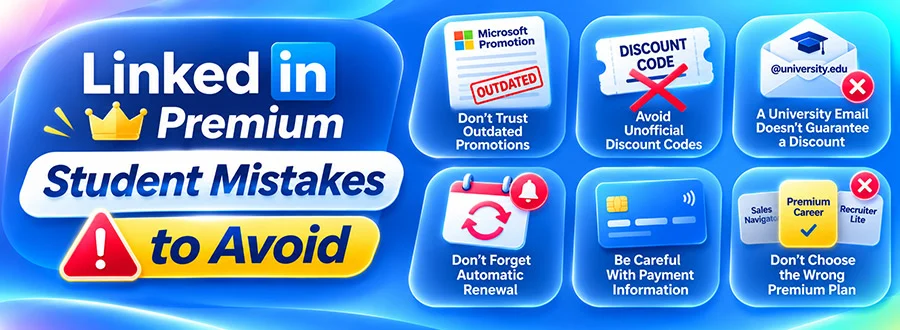
10. Common Mistakes Students Should Avoid
Students often encounter misleading information when searching for promotional subscriptions.
Here are several mistakes worth avoiding.
10.1 Trusting Outdated Microsoft Promotion Guides
Some websites still advertise the previous Microsoft student promotion as available.
However, LinkedIn officially confirms that the promotion has ended and new codes are no longer being issued.
Always verify promotional information before following old instructions. Many students consider LinkedIn Premium for
students to access additional tools that may support their job search and career development.
10.2 Using Unofficial Discount Codes
Avoid websites that ask for your LinkedIn password, payment information, or unnecessary personal details in exchange for a supposed Premium activation code.
Only use official LinkedIn or partner redemption pages.
10.3 Assuming a University Email Guarantees a Discount
Having an email address ending in your university domain does not automatically qualify you for a Premium discount.
LinkedIn’s official pricing does not list a universal student rate.
10.4 Forgetting Automatic Renewal
A trial may require payment information and automatically convert into a paid membership.
Always check the renewal date.
10.5 Choosing the Wrong Premium Plan
A student who wants internship opportunities may not need Sales Navigator or Recruiter Lite.
Select a plan based on your actual career objectives.
11. Frequently Asked Questions
Is LinkedIn Premium free for students?
There is no universal free student membership. Eligible students may receive a standard Premium trial, and some universities provide LinkedIn Learning access through institutional licences.
Does LinkedIn offer a student discount?
LinkedIn does not currently publish a universal student-specific Premium Career price. Promotional offers may be available to eligible users.
Can students get LinkedIn Premium for 12 months free?
The previous Microsoft 365 LinkedIn Premium Career student promotion has ended. LinkedIn confirms that new codes are no longer being issued.
Can I use my university email to get Premium for free?
A university email address does not automatically qualify you for a free Premium subscription. Check your account’s eligibility and ask your university about institutional learning access.
How long is the LinkedIn Premium free trial?
Trial duration varies by region and promotional terms. Eligible members may receive a one-month offer, but the exact period is displayed during activation.
Do I need a credit card for the trial?
LinkedIn generally requires a valid credit card to activate its free Premium trial. Automatic billing begins after the promotional period unless you cancel beforehand.
Can I cancel the trial immediately?
Yes. However, cancelling a free trial ends Premium access immediately, so you will lose the remaining trial benefits.
Can international students access Premium trials?
International students may qualify for standard Premium trials, depending on their account eligibility and regional availability. A student visa or university email does not guarantee access.
Does LinkedIn Learning come with Premium?
LinkedIn Learning is included with eligible individual Premium subscriptions. Some universities also provide institutional access independently of a personal Premium membership.
Is Premium Career worth it for university students?
It may be useful for students who actively apply for internships, contact recruiters, and use professional learning resources. Students with basic networking needs can often use the free account.
Conclusion
LinkedIn can be a valuable professional platform for students who want to prepare for employment before graduation.
A Premium membership offers additional career insights, communication options, and learning resources, but it is not essential for building a successful professional profile.
Is LinkedIn Premium for students worth the investment? The answer depends on your career goals, networking needs, and budget.
Students should first check university-provided learning access, explore eligible promotional offers, and evaluate the standard free trial before considering a paid subscription. LinkedIn Premium for students can be a useful option for those who want to explore career opportunities and build professional connections.
Most importantly, verify every offer through official sources. The previous Microsoft student promotion has ended, and there is no universal student-specific Premium Career price currently published by LinkedIn.
If you decide to activate a trial, review the renewal date, understand the automatic billing conditions, and cancel at least one day before renewal if you do not want to continue.
Ultimately, the best investment during university is developing valuable skills, completing practical projects, building meaningful professional connections, and preparing for the career you want.
Premium can support those activities, but your knowledge, experience, and professional effort will make the biggest difference.


