
What Does the LinkedIn Verified Badge Look Like?
what is linkedin verification badge and how can you recognize it when viewing someone’s LinkedIn profile? If you’ve noticed a small verification symbol or a verified status on a professional’s account, you may be wondering what it means, where it appears, and whether it proves that the person is trustworthy.
LinkedIn verification helps members confirm certain details about their professional identity. Depending on the available method, this may involve identity verification, workplace verification, or another supported verification process.
However, LinkedIn’s verification system isn’t identical to the familiar blue checkmarks used by some other social media platforms.
The appearance and placement of verification information can vary depending on the LinkedIn interface, the type of verification completed, and the device you’re using.
Understanding these differences is important because a verified profile doesn’t necessarily mean LinkedIn has independently confirmed every professional claim made by its owner.
In this guide, you’ll learn how to recognize LinkedIn’s verification indicators, what they actually confirm, how different verification methods work, and how to check whether someone has completed an official verification process.
We’ll also explore common misconceptions, verification eligibility, privacy considerations, and practical steps for getting verified.
What Is LinkedIn Verification?
Before examining the appearance of the badge, let’s answer a more fundamental question: what is linkedin verification and why does the platform offer it?
LinkedIn verification is a feature that allows eligible members to confirm specific information about themselves through supported verification methods.
These methods may involve approved identity verification providers, eligible workplace email addresses, or organization-supported identity systems.
Once the required checks are completed successfully, LinkedIn can display relevant verification information on the member’s profile.
The purpose is to provide an additional signal of authenticity when professionals interact online.
Why LinkedIn Introduced Verification Features
Professional networking frequently involves communication between people who have never met.
Recruiters contact candidates, consultants approach potential clients, and business owners evaluate unfamiliar professionals.
In these situations, reliable identity information can be useful.
Verification provides another way to understand whether certain information associated with a profile has been confirmed.
However, it doesn’t eliminate the need for independent judgment.
Does Verification Prove Someone Is Trustworthy?
No.
A verification indicator can confirm that particular checks were completed, but it doesn’t guarantee honesty, professional competence, or legitimate business intentions.
A verified member could still publish inaccurate information or behave unprofessionally.
Likewise, an unverified member may be completely genuine.
Verification should be considered one piece of information rather than a complete assessment of someone’s credibility.
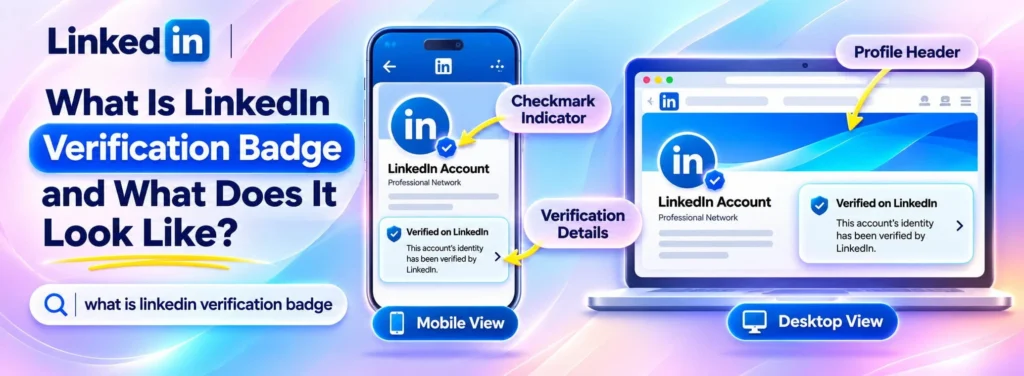
What Is LinkedIn Verification Badge and What Does It Look Like?
When people search what is linkedin verification badge, they’re usually trying to identify the visual indicator associated with a verified LinkedIn profile.
LinkedIn has used verification indicators and labels to communicate when certain profile attributes have been confirmed.
Depending on the interface, verification information may appear near a member’s name or within a dedicated verification section.
The visual presentation can change as LinkedIn updates its product.
Recognizing the Verification Checkmark
LinkedIn’s verification presentation has included a checkmark-style indicator associated with verified profile information.
It is commonly shown as a verification checkmark rather than the traditional blue checkmark badge associated with certain other social platforms.
However, you shouldn’t rely exclusively on the color or shape of an icon.
LinkedIn may change its design, and different interfaces may display verification information differently.
Where the Badge Appears
Verification information may be visible in the profile header or through a verification details section.
On some interfaces, a small indicator can appear near the member’s name.
Selecting the relevant indicator or verification information may provide additional context about what was verified.
The exact placement depends on LinkedIn’s current interface and the type of verification.
What Does LinkedIn Verification Badge Look Like on Mobile?
If you’re wondering what does linkedin verification badge look like in the mobile application, expect a compact indicator or verification label integrated into the profile interface.
Because mobile screens have limited space, verification details may be less prominent than on a desktop browser.
Open the profile and review the available verification information rather than relying on a small symbol alone.
What Does It Look Like on Desktop?
Desktop profiles may provide more space for verification labels or supporting details.
The verification indicator can appear near relevant profile information, depending on the interface.
If you need to confirm the meaning of an indicator, open the associated verification details when available.
Avoid treating screenshots from older tutorials as definitive examples of the current design.
Different Types of LinkedIn Verification Badges
Understanding what is linkedin verification badge becomes easier when you recognize that LinkedIn can verify different attributes.
Not every verification method confirms the same information.
A person may complete identity verification, workplace verification, or another eligible method.
1. Identity Verification
Identity verification focuses on confirming information about the individual operating the LinkedIn profile.
Depending on the country and provider, the process may require government-issued identification and additional identity checks.
Some methods use document capture, facial comparison, or electronic identification technology.
A successful identity check can result in relevant verification information appearing on the profile.
What Identity Verification Does Not Confirm
Identity verification doesn’t independently prove that someone has the qualifications listed in their Experience section.
It also doesn’t guarantee that the person is honest, reliable, or professionally competent.
It primarily concerns the identity attribute verified through the supported process.
2. Workplace Verification
Workplace verification focuses on confirming an eligible association with an organization.
Some employees may complete this process through an approved company email address.
Others may use an employer-supported identity system.
This can provide additional context when evaluating a person’s claimed workplace.
Does Workplace Verification Confirm a Job Title?
Not necessarily.
A verified workplace association doesn’t automatically mean LinkedIn has independently validated every job title, responsibility, or employment date displayed on the profile.
For important hiring or business decisions, additional checks may still be appropriate.
3. Other Supported Verification Methods
LinkedIn may support additional verification arrangements depending on its current products, partnerships, and eligibility rules.
These methods can differ by location or organization.
Rather than assuming every verification indicator represents the same check, review the details associated with the particular profile.
What Does LinkedIn Verification Badge Look Like Compared to a Blue Tick?
The question what does linkedin verification badge look like often comes from users who are familiar with verification systems on Instagram, Facebook, or X.
Although these platforms may display checkmarks, their verification systems have different rules and meanings.
A similar-looking symbol doesn’t mean the underlying process is identical.
LinkedIn Verification vs. Instagram Verification
Instagram has used blue verification badges to identify certain verified accounts.
LinkedIn’s verification features focus on confirming eligible identity or workplace attributes.
The appearance, eligibility requirements, and purpose of the indicators differ.
You shouldn’t assume that LinkedIn verification operates like a paid social media badge.
LinkedIn Verification vs. X Verification
X has used a verification system with subscription-related eligibility and different badge categories.
LinkedIn’s standard profile verification features are free for eligible members.
A LinkedIn verification indicator shouldn’t be interpreted as proof of a paid subscription.
Does LinkedIn Have a Blue Verification Tick?
LinkedIn’s verification indicators shouldn’t automatically be described as the same blue tick used by other platforms.
The current visual presentation should be checked directly in LinkedIn because interface designs can change.
Focus on the verified information and its meaning rather than the exact badge color.
How to Identify a Real LinkedIn Verification Badge
If you’re researching what is linkedin verification badge, learning to distinguish genuine verification information from misleading claims is especially important.
A person can write the word “verified” in their headline without completing an official verification process.
Similarly, someone can add a checkmark emoji to their display name or profile description.
These additions aren’t equivalent to LinkedIn’s official verification indicators.
Check the Actual Profile Interface
Open the person’s LinkedIn profile directly.
Look for verification information presented by LinkedIn rather than a symbol inserted into editable text.
If verification details are available, review them to understand the confirmed attribute.
Don’t Trust Decorative Checkmarks
A checkmark emoji can be added to a headline or description.
It doesn’t prove that the member completed an approved verification process.
A profile banner containing the words “LinkedIn Verified” is also not sufficient evidence.
Be Careful With Screenshots
Screenshots can be edited, outdated, or taken from interfaces that have since changed.
If verification matters for a professional decision, inspect the live profile instead.
Even then, verification should be only one factor in your assessment.
Check for Other Credibility Signals
Review the person’s professional history, recommendations, relevant experience, and communication.
Look for consistency between the profile and the opportunity being presented.
When appropriate, verify company information through independent sources.
Official verification can help, but it doesn’t replace these checks.
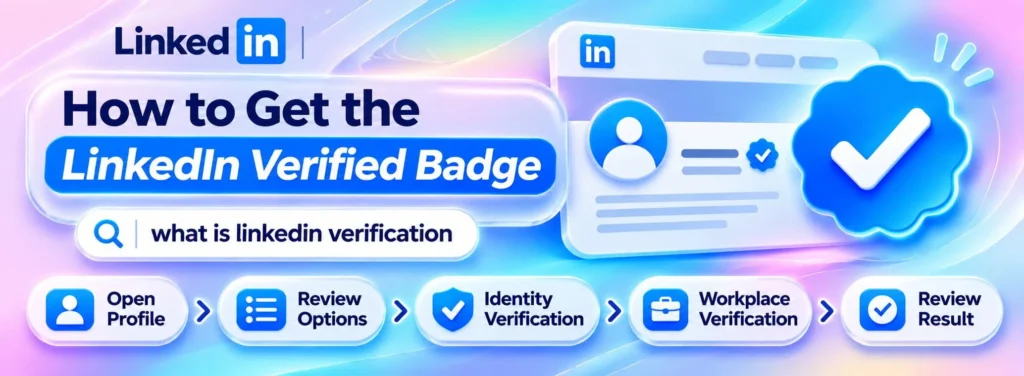
How to Get the LinkedIn Verified Badge
Now that you understand the visual indicator, you may be asking what is linkedin verification in practical terms and how to complete it yourself.
LinkedIn offers different verification methods depending on eligibility, location, and organizational support.
The process generally begins through your own profile.
Step 1: Open Your LinkedIn Profile
Sign in through LinkedIn’s official website or mobile application.
Navigate to your profile and look for an available verification option.
Depending on the interface, you may see a verification section or a button such as “Verify now.”
If no option appears, your account may not currently qualify for an available method.
Step 2: Review Your Verification Options
Check which methods LinkedIn offers.
You may see identity verification through an approved provider or workplace verification through an eligible organization.
Not every member receives the same options.
Read the requirements before selecting a method.
Step 3: Complete Identity Verification if Eligible
If you choose identity verification, follow the authorized provider’s instructions.
Depending on the process, you may need to submit an eligible government-issued document and complete additional identity checks.
Some methods require a smartphone with compatible document-reading technology.
Use accurate information and avoid submitting edited identification images.
Step 4: Complete Workplace Verification if Eligible
If workplace verification is available, you may be able to confirm access to an eligible company email address.
Enter the requested information and follow the confirmation instructions.
Some employers support alternative organizational identity systems.
The method depends on your account and employer.
Step 5: Review the Result
After completing the required steps, return to your profile.
Check whether LinkedIn displays the relevant verification information.
If your request remains pending, follow the instructions provided.
A completed submission doesn’t always guarantee immediate approval.
How Long Does Verification Take?
Some members may finish the submission steps within minutes.
However, processing time varies by provider, document requirements, and additional review.
LinkedIn doesn’t guarantee a single completion time for every verification method.
Is the LinkedIn Verification Badge Free?
When asking what is linkedin verification badge, another common concern is whether obtaining it requires payment.
LinkedIn’s standard profile verification features are free for eligible members.
You don’t generally need to purchase LinkedIn Premium to complete an available verification method.
However, eligibility requirements still apply.
Does LinkedIn Premium Include Automatic Verification?
No. Purchasing Premium doesn’t automatically confirm your identity or workplace.
Premium and verification are separate features.
A Premium subscription provides paid account functionality, while verification concerns specific confirmed information.
Can Someone Sell You a Verification Badge?
Be cautious of anyone promising guaranteed LinkedIn verification in exchange for payment.
Unofficial services may attempt to collect account credentials, identification documents, or money.
Start verification through LinkedIn’s official interface.
Never provide authentication codes or passwords to someone claiming they can manually activate a badge.
Why Is My LinkedIn Verification Badge Not Showing?
If you’ve completed verification but cannot see the expected indicator, several explanations are possible.
The submission may still be processing, the verification may not have succeeded, or the interface may display the information differently from what you expected.
Your Verification Is Still Pending
Some verification processes require additional checks.
If LinkedIn shows a pending status, review the instructions and allow the required processing to finish.
Repeated submissions may not accelerate approval.
Your Verification Attempt Was Rejected
A document may be unsupported, expired, or difficult to read.
An identity check may also fail because the provider cannot complete its required comparison.
Review the error message before attempting another submission.
You’re Looking in the Wrong Place
If you’re asking what does linkedin verification badge look like after completing verification, check the profile’s verification details rather than searching only for a large icon.
The indicator may be smaller or positioned differently than expected.
Mobile and desktop interfaces may also differ.
The Verification Method Isn’t Supported
A genuine company email address doesn’t automatically qualify for workplace verification.
Similarly, a valid identification document may not be accepted by every provider.
Review your eligibility and supported methods.
A Technical Issue Is Affecting the Display
An outdated application or temporary interface problem can sometimes prevent information from displaying as expected.
Update the application and review the profile again.
If LinkedIn confirms successful verification but the information remains missing, consult official support.
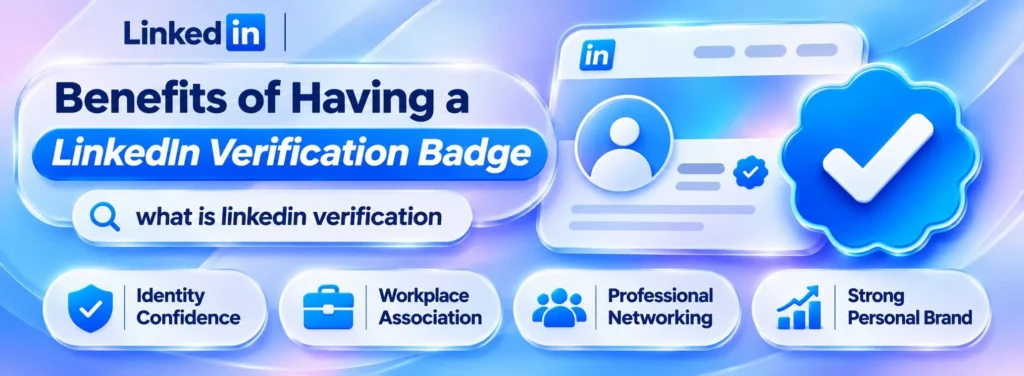
Benefits of Having a LinkedIn Verification Badge
Understanding what is linkedin verification also means understanding its potential value.
Verification is designed to provide additional confidence in confirmed profile information.
Its usefulness depends on your professional goals and how other members interpret the indicator.
Additional Identity Confidence
Identity verification can help establish that a member completed an approved identity check.
This may provide reassurance to unfamiliar professionals.
However, it doesn’t independently validate professional qualifications.
Clearer Workplace Associations
Workplace verification may provide additional context about an eligible organizational association.
This can be useful when communicating with recruiters, clients, or business partners.
The value depends on what the particular method confirms.
Professional Networking Support
A verified profile may provide another trust signal when someone evaluates a connection request.
Nevertheless, meaningful networking still depends on relevance, respectful communication, and shared professional interests.
Complementing a Strong Personal Brand
Verification can complement accurate experience, recommendations, and useful professional content.
It doesn’t replace them.
A strong profile should demonstrate what you do, who you help, and why your experience is relevant.
Does the Verified Badge Improve LinkedIn Visibility?
Many professionals researching what is linkedin verification badge also want to know whether it improves profile views, search rankings, or engagement.
There is no universal guarantee that verification alone increases these outcomes.
Does Verification Improve Search Rankings?
LinkedIn hasn’t established a guaranteed ranking advantage that applies to every verified profile.
Search visibility depends on multiple factors.
These can include relevance, professional information, and the searcher’s context.
Avoid treating verification as a guaranteed search optimization technique.
Does Verification Increase Connection Acceptance?
A verification indicator may provide additional reassurance to some people.
However, connection acceptance depends on many other factors, including message relevance and professional interests.
There is no guaranteed acceptance-rate improvement.
Does Verification Help Generate Leads?
For consultants and sales professionals, verification may complement a credible profile.
However, clients still evaluate expertise, pricing, communication, and evidence of results.
A verified indicator alone won’t generate a dependable sales pipeline.
Is the LinkedIn Verification Badge Safe?
Before completing verification, consider the privacy requirements of the available method.
Some identity checks involve government-issued identification and facial images.
Workplace verification may require access to an eligible company email account.
What Happens to Your Personal Information?
The information collected depends on the verification method and provider.
An identity provider may process document images and other information necessary to complete the checks.
The provider may communicate a verification result or other specified information to LinkedIn.
Review the relevant privacy notices for details.
Does LinkedIn Store Your Government ID?
Don’t assume that every verification provider follows the same storage practices.
Data retention and sharing depend on the particular process and applicable policies.
Review what information the provider collects, how long it may be retained, and which privacy rights are available.
Can You Remove Verification?
LinkedIn may provide controls for managing verification information displayed on your profile.
However, removing a visible indicator isn’t necessarily equivalent to deleting information previously processed by a third-party provider.
Review the relevant privacy and deletion procedures.
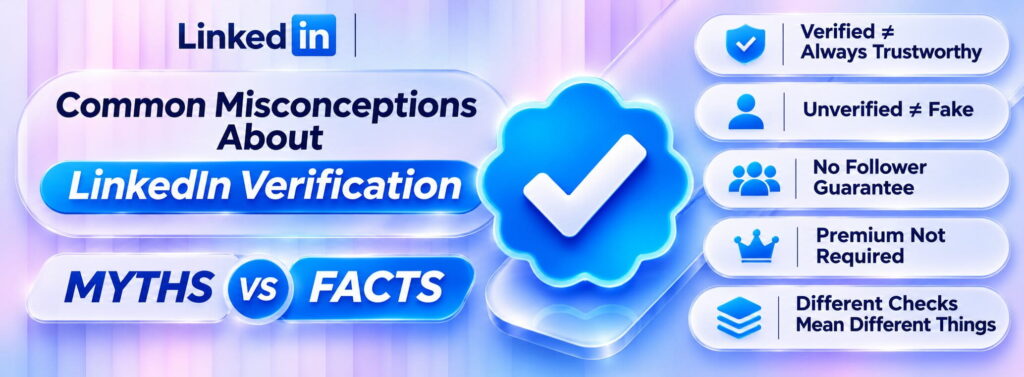
Common Misconceptions About LinkedIn Verification
Confusion about what is linkedin verification can lead users to expect benefits that the feature doesn’t promise.
Understanding its limitations helps you make better decisions.
Myth 1: Every Verified Profile Is Trustworthy
Verification confirms particular information, not overall honesty.
A verified person can still make misleading claims.
Continue evaluating unfamiliar contacts carefully.
Myth 2: Unverified Profiles Are Fake
Many legitimate professionals don’t have verification indicators.
Some lack an eligible method, while others choose not to participate.
Verification status alone cannot establish whether a profile is genuine.
Myth 3: Verification Guarantees More Followers
LinkedIn doesn’t guarantee follower growth from verification.
Audience growth depends on relevance, professional relationships, and the value of your contributions.
Myth 4: You Must Have Premium
Standard profile verification is free for eligible members.
A paid subscription isn’t generally required.
Myth 5: Every Verification Checkmark Means the Same Thing
Different verification methods confirm different attributes.
Always review the available details rather than assuming that every indicator represents government-ID verification.
Frequently Asked Questions About the LinkedIn Verified Badge
What Is LinkedIn Verification Badge Used For?
People asking what is linkedin verification badge usually want to understand whether it proves a profile is authentic.
The indicator communicates that certain identity or workplace information has been verified through an eligible process.
It doesn’t guarantee professional qualifications, business legitimacy, or account security.
What Does LinkedIn Verification Badge Look Like in 2026?
If you’re wondering what does linkedin verification badge look like, LinkedIn has used a checkmark-style indicator and verification details associated with a member’s profile.
The exact appearance may differ by interface and can change over time.
Check the live profile for the current presentation.
What Is LinkedIn Verification for Job Seekers?
For job seekers, what is linkedin verification often comes down to whether identity confirmation helps recruiters evaluate a profile.
Verification can provide additional context, but it doesn’t replace experience, qualifications, or interviews.
Candidates should focus on accurate professional information alongside any available verification.
Is the LinkedIn Verification Badge the Same as LinkedIn Premium?
No. When exploring what is linkedin verification badge, remember that verification and Premium are separate features.
Standard verification is free for eligible members.
Premium is a paid subscription offering different account features.
Purchasing Premium doesn’t automatically verify your identity.
What Does LinkedIn Verification Badge Look Like on Someone Else’s Profile?
The answer to what does linkedin verification badge look like depends on the current interface.
Look for LinkedIn’s own verification indicator or details rather than an emoji inserted into a headline.
When available, open the verification information to understand the confirmed attribute.
What Is LinkedIn Verification Without a Passport?
If you’re researching what is linkedin verification without government identification, workplace verification may provide an alternative for eligible members.
Some identity verification methods may also support other documents.
However, availability varies by country, provider, and account.
Can Someone Fake a LinkedIn Verification Badge?
Someone can add a checkmark emoji or misleading text to their profile.
However, this isn’t equivalent to official LinkedIn verification.
If you’re investigating what is linkedin verification badge on a suspicious account, review the actual verification information and independently evaluate the person’s claims.
What Is LinkedIn Verification for Business Owners?
For business owners, what is linkedin verification is primarily about confirming eligible identity or workplace information.
Verification may complement professional credibility, but it doesn’t guarantee business success or client trust.
Accurate company information, genuine experience, and transparent communication remain essential.
Does Every LinkedIn Member Need a Verification Badge?
No. Optional profile verification isn’t universally required.
Some professionals may not have access to eligible verification methods.
Others may prefer not to submit additional information.
An unverified account can still represent a genuine professional.
What Is LinkedIn Verification Badge Compared With a Company Page Badge?
When asking what is linkedin verification badge, distinguish personal profile verification from any verification or authenticity indicators associated with company pages.
These may have different eligibility requirements and purposes.
A verified individual doesn’t automatically mean every organization mentioned on their profile has been independently verified.
Final Thoughts: Understanding the LinkedIn Verified Badge
So, what is linkedin verification badge and why should professionals recognize it?
LinkedIn’s verification indicators provide information about specific identity or workplace attributes confirmed through supported methods.
If you’re wondering what does linkedin verification badge look like, focus on the official indicator and associated verification details rather than relying solely on icon color or outdated screenshots.
Understanding what is linkedin verification also helps you avoid assuming that verified members are automatically more qualified or trustworthy than others.
Verification can complement professional credibility, but it doesn’t replace genuine experience, accurate information, and responsible networking.
Whether you’re evaluating another professional’s profile or considering verification for yourself, use LinkedIn’s official information and make decisions based on the particular attribute being verified.


