
How Long Does LinkedIn Verification Take?
how long does linkedin verification take is one of the most common questions professionals ask after submitting their identity documents or requesting workplace verification. You complete the required steps, follow the instructions, and expect your profile to become verified. But sometimes, the confirmation doesn’t appear immediately.
That waiting period can be confusing, especially when LinkedIn doesn’t provide a clear completion date.
Some members receive verification confirmation quickly, while others encounter pending statuses, document reviews, technical errors, or eligibility restrictions.
The important thing to understand is that LinkedIn offers different verification methods. Identity verification, workplace verification, and security-related account recovery don’t necessarily follow the same timeline.
There is also a difference between completing the verification steps and receiving final approval.
In this guide, we’ll explain what affects verification time, why some applications remain pending, what to do when your request takes longer than expected, and how to identify potential problems.
You’ll also learn about verification availability, waiting lists, document requirements, and the safest ways to check your status without repeatedly restarting the process.
How Long Does LinkedIn Verification Take in 2026?
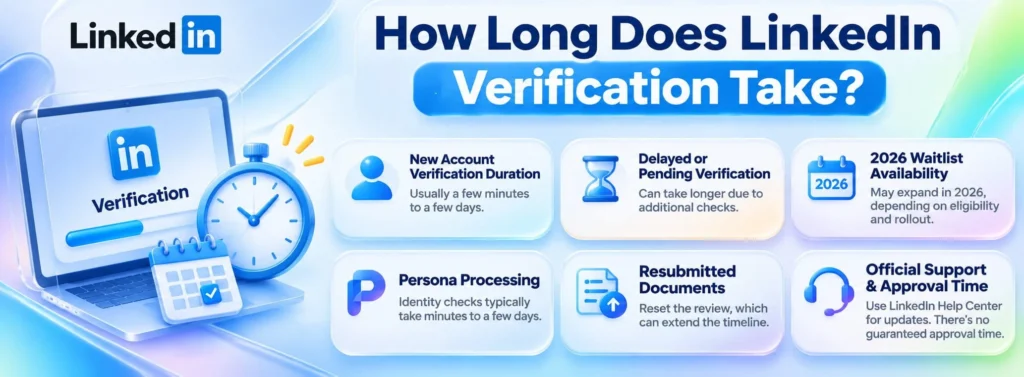
When someone asks how long does linkedin verification take, the most accurate answer is that there isn’t one guaranteed processing time for every account.
Some eligible members may complete the required verification steps within a few minutes and receive a quick result. Others may need additional processing, document checks, or manual review.
The timeline depends on the method, verification provider, eligibility requirements, and whether the submitted information satisfies the applicable checks.
Typical Verification Stages
Understanding the stages helps explain why verification can sometimes take longer than expected.
| Verification stage | What happens | Timing |
| Starting verification | Select an available method | Usually a few minutes |
| Document submission | Capture eligible identification | Often a few minutes |
| Identity checks | Provider evaluates submitted information | Varies |
| Workplace email confirmation | Confirm access to an eligible work email | Depends on email delivery and completion |
| Additional review | Further checks may be required | No universal timeframe |
| Profile status update | LinkedIn displays applicable confirmation | Depends on processing and synchronization |
These are general descriptions, not guaranteed service-level commitments.
Why Verification Time Varies
Different verification methods require different checks.
For example, confirming access to an eligible workplace email address may involve receiving a message and following a verification link.
Government-ID verification can require document authentication, identity matching, and additional checks.
A security-related identity review may involve a separate recovery process.
Because the requirements differ, comparing timelines without considering the verification method can be misleading.
Does LinkedIn Guarantee Instant Verification?
No. Although some processes may produce a quick result, LinkedIn doesn’t guarantee immediate approval for every member.
A successfully completed submission also doesn’t necessarily mean the final verification decision has been issued.
If your account displays a pending status, review the instructions before taking additional action.
Why Is LinkedIn Verification Taking Too Long?
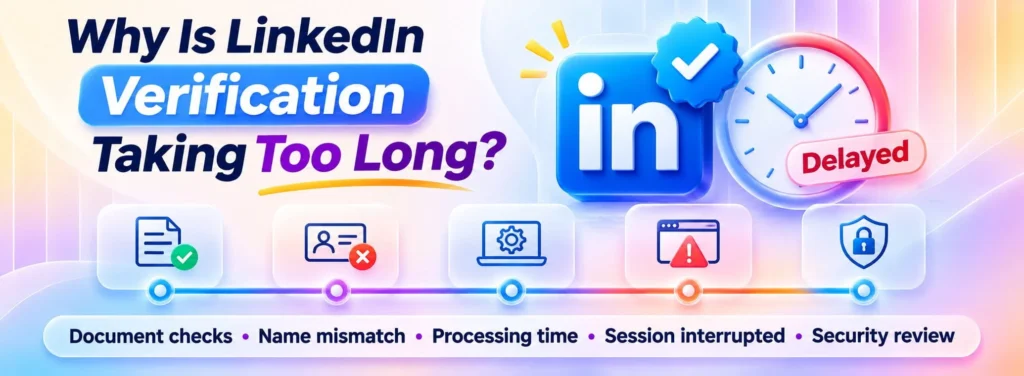
If linkedin verification taking too long describes your situation, several factors may explain the delay.
A longer processing period doesn’t automatically mean your verification has failed.
Sometimes the provider needs additional information. In other situations, technical difficulties or eligibility requirements may prevent the process from moving forward.
1. Your Identity Document Requires Additional Checks
Identity verification may involve confirming that a submitted document is genuine and supported.
If the document image is unclear or the required information cannot be evaluated successfully, additional action may be necessary.
Problems can include reflections, blurred photographs, expired documents, or unsupported identification types.
Review any error message carefully before submitting another attempt.
2. Your Personal Information Doesn’t Match
Differences between identification information and account details may complicate certain verification processes.
For example, someone might use a professional name on LinkedIn while their government identification displays a different legal name.
Legitimate differences don’t automatically indicate wrongdoing.
However, the verification provider may need to evaluate whether the submitted information meets its requirements.
3. Your Verification Provider Needs More Processing Time
LinkedIn works with approved verification providers for certain identity checks.
Depending on the method and country, a provider may need to complete additional processing before communicating a result.
The provider’s workflow can affect the overall timeline.
4. Your Verification Session Was Interrupted
Closing a verification page, switching devices unexpectedly, or losing internet connectivity may interrupt the process.
In some cases, the submission may not have been completed successfully.
Check whether you received confirmation before assuming your request is pending.
5. Your Account Requires a Security Review
Identity verification associated with an account restriction may involve additional checks.
This process differs from optional profile verification.
If LinkedIn has requested identity confirmation to restore account access, follow the instructions provided in the restriction notice.
LinkedIn Identity Verification: How Long Does It Usually Take?
Understanding how long does linkedin verification take requires distinguishing identity verification from other methods.
Identity verification is designed to confirm that a member matches the information submitted through an approved verification process.
Depending on the provider, this may involve a government-issued document, facial comparison, or electronic identification technology.
Document Capture and Submission
The initial submission can be relatively quick when your device and identification document meet the requirements.
You’ll generally need to follow the instructions displayed during the verification session.
Some methods require a compatible smartphone camera.
Others may involve specific document-reading capabilities.
Preparing everything beforehand can reduce unnecessary interruptions.
Automated Identity Checks
Some verification providers use automated systems to evaluate submitted information.
When the checks are completed successfully, a result may become available quickly.
However, automated processing isn’t guaranteed to succeed for every document or user.
Additional review may be required.
When Manual Review Is Necessary
Certain cases may require further evaluation, depending on the provider’s procedures.
A manual review can take longer than a straightforward automated check.
LinkedIn doesn’t provide one universal manual-review duration applicable to every verification method.
If your submission requires further processing, follow the status information displayed in the official interface.
Can You Speed Up Identity Verification?
You cannot guarantee faster approval.
However, you can reduce preventable errors by using supported documents, following capture instructions, maintaining a stable connection, and submitting accurate information.
Avoid repeatedly restarting a completed request unless LinkedIn or the provider instructs you to do so.
How Long Does LinkedIn Workplace Verification Take?
Workplace verification follows a different process from government-ID verification.
It confirms an eligible association with an organization through a supported method.
Some members can verify using an approved company email address, while others may use an employer-supported identity system.
Workplace Email Verification
When available, workplace email verification generally involves receiving a confirmation message at an eligible company email address.
You then follow the instructions to confirm access.
The process may be completed quickly if the message arrives promptly and the verification link works.
However, email delivery, organizational restrictions, and technical issues can cause delays.
Employer-Supported Verification
Some organizations use supported identity-management systems to confirm employee associations.
The process depends on the employer’s participation and technical configuration.
If the option isn’t available, your employer may not support that particular method.
What If Your Work Email Never Receives the Message?
First, check your inbox and spam folder.
Confirm that you entered the correct eligible work email address.
If your organization filters external messages, contact the appropriate IT administrator.
Avoid repeatedly requesting verification emails without checking whether an earlier message has arrived.
LinkedIn Verification Waitlist: What Does It Mean?
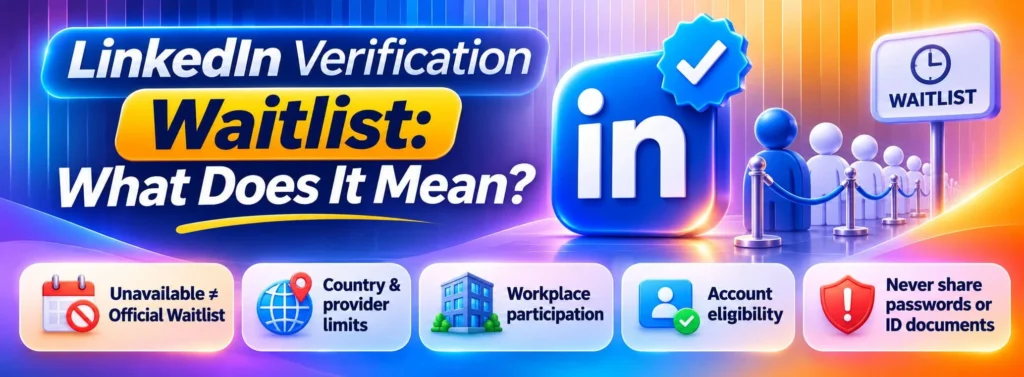
The term linkedin verification waitlist is often used by members who cannot access a particular verification method or believe they’re waiting for the feature to become available.
However, an unavailable verification option doesn’t necessarily mean your account has been placed on an official waiting list.
LinkedIn verification availability depends on factors such as location, provider support, organization participation, and account eligibility.
Why Some Accounts Don’t Have Verification Access
Not every LinkedIn member sees the same verification options.
A method available in one country may not be supported in another.
Similarly, workplace verification may depend on whether an organization participates in an eligible verification system.
These limitations don’t automatically indicate a problem with your account.
Is There an Official LinkedIn Verification Waitlist?
A linkedin verification waitlist should not be assumed to exist for every unavailable verification feature.
LinkedIn may expand eligibility or introduce additional methods over time, but that doesn’t mean all ineligible accounts are automatically queued for future approval.
Check the current Help Center documentation and any information displayed in your account.
Can You Join a Waiting List Manually?
Only use a registration or waiting-list option if LinkedIn officially provides one for your account or verification method.
Avoid unofficial websites claiming they can move you ahead in a verification queue.
Never provide passwords or identity documents to services promising priority access.
What Should You Do While Waiting?
Keep your profile information accurate and maintain access to your registered email address.
Review available verification options periodically.
If workplace verification isn’t supported, check whether another eligible method is available.
You can continue using LinkedIn professionally without optional profile verification.
LinkedIn Verification Pending: What Should You Do?
When linkedin verification taking too long becomes a concern, your first instinct might be to restart the process immediately.
However, repeating a submission isn’t always the best solution.
A pending status may indicate that processing hasn’t finished, while an incomplete submission may require you to take further action.
Understanding the difference can prevent unnecessary confusion.
Step 1: Check Your Current Verification Status
Open LinkedIn through its official website or application.
Navigate to your profile and review the available verification information.
Look for messages indicating whether the process is pending, completed, rejected, or requires additional action.
The exact wording may differ between verification methods.
Step 2: Review Your Email Notifications
Check the email address associated with your LinkedIn account.
Some verification-related instructions may arrive through email, depending on the process.
Review your spam folder as well.
Be cautious of unexpected messages requesting identification documents or account credentials.
Step 3: Avoid Unnecessary Resubmissions
Repeatedly restarting verification can create confusion, particularly when an earlier submission is still being processed.
If the interface confirms that your request was submitted, follow the displayed instructions.
Only submit another attempt when the provider permits or requests it.
Step 4: Contact Official Support When Necessary
If your request remains unresolved beyond any timeframe stated in your verification instructions, use the relevant official support channel.
Describe the issue clearly and provide the exact error message, if available.
Avoid sending sensitive documents through unofficial support accounts.
Persona LinkedIn Verification: Why Processing May Take Longer
Many members asking how long does linkedin verification take are specifically referring to verification through Persona.
Persona is a third-party identity verification provider used in certain LinkedIn verification experiences.
Depending on the available method, the process may require identification documents and additional identity checks.
How Persona Processes Verification Requests
The process typically begins through LinkedIn’s official interface.
If Persona is the available provider, you’ll follow its instructions to complete the required identity checks.
These may include document capture and selfie verification.
The specific checks depend on the verification flow.
Common Reasons Persona Verification Gets Delayed
Document readability, unsupported identification, interrupted sessions, or unsuccessful identity matching may prevent immediate completion.
Technical compatibility can also affect the process.
If the provider displays an error, address that issue rather than assuming the request simply needs more time.
What If Persona Verification Doesn’t Finish?
If linkedin verification taking too long involves an incomplete Persona session, first determine whether your submission was actually received.
Review any confirmation or error displayed.
If the session expired, restart through LinkedIn when permitted.
If the request is under review, follow the relevant instructions instead of repeatedly submitting identical information.
How to Fix LinkedIn Verification Delays
Knowing how long does linkedin verification take is useful, but identifying a practical solution matters more when you’re already waiting.
The following troubleshooting steps can help resolve common problems without compromising account security.
Check Your Internet Connection
An unstable connection can interrupt document uploads, camera verification, or confirmation pages.
Use a reliable network when completing sensitive verification steps.
If the connection fails, check whether your previous submission was completed before restarting.
Update Your Browser or Application
Outdated software may cause compatibility problems.
Install available updates for your browser, operating system, or LinkedIn application.
Use a device supported by the verification provider.
Enable Required Camera Permissions
Some identity checks require access to your device’s camera.
Make sure the relevant application or browser has permission to use it.
Close other applications that may interfere with camera access.
Confirm Document Eligibility
A valid identification document isn’t necessarily supported by every verification method.
Check the requirements for your country and provider.
If your document is unsupported, repeatedly submitting it is unlikely to resolve the issue.
Avoid Unofficial Verification Services
No third-party service should be trusted simply because it promises instant LinkedIn verification.
Start through LinkedIn’s official interface and follow the authorized provider’s instructions.
Never share your password or authentication codes with someone claiming they can accelerate approval.
LinkedIn Verification Waitlist vs. Pending Verification
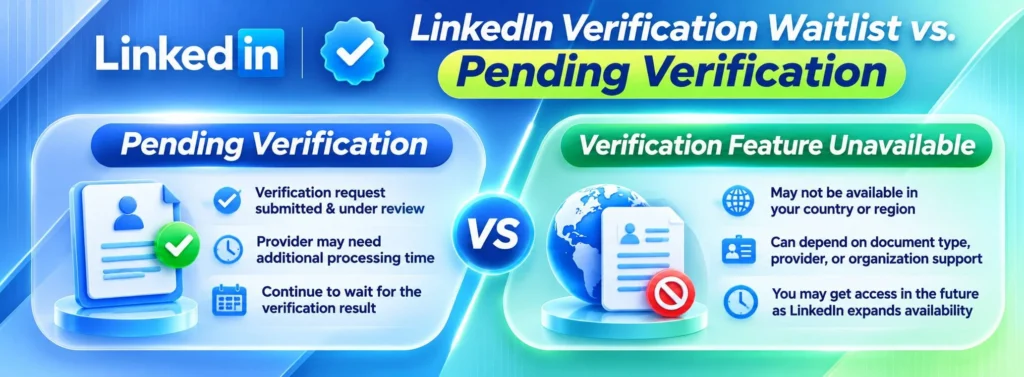
Understanding the difference between a linkedin verification waitlist and a pending verification request can save considerable frustration.
These terms describe different situations and shouldn’t be used interchangeably.
Pending Verification
A pending verification generally means you’ve started or submitted a verification process, but the final result hasn’t been confirmed.
The next step depends on the status and instructions provided.
Additional processing may be required.
Verification Feature Unavailable
An unavailable feature means you may not currently qualify for a particular verification method.
This can happen because of regional limitations, document eligibility, or organizational requirements.
It doesn’t necessarily mean you’ve submitted an application.
Waiting for Future Availability
A linkedin verification waitlist may be how users describe waiting for a feature rollout.
However, unless LinkedIn explicitly confirms a waiting-list arrangement, there is no reason to assume your account has a particular position in a queue.
Continue checking official availability information rather than relying on unofficial estimates.
How Long Does LinkedIn Verification Take After Rejection?
If you’re wondering how long does linkedin verification take after a rejected submission, the answer depends on whether another attempt is allowed and what caused the rejection.
A rejected verification isn’t the same as a pending request.
It indicates that the submitted attempt did not satisfy the applicable requirements or could not be completed successfully.
Identify the Rejection Reason
Check whether the provider explains the problem.
Common issues can involve unsupported documents, poor image quality, or unsuccessful identity checks.
Not every rejection includes a detailed explanation.
Correct the Problem Before Retrying
If another attempt is permitted, address the identified issue first.
Use an eligible document, improve capture quality, and follow the instructions carefully.
Avoid changing accurate identity details simply to obtain approval.
Request Additional Assistance
If repeated attempts fail despite meeting the requirements, contact the official support channel.
Explain which verification method you’re using and where the process stops.
Support may clarify available options, but approval isn’t guaranteed.
How to Avoid LinkedIn Verification Taking Too Long
Preventing linkedin verification taking too long starts with preparation rather than searching for shortcuts.
Although you cannot control every processing delay, you can reduce avoidable technical and submission errors.
Prepare Before Starting
Check your eligibility and gather the required documents.
Make sure your identification is valid and supported.
Use a compatible device with a functioning camera.
Choose a location with good lighting and reliable internet access.
Follow Instructions Carefully
Read each step before submitting information.
Avoid switching devices unexpectedly or closing the verification interface prematurely.
If additional confirmation is requested, complete it through the authorized process.
Keep Your Account Information Accurate
Maintain accurate personal and professional information.
Make genuine corrections when necessary, but avoid unnecessary changes during an active verification review.
Keep access to your registered email address.
Set Realistic Expectations
Some verification checks finish quickly, while others require additional processing.
There is no guaranteed method to force immediate approval.
Focus on completing the process correctly rather than repeatedly attempting to accelerate it.
Frequently Asked Questions About LinkedIn Verification Time
How Long Does LinkedIn Verification Take for a New Account?
If you’re asking how long does linkedin verification take for a newly created account, there isn’t a guaranteed timeframe based solely on account age.
Eligibility, the selected verification method, and the required checks determine the process.
New members should first confirm that an eligible verification option is available.
Why Is My LinkedIn Verification Taking Too Long?
If linkedin verification taking too long is your concern, check whether your request is pending, incomplete, or rejected.
Document problems, technical errors, and additional reviews can affect processing.
Follow any instructions displayed before attempting another submission.
Is There a LinkedIn Verification Waitlist in 2026?
A linkedin verification waitlist isn’t necessarily available for every account or verification method.
Some members may simply be ineligible for the currently supported options.
Check LinkedIn’s official guidance for availability and any explicitly offered waiting-list arrangements.
How Long Does LinkedIn Verification Take With Persona?
The answer to how long does linkedin verification take with Persona depends on document eligibility, successful identity checks, and any additional processing.
Some submissions may receive quick results, while others require further action.
No universal approval time is guaranteed.
Can I Speed Up LinkedIn Verification?
You can reduce preventable errors by preparing supported identification, using a compatible device, and following instructions carefully.
However, you cannot guarantee faster processing or bypass required reviews.
Avoid unofficial services promising immediate approval.
What Should I Do If LinkedIn Verification Is Taking Too Long?
When linkedin verification taking too long continues without a clear explanation, review your verification status and official notifications.
If no further instructions appear, consult the LinkedIn Help Center for the appropriate support option.
How Long Does LinkedIn Verification Take After Resubmitting Documents?
For users wondering how long does linkedin verification take after resubmission, processing depends on the corrected information and provider requirements.
A new submission doesn’t guarantee immediate approval.
Follow the instructions associated with your latest attempt.
Final Thoughts: How Long Should You Wait for LinkedIn Verification?
So, how long does linkedin verification take in 2026?
The submission steps may take only a few minutes, but the final result depends on the verification method, provider, eligibility requirements, and whether additional checks are necessary.
If linkedin verification taking too long becomes frustrating, avoid restarting the process without understanding its status.
Review your notifications, confirm that your submission was completed, and follow the official troubleshooting instructions.
If you’re concerned about a linkedin verification waitlist, remember that an unavailable verification feature doesn’t automatically mean your account is waiting for approval.
The best approach is to prepare your information, use authorized verification methods, and allow any required processing to finish.
Verification can provide an additional professional trust signal, but protecting your account and submitting accurate information should remain your priorities.


