
10 Habits That Get LinkedIn Accounts Restricted (and How to Avoid Them)
The reasons for linkedin account restricted often come down to everyday habits that users may not realize are risky. Sending too many connection requests, relying on automation tools, or repeatedly contacting people who never respond can raise concerns about account activity.
For professionals who depend on LinkedIn for networking, recruiting, and business development, an unexpected restriction can interrupt important conversations and opportunities.
The frustrating part is that some users only discover a problem after losing access to their accounts. Others receive warnings but aren’t sure which activities need to change.
Understanding LinkedIn’s rules and recognizing potentially risky behavior can help you build a more sustainable networking strategy.
This guide explores ten common habits associated with account restrictions, explains why they matter, and provides practical ways to protect your professional presence without sacrificing meaningful engagement.
Why Does LinkedIn Restrict Accounts?
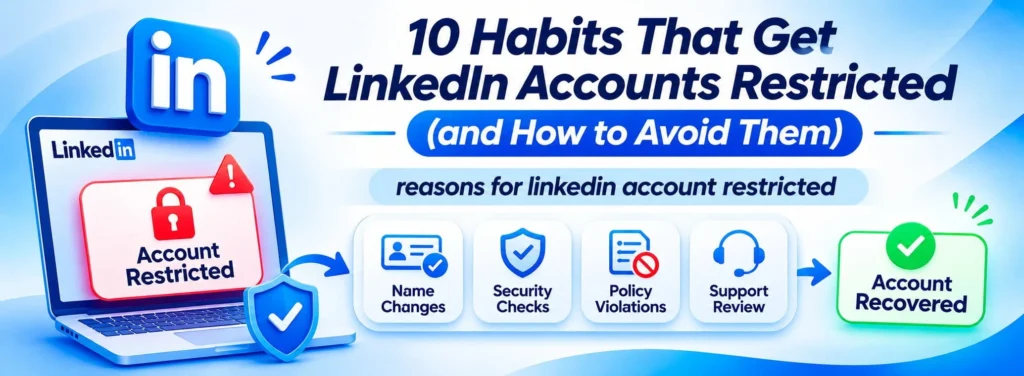
Before exploring individual habits, it’s important to understand the reasons for linkedin account restricted and how LinkedIn approaches account safety.
LinkedIn aims to maintain a professional environment where members can connect, communicate, and share opportunities without encountering excessive spam, misleading identities, or unauthorized activity.
To support that environment, the platform uses automated systems and other review processes to identify potential violations of its policies.
Restrictions can arise from several situations, including suspected account compromise, prohibited automation, misleading profile information, spam-like behavior, and violations of LinkedIn’s Professional Community Policies.
However, a restriction does not automatically mean someone intentionally violated the rules.
Sometimes, unusual activity may trigger additional security checks even when the account owner believes their actions were legitimate.
What Does a LinkedIn Account Restriction Mean?
A restriction may temporarily limit certain account functions or prevent a member from signing in.
Depending on the circumstances, LinkedIn might request identity verification, require additional security steps, or direct the member to an appeal process.
Some restrictions are temporary, while others may remain in place or become permanent.
The exact recovery options depend on the reason for the restriction and LinkedIn’s assessment.
Can Normal LinkedIn Activity Trigger Security Concerns?
Yes. Legitimate actions can sometimes resemble suspicious patterns, particularly when several unusual changes happen close together.
For example, a member might update their profile, sign in from a new device, and begin networking with many unfamiliar professionals within a short period.
Those actions are not necessarily violations on their own.
The important distinction is whether the activity is authentic, authorized, and consistent with LinkedIn’s policies.
1. Sending Too Many Connection Requests in a Short Period
One of the most frequently discussed reasons for linkedin account restricted involves aggressive connection-request behavior.
LinkedIn is designed to help professionals build relevant relationships, not collect as many connections as possible.
When someone sends numerous invitations to unfamiliar people without establishing relevance, recipients may ignore the requests or indicate that they do not know the sender.
Repeated unwanted invitations can contribute to account limitations.
Why Excessive Invitations Create Problems
Imagine a salesperson sending connection requests to hundreds of unrelated professionals using the same generic message.
Even if the intention is legitimate business development, recipients may interpret the activity as unsolicited outreach.
LinkedIn may limit invitations when it identifies behavior inconsistent with its networking standards.
There is no universal daily invitation number that guarantees account safety.
Limits and enforcement can vary, so relying on supposedly safe numerical thresholds is unreliable.
How to Build Connections More Safely
Focus on professionals who have a genuine reason to connect with you.
Review their profiles before sending invitations and explain the relevance of your request when appropriate.
Instead of prioritizing volume, build relationships through thoughtful comments, shared professional interests, and meaningful conversations.
A smaller network of engaged contacts can provide more value than a large collection of unresponsive connections.
2. Using Unauthorized LinkedIn Automation Tools
Automation is another important factor when discussing the reasons for linkedin account restricted, especially among sales professionals and recruiters.
Some third-party tools promise to simplify prospecting by automatically visiting profiles, sending invitations, collecting information, or delivering messages.
Although these services may appear convenient, certain automation methods violate LinkedIn’s User Agreement.
How Automation Can Put Your Account at Risk
Unauthorized tools may generate repetitive activity that differs from normal human interaction.
For example, software might visit large numbers of profiles, send identical messages, or perform actions without direct user involvement.
Such activity can raise security concerns and violate platform rules.
Not every third-party integration is prohibited. LinkedIn supports authorized integrations and approved business tools.
The key difference is whether a service operates through permitted methods.
How to Avoid LinkedIn Restriction When Using Business Tools
If you’re researching how to avoid linkedin restriction, start by reviewing every tool connected to your account.
Avoid services that require your LinkedIn password or promise unrestricted automated outreach.
Choose officially supported integrations where available, and review the permissions granted to connected applications.
For prospecting, prioritize manual research, relevant targeting, and personalized communication.
Automation should never replace compliance with LinkedIn’s rules.
3. Sending Repetitive or Unwanted Messages
LinkedIn messaging is valuable for professional conversations, but excessive promotional communication can create problems.
A common situation involves sending nearly identical sales pitches to numerous connections without considering their interests.
When recipients repeatedly ignore, block, or report messages, that feedback may contribute to enforcement concerns.
Why Repetitive Messaging Looks Suspicious
Suppose someone connects with a marketing manager and immediately sends a lengthy promotional message.
When no reply arrives, they send several follow-ups containing the same offer.
Now imagine repeating that process with dozens of unrelated professionals.
Even without malicious intentions, this approach can resemble spam.
Members expect professional communication that respects their time and interests.
How to Make LinkedIn Outreach More Natural
Begin conversations with relevant context.
Mention a shared professional interest, a thoughtful observation, or a legitimate reason for contacting the person.
Avoid sending the same message repeatedly after someone has shown no interest.
Follow-ups should add value rather than pressure recipients into responding.
Remember that personalization alone does not make unwanted bulk messaging acceptable.
4. Logging In From Unusual Devices or Locations
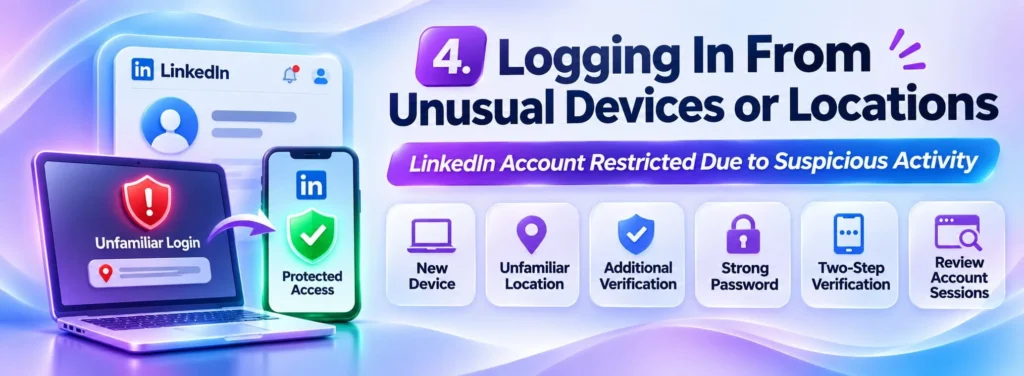
An account showing unexpected sign-in activity may require additional verification.
This is one situation where a linkedin account restricted due to suspicious activity notice can appear, although LinkedIn does not publicly disclose every signal used by its security systems.
Logging in from a new device or location is not automatically prohibited.
However, unfamiliar access patterns can sometimes resemble unauthorized account activity.
Why Login Changes May Raise Security Concerns
Consider someone who normally signs in from one laptop but suddenly accesses the account through several devices or unfamiliar networks.
If LinkedIn cannot confidently determine whether the activity is authorized, it may request additional security checks.
Travel, network changes, and legitimate device replacements can also produce unfamiliar sign-in patterns.
Therefore, unusual access does not necessarily indicate wrongdoing.
Practical Ways to Protect Your Login Activity
Use a strong, unique password and enable two-step verification.
Review account sessions periodically and sign out of devices you no longer use.
Avoid sharing login credentials with coworkers, assistants, or third-party services.
When traveling or switching devices, complete any security verification requested by LinkedIn.
If you receive an unfamiliar login notification, investigate it promptly rather than assuming it is harmless.
5. Creating Fake, Misleading, or Duplicate Personal Profiles
Another category among the reasons for linkedin account restricted involves inaccurate account identity.
LinkedIn expects members to represent themselves authentically.
Using fabricated identities, impersonating another professional, or presenting misleading personal information can violate platform policies.
Maintaining multiple personal accounts may also conflict with LinkedIn’s account rules.
How Misleading Profile Information Creates Risk
A profile using someone else’s photograph, an invented employment history, or a false professional identity can undermine trust.
These practices may also lead to reports from other members.
Not every profile correction is suspicious, however.
People legitimately change their names, employers, locations, and professional descriptions throughout their careers.
The concern is intentional misrepresentation rather than ordinary updates.
How to Keep Your Profile Authentic
Use the name you professionally identify with, consistent with LinkedIn’s applicable name policies.
Provide accurate employment and education information.
Avoid exaggerated credentials or affiliations that could mislead other members.
If you operate a business, create or manage an appropriate LinkedIn Page rather than establishing a fictional personal identity.
An accurate profile helps other professionals understand who you are and why they should trust you.
6. Scraping LinkedIn Data Without Authorization
Collecting professional information is a common part of recruiting, market research, and sales development.
However, extracting LinkedIn data through unauthorized scraping tools can violate the platform’s rules.
This is particularly relevant for organizations that rely heavily on lead-generation software.
Why Unauthorized Data Collection Is Risky
Some tools automatically collect profile details, contact information, employment histories, and other member data.
These services may use browser extensions, automated scripts, or other technical methods to access information.
Even when profile information is publicly visible, that does not automatically authorize automated extraction.
Unauthorized scraping can raise contractual, privacy, and account-security concerns.
How to Research Prospects Responsibly
Use LinkedIn’s built-in search capabilities and approved professional products within their permitted terms.
Collect only information you have a legitimate reason to use.
Respect privacy expectations and applicable data-protection requirements.
Avoid browser extensions that secretly extract member information or perform automated actions.
When evaluating a prospecting service, examine how it obtains data rather than relying only on its marketing claims.
Responsible research is more sustainable than shortcuts that could compromise account access.
7. Frequently Changing Important Account Details
Some users worry that updating profile information will immediately cause a restriction.
In reality, ordinary profile maintenance is a normal part of professional networking.
Nevertheless, a series of unusual account changes may coincide with security reviews, particularly when accompanied by other suspicious activity.
Can Changing Your Name Trigger Verification?
A linkedin account restricted due to suspicious activity message may sometimes appear around the time a member updates account details.
However, the timing alone does not prove that the name change caused the restriction.
LinkedIn may request verification when it needs to confirm an account holder’s identity.
Legitimate name changes, including changes related to marriage or professional identity, should be handled through the platform’s supported processes.
How to Update Your Profile Responsibly
Keep account information accurate and make changes when they are genuinely necessary.
Use LinkedIn’s official settings to update your name, email address, password, or other important details.
Maintain access to your registered email account so you can receive security notifications.
If verification is requested, follow the instructions displayed in your account.
Avoid submitting inaccurate information simply to bypass a review.
8. Receiving Repeated Spam Reports From Other Members
Member reports can play a role in identifying potentially harmful behavior.
Although LinkedIn does not publicly explain every enforcement decision, repeated complaints may lead to reviews of account activity.
This makes communication quality especially important.
Why People Report LinkedIn Accounts
Members may report accounts that send unwanted promotions, impersonate others, publish misleading content, or behave abusively.
A person might also report repeated messages after clearly declining an offer.
Importantly, a report does not automatically establish that a violation occurred.
LinkedIn can assess reports alongside other available information.
How to Reduce Unwanted Interactions
Respect professional boundaries.
If someone declines an invitation or asks you to stop contacting them, honor that request.
Avoid misleading subject lines, deceptive offers, and aggressive promotional tactics.
Make it easy for recipients to understand why you contacted them.
A respectful approach protects your professional reputation while reducing the likelihood of negative interactions.
9. Posting Misleading, Abusive, or Policy-Violating Content
Not all reasons for linkedin account restricted involve networking activity or login security.
The content members publish can also lead to enforcement action.
LinkedIn’s Professional Community Policies address matters such as harassment, scams, misinformation, and other prohibited behavior.
What Types of Content Can Cause Problems?
Examples include impersonation, fraudulent job offers, targeted harassment, and deceptive financial schemes.
Repeatedly publishing content that violates platform policies can result in restrictions.
However, expressing a professional opinion or participating in respectful disagreement is not automatically a violation.
The context and applicable policies matter.
How to Publish Content Responsibly
Verify factual claims before sharing them.
Clearly distinguish personal opinions from established facts.
Avoid misleading headlines designed to trick readers into visiting external websites.
If you promote products or services, represent them accurately.
When discussing sensitive professional topics, focus on evidence and respectful communication.
Publishing useful, credible information can strengthen your reputation without depending on manipulative engagement tactics.
10. Ignoring Security Warnings and Account Verification Requests
The final habit is failing to respond appropriately when LinkedIn identifies a potential account-security issue.
Some members dismiss unfamiliar login notifications, postpone verification, or continue using questionable third-party tools after receiving warnings.
These choices can leave unresolved problems in place.
What Happens When Security Issues Remain Unresolved?
If your linkedin account restricted due to suspicious activity notification appears, LinkedIn may require you to complete specific recovery steps.
Depending on the circumstances, these may include identity confirmation, password changes, or additional account checks.
Ignoring legitimate security instructions can delay restoring access.
However, security messages themselves can also be imitated by phishing attempts.
How to Respond to Security Notifications
Access LinkedIn directly through its official website or application rather than clicking unfamiliar email links.
Review the restriction notice carefully.
Complete only the verification steps requested through legitimate LinkedIn channels.
If you suspect unauthorized access, change your password and review active sessions when possible.
Do not pay unofficial recovery services that promise guaranteed reinstatement.
Account recovery should be handled through LinkedIn’s authorized processes.
How to Avoid LinkedIn Restrictions: A Practical Prevention Strategy
Understanding how to avoid linkedin restriction requires more than simply reducing connection requests or changing messaging habits.
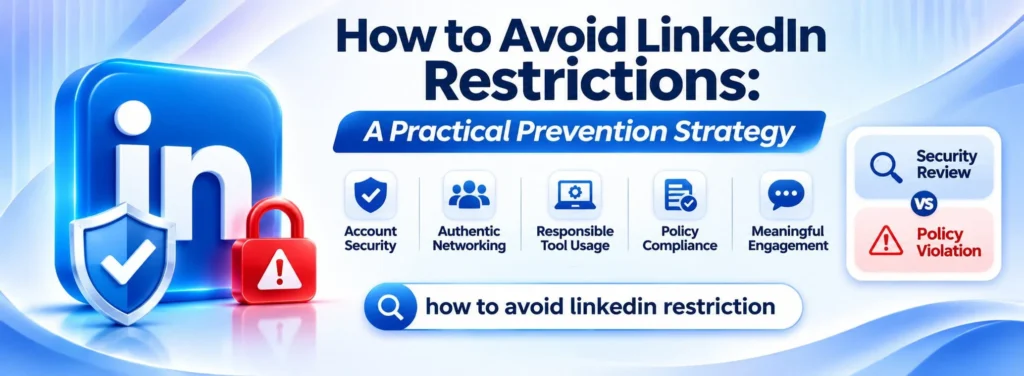
A reliable prevention strategy combines account security, authentic networking, responsible tool usage, and compliance with LinkedIn’s policies.
Rather than looking for ways around platform limits, focus on activities that support genuine professional relationships.
Review Your Account Activity Regularly
Examine how you use LinkedIn throughout a typical week.
Consider whether your connection requests are relevant, your messages are welcome, and your profile information accurately represents your professional identity.
Review any applications or browser extensions that interact with your account.
If a service performs actions you cannot clearly explain or control, investigate whether it complies with LinkedIn’s rules.
Prioritize Meaningful Engagement
One practical approach to how to avoid linkedin restriction is replacing high-volume outreach with relationship-focused communication.
Participate in relevant discussions, respond thoughtfully to comments, and share information that genuinely benefits your audience.
Avoid treating every new connection as an immediate sales opportunity.
Professional trust usually develops through consistent, useful interactions rather than repetitive promotional messages.
Understand the Difference Between Security Reviews and Policy Violations
A linkedin account restricted due to suspicious activity notification does not necessarily mean the member has engaged in spam or deliberately broken a rule.
Security-related restrictions may involve concerns about unauthorized access or account authenticity.
Policy-related restrictions can involve prohibited automation, misleading content, harassment, or other violations.
The distinction matters because the appropriate response depends on the actual issue.
Read the notice carefully instead of assuming every restriction has the same cause.
What to Do If Your LinkedIn Account Is Already Restricted
Even when you understand the reasons for linkedin account restricted, unexpected account limitations can still occur.
The most effective response is to identify what LinkedIn is requesting and follow the relevant recovery process.
Step 1: Read the Restriction Notice
Start by reviewing the message displayed when you attempt to access your account.
Look for information about identity verification, security concerns, policy violations, or appeal options.
Avoid guessing the cause based only on recent account activity.
Step 2: Secure Your Account
If you suspect someone accessed your profile without permission, use LinkedIn’s official account-recovery guidance.
Change your password when access is available, review connected applications, and enable two-step verification.
Check the security of your associated email account as well.
Step 3: Complete the Required Verification
If your linkedin account restricted due to suspicious activity notice requests identity verification, follow the instructions provided through LinkedIn’s official channels.
Verification methods and eligibility can vary.
Submit accurate information and avoid unofficial websites claiming they can remove restrictions instantly.
Step 4: Submit an Appeal When Available
If you believe the restriction was applied incorrectly, use the appeal option provided by LinkedIn.
Explain the situation clearly and provide relevant facts.
Avoid sending repetitive requests or making unsupported claims.
An appeal allows LinkedIn to review the matter, but approval is not guaranteed.
Step 5: Review Your Habits Before Resuming Activity
Once access is restored, examine the activities that may have contributed to the problem.
Remove unauthorized automation tools, improve your outreach practices, and strengthen account security.
Understanding how to avoid linkedin restriction also means learning from previous warnings rather than returning immediately to questionable practices.
Frequently Asked Questions About LinkedIn Account Restrictions
What Are the Most Common Reasons for a LinkedIn Account Restriction?
The reasons for linkedin account restricted can include prohibited automation, excessive unwanted invitations, misleading identities, spam, policy-violating content, and potential security threats.
Not every restriction results from deliberate misconduct.
Some cases involve verification requirements or suspected unauthorized access.
The official restriction notice is the best starting point for understanding your specific situation.
Why Is My LinkedIn Account Restricted Due to Suspicious Activity?
If your linkedin account restricted due to suspicious activity warning appears, LinkedIn may have identified activity requiring additional security review.
Possible concerns include unfamiliar sign-ins, suspected account compromise, or other unusual account behavior.
The exact cause cannot be determined from the warning phrase alone.
Follow the official verification or recovery instructions associated with your account.
How Can I Avoid LinkedIn Restrictions While Generating Leads?
Learning how to avoid linkedin restriction while generating leads starts with relevant targeting and respectful communication.
Avoid unauthorized outreach automation, unsolicited mass messaging, and repetitive connection requests.
Research prospects carefully, explain why your message is relevant, and respect requests to stop contacting someone.
There is no guaranteed safe invitation volume.
Can LinkedIn Restrict My Account Without Warning?
Yes. Depending on the circumstances, LinkedIn may restrict access without providing a separate advance warning.
Some situations involve immediate security concerns or potential policy violations.
The available explanation and recovery options can differ between cases.
Is a LinkedIn Restriction Permanent?
Not necessarily.
Some restrictions are temporary or can be resolved through verification, while others may be permanent.
The outcome depends on the circumstances and LinkedIn’s review.
Completing verification does not guarantee that every restriction will be removed.
Can I Create Another Account After Being Restricted?
Creating a replacement account to evade an existing restriction may violate LinkedIn’s rules.
Instead, use the official recovery or appeal process.
If you are uncertain about your eligibility to create an account, consult LinkedIn’s current User Agreement and Help Center guidance.
Final Thoughts: Protect Your LinkedIn Account Through Better Habits
The reasons for linkedin account restricted are not always obvious, especially when an account owner believes their activity is legitimate.
However, many preventable problems involve aggressive networking, unauthorized tools, inaccurate information, unwanted communication, or weak security practices.
A linkedin account restricted due to suspicious activity warning deserves particular attention because it may indicate a security concern rather than an intentional policy violation.
If you want to understand how to avoid linkedin restriction, focus on building authentic connections, protecting your login credentials, respecting other members, and following LinkedIn’s official guidelines.
There is no guaranteed method to prevent every security review or restriction.
Still, responsible account management can reduce avoidable risks while helping you develop a stronger professional network.
Ultimately, LinkedIn works best when you prioritize meaningful relationships over shortcuts.


