
LinkedIn Hacked and Restricted? Emergency Recovery Steps
linkedin account restricted hacked is an awkward phrase to type into a search bar, but it describes a frightening situation: someone may have accessed your professional account, and now LinkedIn will not let you use it normally. Maybe your password suddenly stopped working. Maybe a colleague asked why you sent a strange message. Or perhaps you opened LinkedIn and saw a restriction notice you did not understand.
Automation and security problems can be confusing, especially when you depend on LinkedIn for business.
This guide walks through the first few minutes, official recovery options, identity checks, and what to do after you regain control. It also explains why a compromised account might be restricted, and how to protect the rest of your online accounts while you work through the problem.
First, Find Out What Actually Happened
For anyone facing linkedin account restricted hacked, a restriction and a hack are not the same thing. A hack means someone gained unauthorized access, or there is strong evidence they tried to. A restriction means LinkedIn has limited account access or features. Both can happen together, but one does not automatically prove the other.
People searching for linkedin account restricted hacked often assume LinkedIn has punished them for something an intruder did. That is possible, but you should not guess. Look for concrete clues before deciding which recovery path fits.
Signs Someone May Have Accessed Your Account
Unexpected password reset emails, unfamiliar sign-in alerts, changed profile details, and messages you did not send are meaningful warning signs. So are connection requests to people you do not recognize or a recovery email address you never added.
Signs Your Account Is Restricted
You may be able to sign in but see a notice that access is temporarily restricted. In other cases, you may be asked to verify your identity before continuing. Sometimes only a feature, such as invitations, is unavailable.
If you see linkedin account restricted after hack in your search results, remember that other people’s experiences may not match yours. The precise wording on your screen matters more than a forum post describing a different restriction.
Write Down the Exact Message
Take a screenshot of the notice and record when you first saw it. Do not share verification codes, full identity documents, or sensitive account information publicly. Keeping a private record helps if you later contact support.
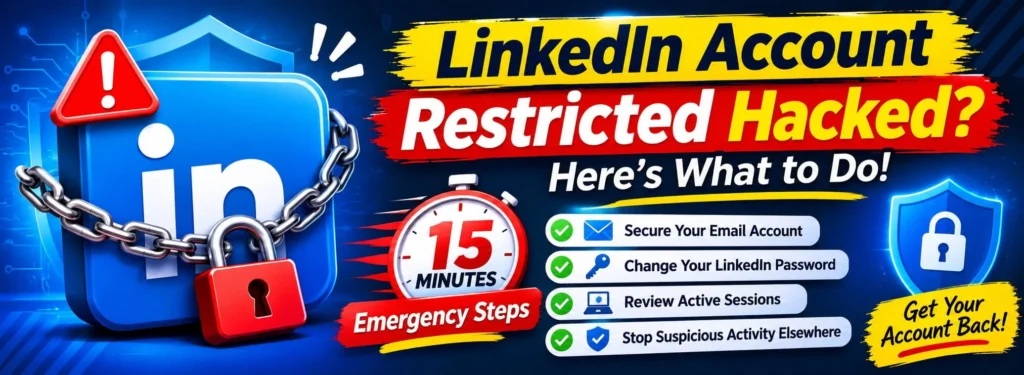
Emergency Steps to Take in the First 15 Minutes
With linkedin account restricted hacked concerns, your immediate goal is to stop further damage. Do not spend the first hour trying random passwords or paying a third party to unlock the profile. Start with the accounts and devices you still control.
Step 1: Secure Your Email Account
Your email inbox is often the key to resetting LinkedIn access. If an attacker controls your email, they may be able to undo your recovery attempts. Change your email password to a unique, strong one and enable multifactor authentication if available.
Review email forwarding rules, recovery addresses, and recent sign-ins. Remove anything unfamiliar. If your email is a work account, notify your organization’s IT or security team promptly.
Step 2: Change Your LinkedIn Password If You Can
If you can still sign in, go to LinkedIn’s account security settings and change your password. Use a password that you do not use anywhere else. A password manager can help create and store it securely.
If you cannot sign in, use LinkedIn’s official password reset flow. Avoid repeated guessing, especially if the account is already locked. Successful linkedin account hacked recovery begins with restoring control, not forcing your way past security checks.
Step 3: Review Active Sessions
If you have access to security settings, look for devices or sessions you do not recognize and sign them out. Check whether any contact information has been changed. An attacker may add a new email address or phone number to maintain access.
Step 4: Stop Suspicious Activity Elsewhere
If the same password was used on other sites, change those passwords too. Run reputable security scans on devices you used to access LinkedIn, and update your operating system and browser.
A linkedin account restricted hacked incident may be part of a wider credential theft attempt. Securing only LinkedIn could leave your email, other social accounts, or business tools exposed.
How to Start Official LinkedIn Account Recovery
If you have lost access, LinkedIn’s own recovery and help channels should be your starting point. Search results can contain misleading advertisements, fake support numbers, and websites designed to collect your information.
The linkedin account hacked recovery process may look different depending on whether you still control your email address, can reset the password, or must prove your identity. Follow the instructions actually shown for your account.
If You Still Control Your Email
Open the official LinkedIn sign-in page and select the password recovery option. Use the email address or phone number associated with the profile, then follow the verification instructions you receive.
If Your Email or Phone Number Was Changed
This situation is more complicated because standard password recovery may send instructions to contact details you no longer control. Use LinkedIn’s account access or compromised-account support options to report the problem.
Explain which details changed and which contact method you still control. Provide accurate information rather than guessing at dates or account history. LinkedIn may request further verification before restoring access.
If You Can Sign In but See a Restriction
Read the notice before taking action. A linkedin account restricted after hack situation may require identity verification, a security review, or an appeal rather than a normal password reset.
Use the review or verification route offered on the screen. If a support form is available, explain that you suspect unauthorized access and describe the evidence. Avoid submitting multiple conflicting reports.
What to Include in a Support Request
State when you last had normal access, what unusual activity you noticed, and whether you still control the original email address. Mention any unfamiliar messages, profile edits, or login alerts. Keep the explanation factual, calm, and concise.
Why LinkedIn May Restrict a Hacked Account
A compromised account can be used to send spam, approach other members with scams, or collect information. LinkedIn may limit access when it detects activity that appears unsafe or violates its policies. Restrictions can also occur because the platform needs to verify the real account owner.
That is why linkedin account restricted hacked searches frequently overlap with questions about suspicious messages and unfamiliar connections. The restriction may be frustrating, but it can also prevent additional misuse while ownership is checked.
Unusual Messages or Invitations
An intruder might contact your connections with fake job offers, malicious links, or requests for money. Recipients may report those messages, and the resulting activity can lead to account limitations.
Changes to Profile or Contact Details
Sudden edits to your name, headline, email, or other account information can create security concerns. Keep records of any changes you did not authorize so you can explain them during review.
Identity and Ownership Checks
LinkedIn may ask you to complete identity verification through its official process. The exact method varies by case and region. A request for verification does not mean your account will be restored immediately, but completing the required steps is often necessary.
Not Every Restriction Means an Intruder
A restriction can also result from policy violations unrelated to hacking. If you are dealing with linkedin account restricted after hack, describe what you know without claiming certainty about the cause. Honest, specific evidence is more useful than assumptions.
What to Expect During Identity Verification
For people dealing with linkedin account restricted hacked, being asked to prove profile ownership can feel uncomfortable, particularly after a security incident. Still, verification exists to prevent someone else from claiming your account.
During linkedin account hacked recovery, LinkedIn may ask you to follow an identity confirmation flow. Use only the instructions inside the official site or app, and check the destination carefully before uploading anything sensitive.
Prepare Consistent Account Information
Have the email addresses previously associated with your account, your profile URL if known, and a brief timeline of events ready. These details can help you explain the problem accurately.
If a document is requested, follow LinkedIn’s specific instructions for accepted identification and submission. Do not email copies to an address you found in a comment section.
Allow Time for Review
There is no universal recovery deadline. Some people regain access quickly; others need additional checks or support interactions. A complicated case involving changed contact details may take longer than a simple password reset.
Keep Your Recovery Case Organized
Save confirmation emails and case references in a secure place. If support asks for more information, respond through the same official channel when possible. This makes it easier to maintain a consistent account history.
What to Do if Your Account Is Still Restricted
You might complete a password reset and still be unable to use LinkedIn. That does not necessarily mean the reset failed. Regaining control of credentials and lifting a platform restriction are separate issues.
If your linkedin account restricted hacked problem remains unresolved, check the current notice for a verification, appeal, or review option. Do not create misleading new profiles to bypass enforcement or attempt to use unofficial unlocking tools.
Confirm That You Finished Every Required Step
Look for outstanding email confirmations or verification prompts. Sometimes a recovery request is waiting for you to complete an action, not for LinkedIn to send another message.
Appeal Through the Available Official Channel
If you believe the restriction resulted from an intruder’s behavior, explain that clearly. Include examples of activity you did not authorize and the steps you have already taken to secure your account.
For linkedin account restricted after hack cases, a useful appeal distinguishes your own actions from suspected unauthorized activity without exaggerating what you can prove.
Avoid Repeated Workarounds
Switching devices, using untrusted software, or paying someone to bypass a restriction is not a reliable recovery strategy. It may expose more personal information or create additional problems.
When to Follow Up
Follow any timing or response instructions given in your case. If no timeline is provided, allow reasonable processing time before sending a concise follow-up through the official channel. Keep the same case reference when possible.
Protect Your Connections While You Recover
A compromised professional account can affect other people, not just its owner. An attacker may exploit the trust your contacts already have in you.
As part of linkedin account hacked recovery, consider warning close colleagues, clients, or recruiters through a separate, trusted communication channel. You do not need to broadcast every detail of the incident.
Send a Simple Warning
Tell affected contacts that your LinkedIn account may have been accessed without permission. Ask them to ignore unexpected links, payment requests, or unusual messages apparently sent from your profile until you confirm the account is secure.
Check Other Shared Workflows
If LinkedIn was used for recruiting or business development, review any connected workflows you control. Check whether suspicious messages led people to outside websites or requested confidential information.
Report Fraud Attempts Separately
If money, confidential documents, or company data may have been exposed, contact the relevant bank, organization, or security team promptly. Recovering LinkedIn access does not automatically reverse harm elsewhere.
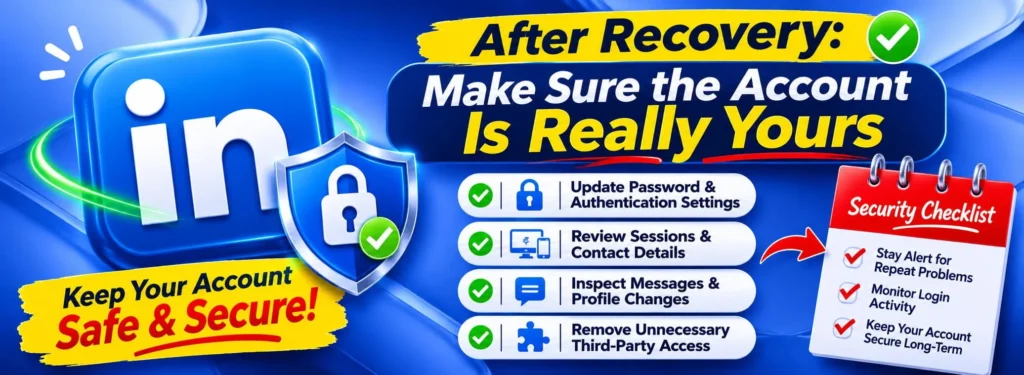
After Recovery: Make Sure the Account Is Really Yours
The first successful login is a relief, but it should not be the end of your response. You need to confirm that the intruder no longer has access and that your profile has not been altered.
A complete linkedin account hacked recovery checklist includes security settings, account details, recent messages, and the devices you use. Take your time with this review.
Update Password and Authentication Settings
Set a strong, unique password and turn on two-step verification where available. Prefer a secure authentication method you can reliably access. Store backup information safely.
Review Sessions and Contact Details
Sign out unfamiliar sessions and remove contact methods you did not add. Check your primary email, phone number, and recovery options. Make sure future security alerts reach you.
Inspect Messages and Profile Changes
Look through recent conversations, connection invitations, profile edits, and posts. If you find fraudulent content, document it and report it through the relevant platform features.
Remove Unnecessary Third-Party Access
Review applications and browser extensions that interact with LinkedIn. Remove anything you do not recognize or no longer trust. Avoid tools that perform unauthorized automation or request your password without a legitimate need.
Watch for Repeat Problems
For the next several weeks, pay attention to new login alerts, unexpected account changes, and messages from contacts about unusual activity. A linkedin account restricted hacked experience should lead to stronger habits, not constant anxiety.
How to Reduce the Risk of Another Hack
No security measure eliminates every possibility of compromise. Still, a few habits can make account theft considerably harder and reduce the damage if credentials are exposed.
Use Unique Passwords Everywhere
Reusing a password creates a chain reaction: a breach on one site can threaten several accounts. A password manager makes unique credentials practical without forcing you to memorize dozens of combinations.
Be Careful With Sign-In Links
Phishing messages often create urgency. They may claim your profile will be deleted unless you verify immediately. Open LinkedIn directly instead of trusting links in unexpected messages.
Keep Devices Updated
Install security updates and remove unfamiliar extensions. If you suspect malware, investigate the device before entering fresh credentials. A new password is less useful if malicious software can capture it again.
Review Access Periodically
Check security settings, connected applications, and account contact details occasionally. You do not need a complicated routine; a brief review can reveal changes you would otherwise miss.
These habits support linkedin account hacked recovery as well as long-term prevention. The objective is to make unauthorized access harder to gain and easier to recognize.
Mistakes That Can Make Recovery Harder
When people feel locked out, urgency can push them toward risky decisions. Knowing what to avoid is just as important as knowing what to do.
Paying an Unknown Recovery Expert
Scammers frequently approach people who post publicly about hacked accounts. They may claim to have an insider contact or special software that can remove restrictions. Do not share credentials, verification codes, or identity documents with them.
Sharing Too Much in Public
A screenshot may reveal your email address, case number, or personal details. Redact sensitive information before asking a community for general guidance. Keep official recovery documents within official channels.
Assuming the Restriction Is the Only Problem
If your email or device is compromised, restoring LinkedIn alone may not solve the problem. A linkedin account restricted after hack event should prompt a broader check of accounts that share credentials or recovery methods.
Sending Conflicting Reports
Submitting multiple different stories can make a case harder to understand. Stick to verified facts, correct any errors, and keep records of what you submitted.
Frequently Asked Questions
Can I recover LinkedIn if a hacker changed my email?
Potentially, yes. Use LinkedIn’s official compromised-account or account-access support process if normal password reset no longer reaches you. You may need to verify ownership. The outcome depends on the evidence and LinkedIn’s review.
Why was my LinkedIn account restricted after someone hacked it?
A linkedin account restricted after hack may be linked to suspicious messages, unusual account changes, security concerns, or policy violations performed through the compromised account. Only LinkedIn can confirm the reason for a particular restriction.
How long does LinkedIn hacked account recovery take?
There is no guaranteed timeline for linkedin account hacked recovery. A simple password reset may be quick, while ownership verification and restriction reviews can require more time. Follow the instructions and updates provided for your case.
Can I recover my account without paying anyone?
LinkedIn provides official account recovery and support channels. You should not pay an unknown third party for a promised unlock, and you should never provide passwords or verification codes to someone offering recovery services.
What if I can log in but cannot message anyone?
Check whether LinkedIn has limited a particular feature. Read the restriction notice and follow its review instructions. Feature restrictions do not always require the same process as a complete account takeover.
Should I create another LinkedIn account while waiting?
Avoid creating accounts to evade restrictions. Focus on recovering your existing profile through official channels, and use another trusted communication method to reach urgent contacts in the meantime.
How do I know whether the recovery email is real?
Be cautious of unexpected messages and urgent links. Open the official LinkedIn website or app directly to check notifications and recovery steps. Never enter a verification code into a page you reached through an untrusted link.
Final Thoughts: Recover Carefully, Then Rebuild Trust
A compromised LinkedIn profile can interrupt your work and make you worry about your reputation. But panic rarely helps. Start by securing your email, protecting other accounts, and using LinkedIn’s official recovery and verification options.
If you are searching linkedin account restricted hacked, remember that the hack and the restriction may require separate actions. A password reset can restore credentials without automatically removing a platform limitation.
Likewise, linkedin account hacked recovery is not complete until you have checked sessions, contact details, messages, and the security of your devices. And if you face linkedin account restricted after hack, describe the evidence clearly and follow the review path available to you.
You cannot control every decision LinkedIn makes during its investigation. You can control the accuracy of your report, the safety of your information, and the steps you take to prevent another incident. Those are the actions most worth your attention.
Official Resources
For current instructions, use the LinkedIn Help Center, the LinkedIn sign-in page, and the LinkedIn User Agreement. Navigate directly to these official pages rather than relying on unfamiliar recovery links.


