
Does LinkedIn Automation Get You Restricted? Safe Limits
linkedin account restricted automation is something many professionals start worrying about only after they receive a warning from LinkedIn. One day, everything seems normal. You’re connecting with potential clients, following up with prospects, and growing your professional network. The next day, LinkedIn suddenly limits your activity.
It’s frustrating, especially when you depend on LinkedIn for business.
Automation tools make networking look easier. They promise to save hours of manual work by sending connection requests, visiting profiles, and managing follow-ups. For busy salespeople, recruiters, and business owners, that sounds like a great deal.
But there’s something many people overlook. LinkedIn has rules about automated activity, and breaking those rules can put your account at risk.
So, does LinkedIn automation actually get you restricted? How many connection requests can you send? And what should you do if LinkedIn flags your account?
Let’s look at what really happens, which limits matter, and how to build your network without putting your account at unnecessary risk.
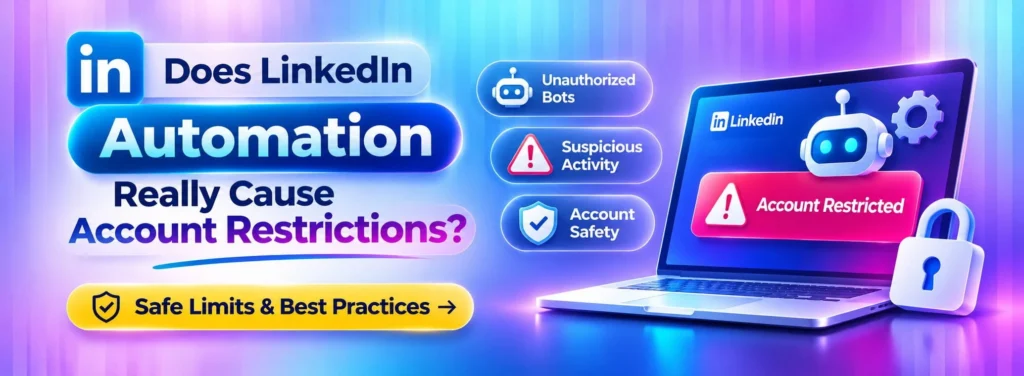
Does LinkedIn Automation Really Cause Account Restrictions?
The short answer is yes. LinkedIn can restrict accounts that use unauthorized automation software.
However, that doesn’t mean every productivity tool is dangerous or that every restriction comes from automation.
LinkedIn wants people to build genuine professional relationships. When software automatically sends invitations, collects member information, or performs other prohibited actions, it can interfere with that experience.
That’s why LinkedIn’s User Agreement prohibits unauthorized bots and automated methods.
For someone dealing with linkedin account restricted automation, understanding this distinction is important. The issue isn’t simply how quickly an action happens. It’s whether the activity follows LinkedIn’s policies.
Why LinkedIn Takes Automation Seriously
Think about your own LinkedIn inbox.
Would you enjoy receiving dozens of identical messages from strangers every morning? Probably not.
LinkedIn faces the same challenge across its platform. Automated outreach can create unwanted messages, irrelevant invitations, and artificial engagement.
Restrictions help protect members from these experiences.
LinkedIn also wants to prevent unauthorized collection of personal information and misuse of member accounts.
Does Every Automation Tool Violate LinkedIn Rules?
Not necessarily. It depends on what the tool does and whether LinkedIn authorizes that functionality.
For example, using a separate application to organize your prospect notes is different from allowing software to automatically control your LinkedIn account.
The problem begins when an unauthorized tool performs actions that LinkedIn prohibits.
Before using any application, check its functionality and whether it has official authorization for the specific LinkedIn features it accesses.
Why Does LinkedIn Detect Suspicious Activity?
A linkedin suspicious activity warning can appear for several reasons.
Sometimes it relates to automated behavior. Other times, LinkedIn may be concerned about unusual login attempts, account security, or excessive networking activity.
The warning itself doesn’t always tell you everything about the underlying issue.
That’s why it’s important to read the notification carefully rather than immediately assuming your account has been banned.
Sending Too Many Connection Requests
Imagine sending invitations to hundreds of people who have never heard of you.
Even if you’re genuinely trying to grow your business, many recipients may ignore your requests.
Some might mark them as unwanted.
LinkedIn limits invitations to discourage this type of behavior and protect its members.
Sending invitations manually doesn’t automatically protect you from restrictions if your activity violates platform limits.
Using Unauthorized Browser Extensions
Some browser extensions promise to automate almost everything on LinkedIn.
They may visit profiles, collect contact information, send invitations, or deliver messages.
These features might seem convenient, but unauthorized automation can violate LinkedIn’s policies.
An extension doesn’t become compliant simply because it operates inside your browser.
Repeating the Same Outreach Messages
Personalization matters.
If every person receives exactly the same message, your outreach can feel impersonal and unwanted.
Repetitive communication may also contribute to concerns about spam or inauthentic activity.
A better approach is to understand who you’re contacting and why the conversation might matter to them.
Unusual Login or Account Access
Not every linkedin suspicious activity alert is about outreach.
Unexpected account access can also trigger security checks.
If LinkedIn believes someone else might be accessing your account, it may require additional verification.
In that situation, protecting your login credentials should be your first priority.
What Is the LinkedIn Connection Request Limit?
The linkedin connection request limit refers to restrictions LinkedIn places on how many invitations members can send.
This is where a lot of online advice becomes confusing.
You may have seen articles claiming that sending a particular number of invitations each day is completely safe.
The problem is that LinkedIn doesn’t publish one universal daily number that guarantees unrestricted invitations for everyone.
Limits can vary, and LinkedIn may change how it applies them.
Is There a Fixed Daily Connection Limit?
LinkedIn doesn’t publicly guarantee a single daily invitation allowance for every account.
Instead of relying on numbers shared by automation vendors, pay attention to the restrictions and notifications displayed in your own account.
Remember that invitation quality matters too.
A smaller group of relevant professionals is often more valuable than a large list of people who have no reason to connect with you.
Does LinkedIn Premium Allow More Invitations?
Premium membership offers additional networking features, but it doesn’t remove LinkedIn’s invitation restrictions.
Both free and paid members remain subject to platform rules.
Upgrading your subscription won’t automatically resolve a restriction caused by excessive invitations or prohibited automation.
What Happens When You Reach Your Limit?
When you reach the linkedin connection request limit, LinkedIn may temporarily prevent you from sending additional invitations.
You might see a message explaining that you’ve reached an invitation limit.
At that point, the best response is to wait and respect the restriction.
Trying to bypass it through additional accounts or unauthorized software can create more problems.
How Many LinkedIn Actions Are Safe Per Day?
This is probably the question most people want answered.
Unfortunately, there isn’t a magic number that guarantees safety.
You might find recommendations for daily profile visits, messages, or connection requests. But those figures aren’t universal limits officially approved by LinkedIn.
More importantly, reducing the volume of prohibited automation doesn’t make it permitted.
Connection Requests
Focus on relevance instead of volume.
Before sending an invitation, ask yourself whether the person has a reasonable professional connection to your work.
Maybe you operate in the same industry. Perhaps you’ve interacted with their content or attended the same event.
Those are better reasons to connect than simply finding someone in a large prospect database.
Direct Messages
A good LinkedIn message should feel like the beginning of a conversation.
You don’t need a complicated sales pitch.
Introduce yourself, explain why you’re reaching out, and give the other person a reason to respond.
Avoid sending repeated messages to someone who has shown no interest.
Profile Visits
Viewing profiles is a normal part of LinkedIn networking.
However, using unauthorized software to visit large numbers of profiles or collect member information can violate LinkedIn’s rules.
Use LinkedIn’s search and profile features as intended.
Comments and Engagement
Engagement should add something meaningful to a discussion.
Instead of posting generic comments everywhere, contribute when you have a useful observation, question, or experience to share.
Real conversations are more likely to build professional trust than artificial activity.
Common Warning Signs Your LinkedIn Account May Be at Risk
Most people don’t think about restrictions until something stops working.
But recognizing warning signs can help you respond before the situation becomes more serious.
A linkedin suspicious activity notification is one obvious sign that your account needs attention.
Other warning signs may involve invitations, messaging, or security verification.
You Cannot Send New Invitations
You open someone’s profile, click Connect, and discover that LinkedIn won’t allow another invitation.
This may indicate that you’ve reached a limit or that your invitation privileges have been restricted.
Read the message carefully to understand what LinkedIn is telling you.
LinkedIn Mentions Automated Activity
If LinkedIn specifically identifies automated activity, take the warning seriously.
Review the tools and extensions connected to your account.
Stop using software that performs prohibited LinkedIn actions.
Your Account Requires Verification
LinkedIn sometimes asks members to confirm their identity or secure their accounts.
This doesn’t necessarily mean you violated an automation policy.
Follow the official verification process rather than using services that promise to bypass it.
Certain Features Stop Working
Sometimes a restriction affects only a particular feature.
You may still be able to view your feed while losing the ability to send invitations.
If you’re seeing repeated linkedin suspicious activity warnings, don’t keep testing the same behavior. Investigate the cause and follow LinkedIn’s instructions.
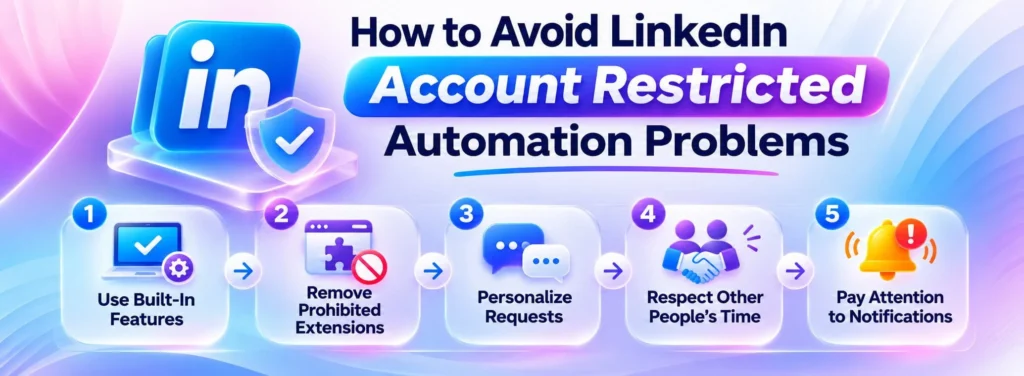
How to Avoid LinkedIn Account Restricted Automation Problems
Preventing linkedin account restricted automation issues starts with how you approach networking.
The goal shouldn’t be to make automated behavior harder to detect.
Instead, build a workflow that respects LinkedIn’s rules while still helping you manage your time.
You can be productive without turning every interaction into an automated task.
Use LinkedIn’s Built-In Features
LinkedIn already provides tools for finding professionals, following companies, communicating with connections, and managing professional relationships.
Start with those features.
If you need additional functionality, verify that the integration is authorized for its intended purpose.
Remove Prohibited Extensions
Take a few minutes to review your browser extensions.
You might discover applications you installed months ago and no longer use.
If an extension automatically sends invitations, visits profiles, scrapes data, or controls LinkedIn without authorization, remove it.
This simple review can help reduce unnecessary risk.
Personalize Your Connection Requests
People are more likely to appreciate invitations that have a genuine reason behind them.
You don’t need to write a long introduction.
A short message mentioning a shared interest, relevant discussion, or professional connection is often enough.
Avoid pretending that you know someone when you don’t.
Respect Other People’s Time
Not everyone wants to connect, and that’s perfectly normal.
If someone ignores your invitation or doesn’t respond to your message, avoid pressuring them.
Professional networking should create opportunities for both people.
Pay Attention to Notifications
Never ignore a linkedin suspicious activity alert.
Read what LinkedIn says, review recent account activity, and take the recommended steps.
If the warning involves unauthorized software, stop using it rather than adjusting its settings.
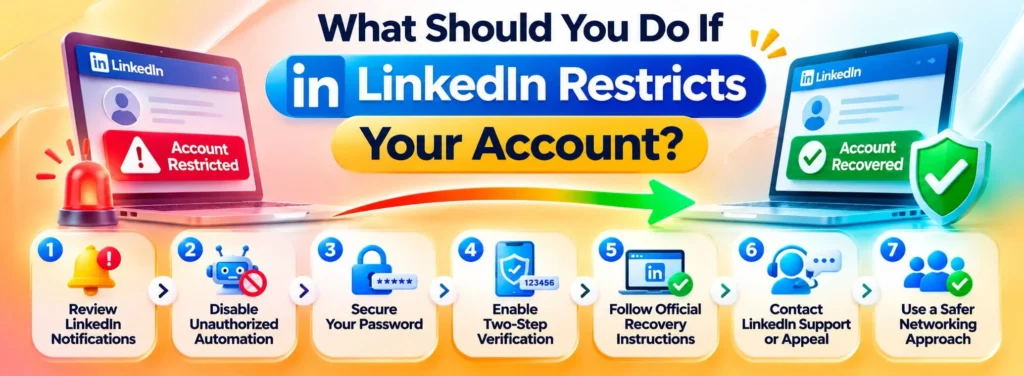
What Should You Do If LinkedIn Restricts Your Account?
Discovering that your account has been restricted can be stressful.
Maybe you were preparing for an important sales conversation or trying to contact a recruiter.
Whatever the situation, acting carefully is better than rushing into a workaround.
If you’re experiencing linkedin account restricted automation, start by identifying the exact restriction.
Step 1: Read LinkedIn’s Notification
Not all restrictions are identical.
Some involve invitation limits. Others relate to prohibited automation, identity verification, or account security.
The notification may explain which feature is affected and whether you need to take action.
Step 2: Stop Unauthorized Automation
If you’ve been using software that automatically interacts with LinkedIn, stop using it.
Disable relevant browser extensions and disconnect unapproved applications.
Continuing the same activity after a warning can lead to additional enforcement.
Step 3: Secure Your Login
If you shared your password with a third-party service, consider changing it.
Review your account security settings and enable two-step verification.
This is especially important if you suspect unauthorized access.
Step 4: Follow the Recovery Instructions
Some restrictions expire automatically.
Others require verification or additional review.
Follow the instructions LinkedIn provides rather than relying on unofficial recovery services.
Step 5: Contact Support When Necessary
If you believe the restriction was applied incorrectly, check whether LinkedIn offers an appeal or review option.
Explain what happened clearly and truthfully.
Avoid sending repeated appeals or providing inaccurate information.
Step 6: Change Your Networking Approach
Once your account is restored, don’t immediately return to the same activities that caused problems.
Review your outreach process and remove prohibited tools.
Addressing linkedin account restricted automation properly means fixing the underlying behavior, not simply waiting for access to return.
How Long Do LinkedIn Restrictions Usually Last?
There isn’t one standard duration for every restriction.
The time depends on the reason for the restriction and LinkedIn’s enforcement decision.
According to LinkedIn’s official invitation guidance, most invitation restrictions are removed within one week.
However, certain situations involving outstanding invitations may require a longer waiting period.
For automated activity suspensions, LinkedIn may specify when access is expected to return.
Can a Restriction Become Permanent?
Yes.
Repeated or serious violations can result in permanent account restrictions.
That’s why it’s important to treat warnings as something more than a temporary inconvenience.
If you’ve already faced linkedin account restricted automation, continuing prohibited activity may put your professional account at greater risk.
Can LinkedIn Support Remove a Restriction Early?
LinkedIn states that invitation restrictions generally cannot be shortened by contacting support.
Other account restrictions may offer a review process, depending on the circumstances.
Always follow the options available through your official LinkedIn account.
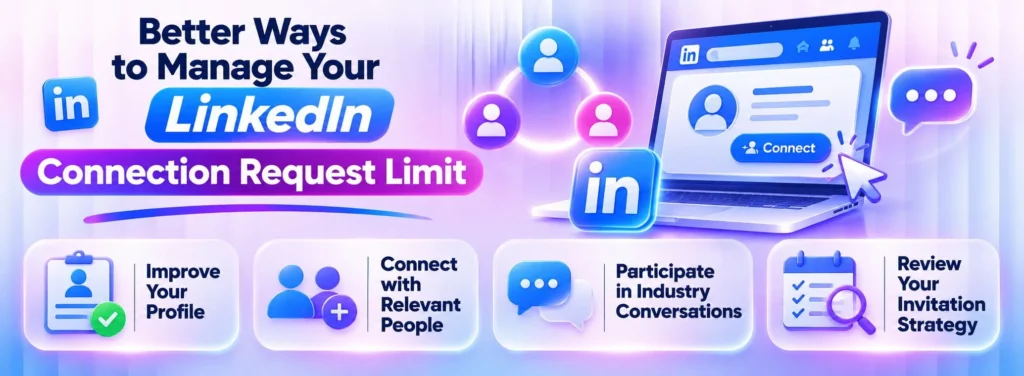
Better Ways to Manage Your LinkedIn Connection Request Limit
Understanding the linkedin connection request limit is useful, but managing your networking strategy is even more important.
A good outreach process doesn’t depend entirely on sending new invitations.
It creates opportunities for people to discover your profile and interact with your work naturally.
Improve Your Profile First
Before contacting potential connections, look at your own profile.
Does your headline clearly explain what you do?
Is your About section useful and easy to understand?
Can visitors quickly see your experience and professional interests?
A clear profile gives people more confidence when deciding whether to connect.
Connect With Relevant People
Avoid sending invitations simply because someone has an impressive job title.
Think about whether you share a professional interest or have a meaningful reason to communicate.
For example, a software consultant might connect with engineering leaders who discuss challenges related to software testing.
That approach creates a more natural starting point.
Participate in Industry Conversations
You don’t always need to send an invitation to become visible.
Comment thoughtfully on relevant posts, share useful experiences, and participate in professional discussions.
Over time, people may recognize your name and become interested in connecting.
Review Your Invitation Strategy
If many invitations remain unanswered, reconsider your targeting.
Perhaps your audience is too broad, or your reason for connecting isn’t clear.
Improving your approach is more productive than trying to push beyond the linkedin connection request limit.
Is Manual LinkedIn Outreach Better Than Automation?
Manual outreach requires more attention, but that isn’t necessarily a disadvantage.
When you personally review a profile, you can understand someone’s work before contacting them.
You can also adjust your message to match the situation.
Automation often removes that context, especially when the same sequence is sent to everyone.
Why Personal Conversations Work
Think about the last message you received from someone who genuinely understood your business.
It probably felt different from a generic sales pitch.
That difference matters.
People appreciate messages that acknowledge their actual interests, responsibilities, or challenges.
Where Productivity Tools Still Help
You can use productivity software to organize your schedule, prepare message drafts, maintain research notes, and manage tasks outside LinkedIn.
For example, a spreadsheet can help you track which prospects you’ve researched and which conversations require attention.
These workflows don’t require software to automatically control LinkedIn.
Focus on Relationships, Not Activity Numbers
Sending more messages doesn’t automatically mean generating more business.
A few meaningful conversations can create opportunities that hundreds of irrelevant invitations never will.
Avoiding linkedin account restricted automation problems becomes easier when your strategy focuses on relationships instead of activity volume.
Common LinkedIn Automation Mistakes to Avoid
Many people make automation mistakes because they trust marketing claims without checking LinkedIn’s actual policies.
Some vendors promise that their software is completely safe or impossible to detect.
Those claims should be treated cautiously.
No third-party vendor can guarantee that prohibited automation will never lead to restrictions.
Assuming Low-Volume Automation Is Allowed
Performing fewer automated actions doesn’t automatically make unauthorized software compliant.
LinkedIn’s policies concern the method of activity as well as platform misuse.
Ignoring Repeated Warnings
If you receive a linkedin suspicious activity warning, investigate it.
Continuing the same behavior may result in additional restrictions.
Creating Extra Accounts to Avoid Limits
Using false accounts or attempting to bypass restrictions can violate LinkedIn’s rules.
It’s better to resolve the original problem through the platform’s official process.
Prioritizing Quantity Over Relevance
The linkedin connection request limit shouldn’t be treated as a daily target.
Just because you can send another invitation doesn’t mean you should.
Contact people when you have a genuine professional reason.
Frequently Asked Questions About LinkedIn Automation
Does LinkedIn restrict accounts for using automation tools?
Yes. LinkedIn can restrict accounts that use unauthorized tools to automate activities such as sending invitations, messaging members, or collecting profile information. Depending on the violation, restrictions may be temporary or permanent.
What does linkedin account restricted automation mean?
The phrase linkedin account restricted automation generally describes a situation where an account faces restrictions associated with automated activity. It is a common search phrase, not necessarily the exact wording of LinkedIn’s official notifications.
What causes linkedin suspicious activity warnings?
A linkedin suspicious activity warning may relate to unauthorized automation, unusual login behavior, excessive activity, or account security concerns. The exact reason depends on the notification and account circumstances.
What is the official linkedin connection request limit?
The linkedin connection request limit does not have one publicly guaranteed daily number for every member. LinkedIn applies invitation restrictions, and users should follow the limits displayed in their accounts.
Is LinkedIn automation safe with Premium?
Premium membership doesn’t authorize prohibited automation. Paid members must still follow LinkedIn’s User Agreement and platform restrictions.
Can I use AI to write LinkedIn outreach messages?
Yes, AI can help you prepare and improve message drafts. However, using unauthorized tools to automatically send those messages through LinkedIn may violate its policies. Review your messages and use permitted communication methods.
Can withdrawing invitations remove a restriction?
Not necessarily. LinkedIn explains that withdrawing outstanding invitations doesn’t automatically remove an invitation restriction. You may still need to wait until the restriction expires.
What should I do after receiving an automation warning?
Stop prohibited automation, review connected applications, secure your account, and follow LinkedIn’s official instructions. Avoid trying to bypass restrictions through additional accounts or unauthorized software.
Final Thoughts: Grow Your LinkedIn Network Without Unnecessary Risk
LinkedIn can be an excellent place to meet professionals, discover opportunities, and grow your business.
But successful networking isn’t about sending the highest possible number of invitations every day.
It’s about reaching the right people and giving them a genuine reason to connect.
The biggest lesson from linkedin account restricted automation is that no unofficial activity number can guarantee safety when a tool violates LinkedIn’s rules.
Understanding the linkedin connection request limit helps you manage invitations responsibly, while recognizing linkedin suspicious activity warnings helps you respond before problems become more serious.
Use LinkedIn’s built-in features, avoid unauthorized automation, and focus on conversations that offer real value.
Your LinkedIn profile represents your professional identity. Protecting that reputation is far more important than saving a few minutes with risky software.
When you build relationships naturally, you’re not just reducing the possibility of restrictions. You’re creating a stronger professional network that can continue delivering value for years.


